
Platform
Built for How HSE Work Happens on Site
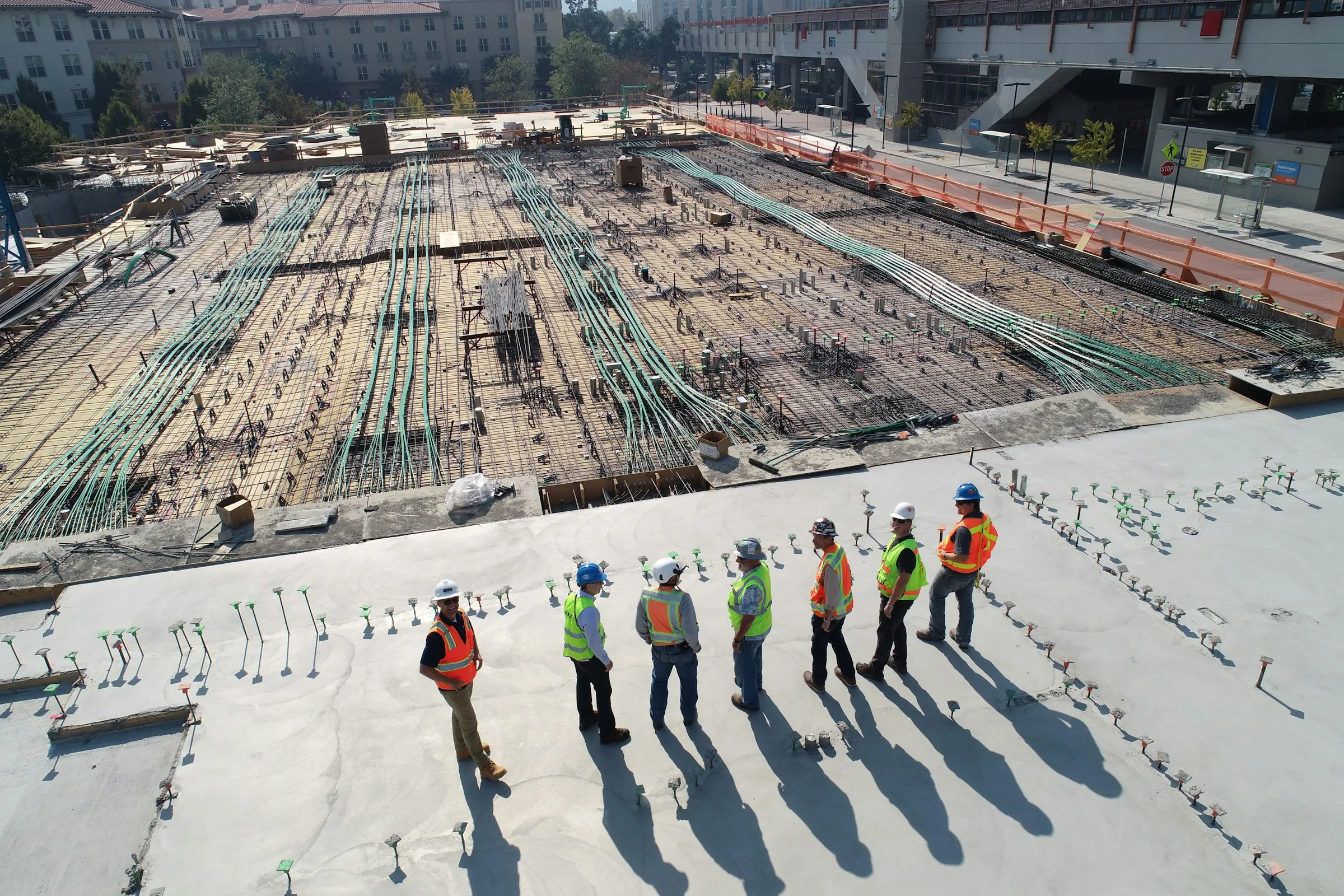
Fieldmaster.ai brings observations, inspections, incidents, corrective actions, toolbox talks, permits, training records and man-hours into one app, on one set of sites and roles.
AI
Voice and Photo Capture in the Worker’s Own Language
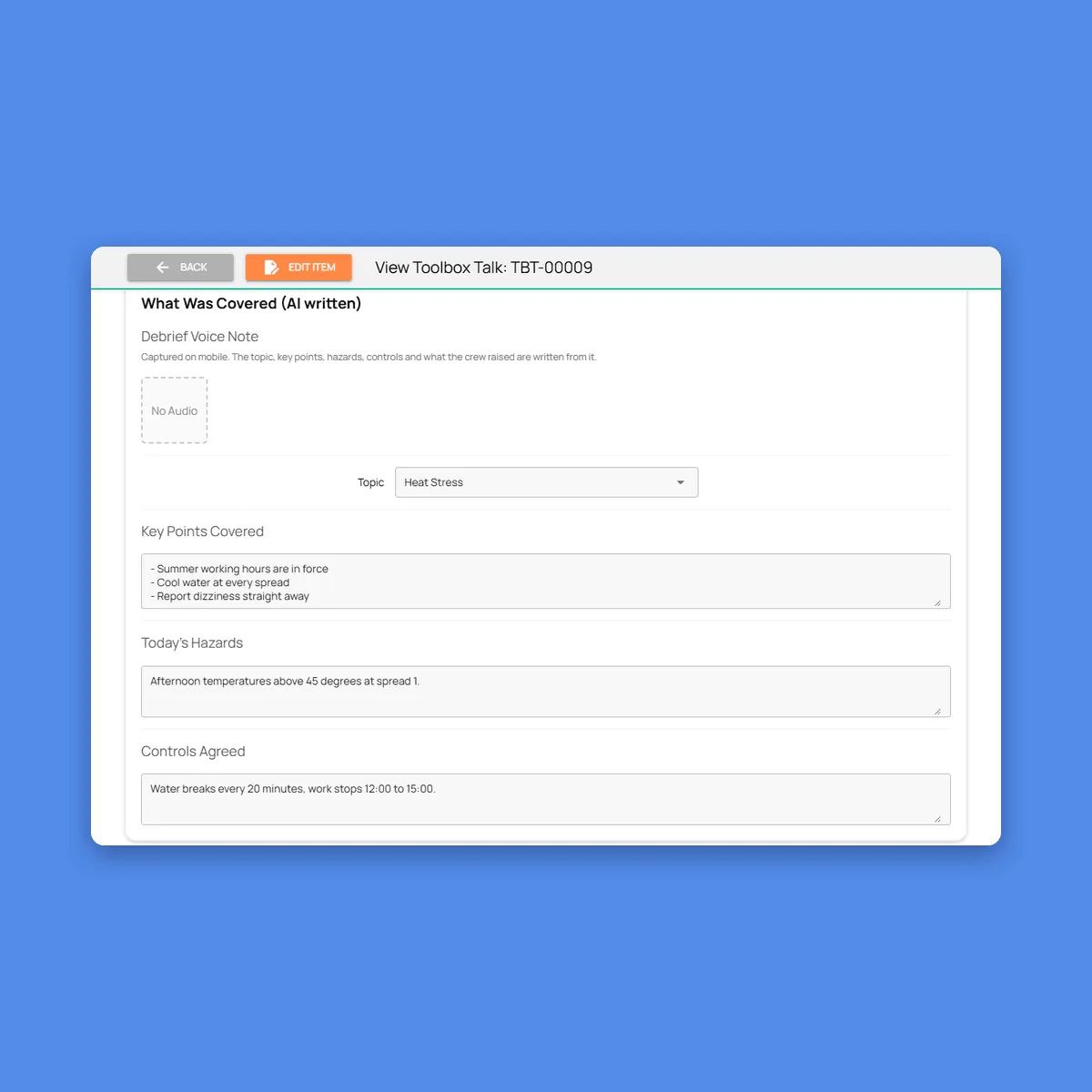
Every field form can be filled by speaking or by taking a photo. Workers describe a hazard, an incident or a finished fix in Arabic, Urdu, Hindi, Bengali, Malayalam, Tamil, Tagalog or any of more than 40 languages, and the platform fills the form in English and keeps the original recording. After a toolbox talk, the supervisor records a short debrief, and the topic, key points, hazards, controls and what the crew raised are written from it.
Photos are read the same way: a hazard photo fills an observation card, a photographed training certificate fills in the holder, number and expiry date, and close-out photos are graded as evidence. The whole mobile app, form labels included, switches to the worker’s language.
Permit to work
Permits Signed Off Stage by Stage
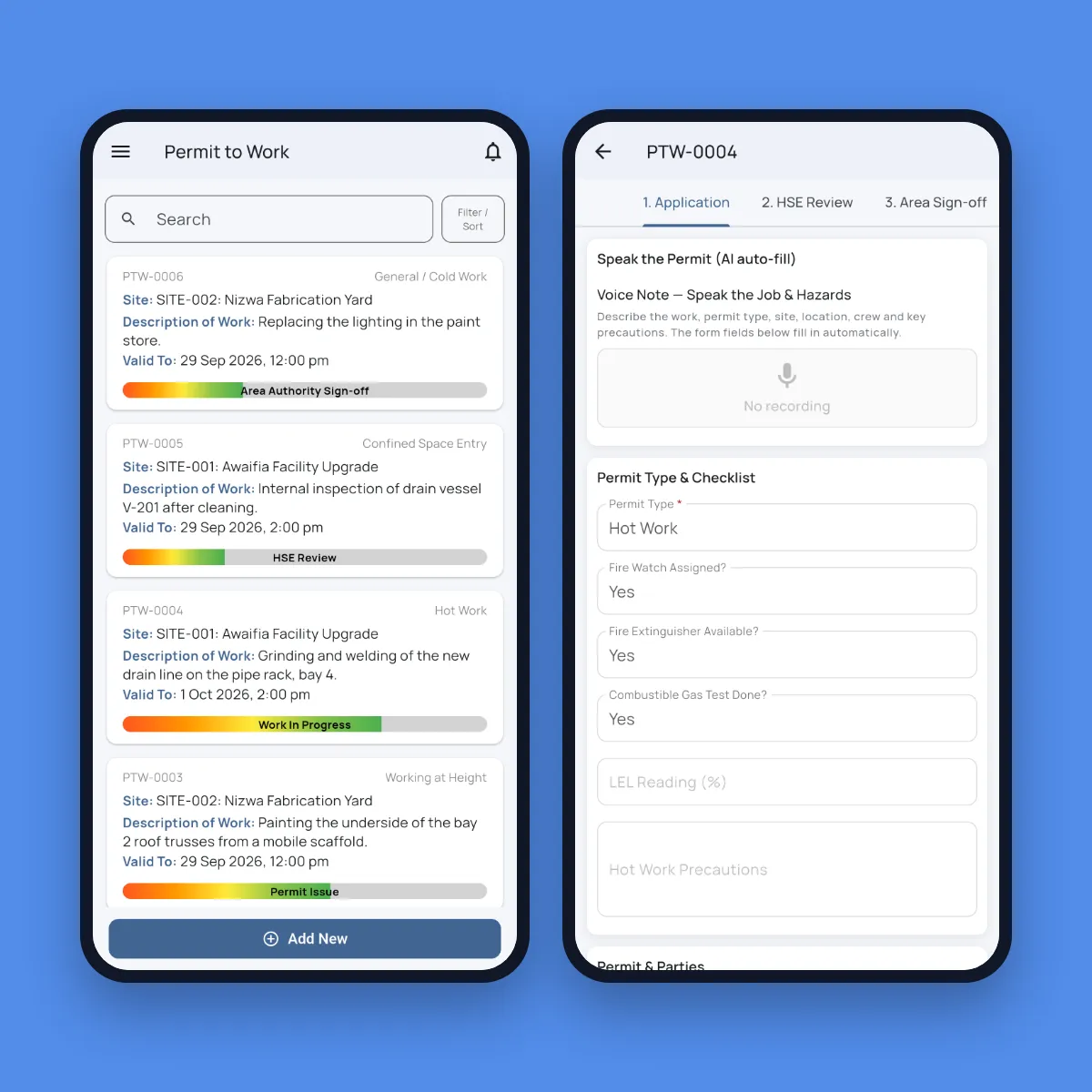
Permits move through application, HSE review, area authority sign-off, issue, work in progress and close-out, and each stage is signed on the phone or the web. The permit type brings its own checklist: fire watch and gas test for hot work, O2, LEL and H2S readings for confined space, harness and anchor point for work at height, an isolation register for electrical work, and shoring and service scans for excavation. The area authority confirms isolations and checks for clashes with simultaneous operations.
The requester can speak the application instead of typing it. Before work starts, a photo of the assembled crew is checked for PPE, and one missing helmet or vest stops the permit. Conditions are reconfirmed every shift, and your library of job safety analyses is reused across permits.
Corrective actions
One Action Register for Every Finding
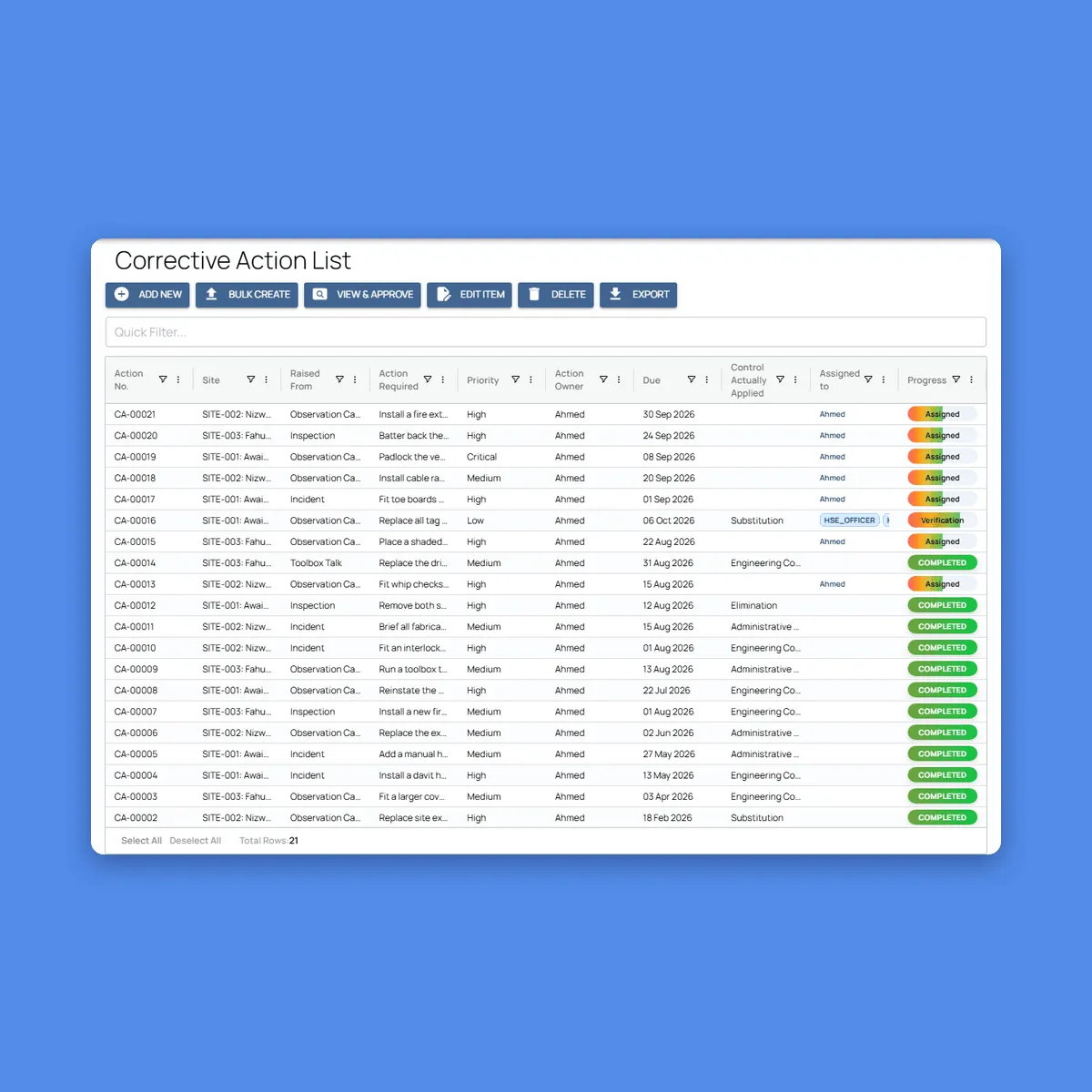
Observation cards, inspection findings, incident investigations and toolbox talk concerns all raise actions into the same register, linked back to the record they came from. Each action gets a priority, an owner and a due date, from one day for critical to 45 days for low, set to your standard, and the owner is notified as soon as it lands with them.
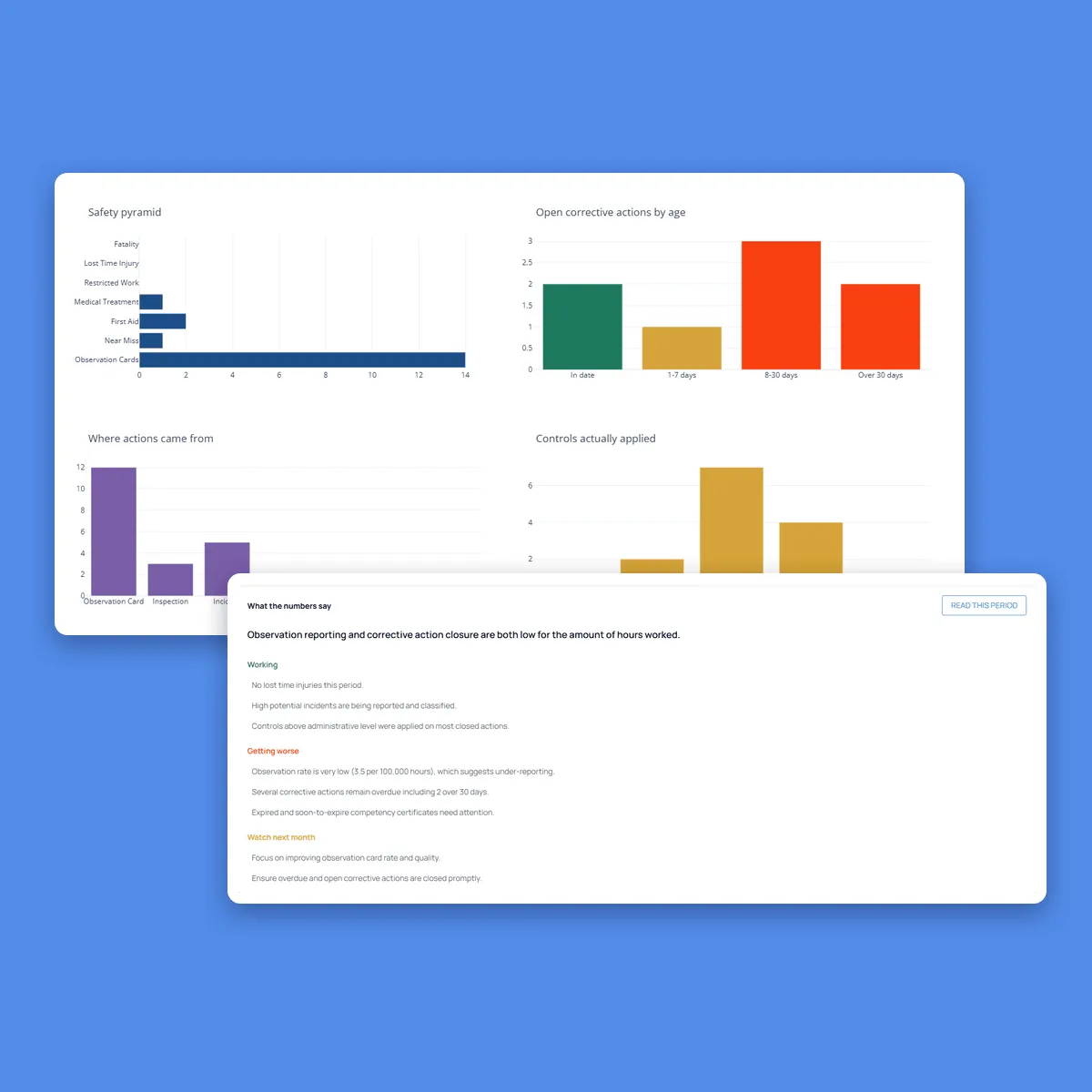
Every action records the control it should apply and the control actually applied, from elimination down to PPE. The dashboard shows how old the open actions are, and how many were closed with a briefing instead of a real fix.
Reporting
Lagging and Leading Indicators From the Same Records
TRIR and LTIF per million hours are calculated from confirmed incident classifications and the man-hours entered for each site. A rate stays blank until the man-hours behind it are entered, rather than showing a wrong number. Next to them sit the leading indicators: observation cards per 100,000 hours, stop work calls, inspection scores, toolbox talk attendance, live permits and expiring certificates.
Charts show the safety pyramid, open actions by age, where actions came from, the controls applied, a comparison by site and a twelve-month trend. One click asks AI for a plain-English read of the period, written only from the figures on the page.
AI
AI That Enforces Your Safety Standards
AI does more than fill in forms. It checks photos for hazards and PPE, grades evidence and toolbox talks, and drafts the paperwork. We switch on the checks that matter to your operation and tune them to your standards during the build.
Toolbox talks graded
Each talk is recorded and checked against the topics it had to cover. Missed topics are listed and the presenter is graded.
PPE checks
A crew photo is checked for helmets, hi-vis, boots and glasses, plus gloves, face shields, respirators or harnesses where the job needs them. A permit is blocked if anyone fails.
Hazards in photos
Spots missing guardrails, blocked exits, unsecured ladders and poor housekeeping in site photos, and suggests an observation card.
Tags and certificates
Reads scaffold tags, lifting gear certificates and competency cards from a photo, and flags expired ones.
Evidence graded
Close-out photos are graded as strong, adequate or weak evidence, and a check marked compliant with a photo that shows otherwise is flagged.
Investigations drafted
The first voice report becomes a factual incident report, and AI drafts the five whys and root causes for the investigator to correct.
Incident scene photos
A photo of the scene becomes a factual description: the equipment visible, the conditions that contributed and whether the area is cordoned off.
Severity and high potential
AI suggests each incident’s potential severity and flags high-potential (HiPo) events for HSE to confirm.
Findings with controls
Each finding and voice observation gets a risk level, a fix and its place in the hierarchy of controls, ready to become a corrective action.
Features
More Features HSE Teams Use
Role and site-based access
Ten roles, from worker to issuing authority, and site supervisors see only the sites they cover.
Your checklists, built in
Each inspection type carries your own questions in your order, with critical items that trigger stop work.
AI-checked evidence
Inspection and close-out photos are checked against what was claimed, so weak evidence is flagged before sign-off.
Training and competency register
Certificates are photographed, not typed, and expired or soon-to-expire tickets show on the dashboard.
Man-hours by site
Own and subcontractor hours, headcount and overtime each month, so every rate has a traceable basis.
Life-Saving Rules
Observations, incidents and permits are tagged against your Life-Saving Rules, so every breach is on record.
Excel export and client reports
Every register exports to Excel, and your client’s monthly HSE report can be set up in their format.
Journey management connected
Issues drivers report on the road can become HSE observations, on the same platform.
Offline and multilingual
Android and iOS apps that work without signal and in more than 40 languages.
Security and your data
Built for Operations Where Accountability Matters
How your data is protected, where it’s hosted, and how you take it with you.
Encrypted in transit and at rest
Field records, photos and documents are encrypted on their way from the device and while stored on our servers.
Choice of hosting location
Hosted in the US or the EU by default, on enterprise-grade servers. Other locations, for local data rules, are available at extra cost.
Automated backups
Backups run automatically across the whole system, so your data can be fully recovered after an emergency or a system failure.
Your data, yours to export
Your organization owns its data. Every module has an export to Excel, and photos and recordings are provided as download links on request.
Access managed by your admins
Your administrators add and remove people and decide what each role can see and do, down to a single site or unit, without a support ticket.
Complete audit trail
Every submission, edit and approval is time-stamped and attributed, with GPS-tagged photos, ready for audits and disputes.
FAQ
Questions About the Platform
Does the mobile app work offline?
Yes. Field teams can clock in, complete tasks, record inspections and capture photos with no connection. Everything is stored on the device and syncs to the dashboard as soon as it reconnects, so no work is lost.
Which languages does the app support?
The app supports more than 40 languages, including Arabic, Urdu, Hindi, Bengali, Malayalam, Tamil and Tagalog. It follows the language set on each worker’s device, so crews see instructions, checklists and tasks in the language they are most comfortable with. Voice notes can be recorded in any language, even mixing languages in one note. The words appear as the worker speaks, and they can read the English translation before submitting.
Can we build our own workflows?
Yes. Fieldmaster.ai is a low-code platform, and our team configures the forms, approval rules and task sequences to match your business rules. New workflows and changes are delivered in days, without a development project on your side.
Does it connect to our existing systems?
Yes. Fieldmaster.ai connects through open APIs, webhooks and Excel import and export, and can feed your reporting database. Our team builds the link to your ERP, billing or customer systems, so field data flows into the tools your office already uses.
What support do you provide?
Support comes straight from the people who built your app, in Muscat, Ajman and Cochin. During rollout we train your key users, who then train everyone else, and we stay close in the weeks after go-live.
After that, support is available by phone, email and chat, every request is tracked from report to verified fix, and changes to your app take days, not quarters.