AMC Management Software, From the Contract to the Completed Visit

For companies that maintain lifts, air conditioning, generators and other equipment under annual maintenance contracts. Every unit carries its contract, its service frequency and its visit history. Planned visits are routed across your technicians each month, breakdown calls come in with a response time, and the customer can follow a request without calling you.

Technician in orange coveralls, safety glasses and ear defenders checking a tablet next to industrial machinery

The problem

Contracts in a Folder, Visits in a Diary

The contracts are in a folder and a spreadsheet lists which units are covered. Planned visits are written into a diary by whoever has time, so a unit due every month is visited when a technician happens to be nearby. A contract expires, and the first sign is a customer who stops paying or a competitor’s sticker on the unit.

Breakdown calls arrive by phone and WhatsApp. Nobody can say how long each one took, whether the unit was under contract, or how many times the same unit has failed this year.

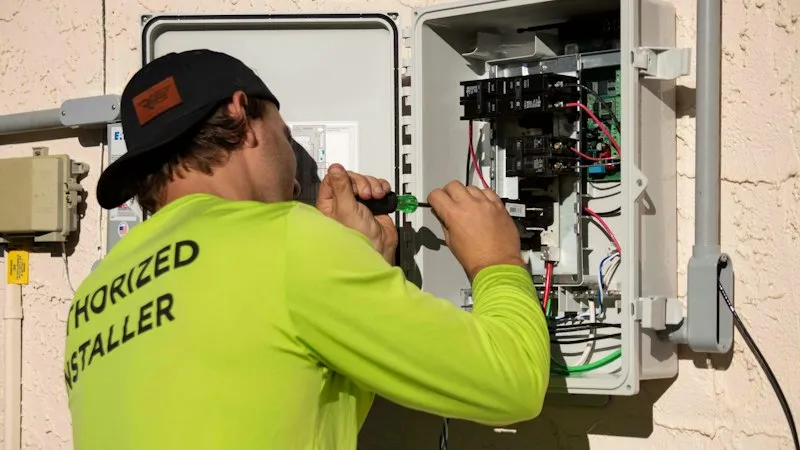
A technician in a lime-green work shirt and cap uses a screwdriver on the wiring inside an open electrical box on a wall.

How it works

Six Steps From Signed Contract to Service History

The registers, request types and response times are set up for the equipment you maintain.

  1. Customers and units registered

    Each unit is recorded with its customer, address, brand, installation date and warranty end date.

  2. Contract attached

    Each AMC has its start and end dates, service frequency, value and the signed document.

  3. Month planned

    A maintenance visit is raised for every unit under contract and routed across your technicians.

  4. Visit recorded

    The technician records the visit on the phone with a photo, the GPS location and the type of service.

  5. Breakdowns handled

    A service request becomes a task with its response time attached, assigned to a technician automatically.

  6. History built

    Every visit is added to the unit’s history, and the customer can leave feedback on the request.

What you get

Every Unit, Contract and Visit in One Place

  • AMC status on every unit

    Each unit shows whether its contract is valid and until when, or that it has expired or was never signed.

  • No overlapping contracts

    Renewals are added as new periods, and two contract periods for one unit can’t overlap.

  • Monthly route plan

    Planned visits are spread across technicians and put in route order, with arrival times, and can be downloaded to Excel.

  • QR code on every unit

    Labels are printed from the register for every unit, ready to scan on site.

  • Response time by type of fault

    Each issue type has its own SLA in hours, carried onto the task the technician receives.

  • Service request page

    Customers raise a request on a public page that can sit on your website. Your team checks it before a technician is sent.

  • Status without a phone call

    The customer enters the request number and sees whether a technician is assigned and whether the visit is done.

  • Service history per unit

    Every visit with its date, photo, type of service and technician, on the unit’s own record.

  • Customer feedback

    A short survey after each request: satisfaction, punctuality, whether it was fixed on the first visit.

What changes

Know What Is Covered, What Is Due and What Was Done

Folder, diary and spreadsheetFieldmaster AMC management
Which units are under contractFolder, diary and spreadsheet

A spreadsheet that is right on the day it was updated.

Fieldmaster AMC management

Each unit shows its contract status and end date.

Planned visitsFolder, diary and spreadsheet

Fitted in when a technician is nearby.

Fieldmaster AMC management

Raised for every unit under contract and routed for the month.

Breakdown callsFolder, diary and spreadsheet

Phone and WhatsApp, passed on by hand.

Fieldmaster AMC management

A request with a response time, assigned to a technician automatically.

Proof of a visitFolder, diary and spreadsheet

A signed job sheet, if it comes back.

Fieldmaster AMC management

A photo with the GPS location and time, on the unit’s history.

What the customer seesFolder, diary and spreadsheet

Nothing, until they call.

Fieldmaster AMC management

A request page, a status page and a feedback form.

Built around your service

Set Up for Your Equipment, Your Contracts and Your SLAs

The app is set up today for lift and elevator maintenance, with units, brands and monthly service visits. The same registers and workflows fit any equipment maintained under contract: air conditioning, generators, fire systems, kitchen equipment or medical devices. Your unit fields, fault types, response times and visit checklists are set up during the build.

It runs on the same platform as Fieldmaster’s maintenance and field service apps, so spare parts, technician attendance and planned maintenance timetables can be added when you need them.

Helpdesk agent wearing a headset and typing at a computer in a busy office

FAQ

AMC Management Software: Common Questions

What is AMC management software?

AMC management software keeps track of annual maintenance contracts and the work they promise. It records which equipment is covered and until when, plans the visits each contract calls for, handles breakdown calls from customers, and keeps a service history for every unit. It is also called maintenance contract or service contract management software.

What is an annual maintenance contract (AMC)?

An agreement in which a service company maintains a customer’s equipment for a year at an agreed price, usually with a set number of planned visits and a response time for breakdowns. Lifts, air conditioning, generators and fire systems are commonly covered this way.

Is it only for lifts and elevators?

No. It is set up today for lift maintenance, and the same registers, contracts, requests and routes are set up for other equipment as part of your build.

How are planned visits scheduled?

At the start of each month a maintenance visit is raised for every unit with a valid contract. The routing engine spreads the visits across your technicians and puts each technician’s visits in route order, and the plan can be downloaded to Excel.

How do customers raise a breakdown call?

On a public page that needs no login, or by calling your office, where staff enter the request. A request from the public page is checked by your team first. It then becomes a task with the unit’s details, the fault and the response time, assigned to a technician.

Will it warn us before a contract expires?

Each unit shows whether its contract is valid and its end date, and the list can be filtered and exported. A scheduled report of contracts ending in the coming weeks can be set up as part of your app.

Does it produce invoices?

It records each contract’s value and signed document. Invoices stay in your accounting system.

How long does it take to set up?

A typical app is live in 10 to 18 working days. Customers and units can be loaded in bulk from Excel.

Do you work with companies across the GCC?

Yes. We work with companies in Oman, the UAE, Saudi Arabia, Qatar, Kuwait and Bahrain. Our team works from Muscat, Ajman and Cochin, and support comes directly from the people who built the platform.