Flange Management Software That Tracks Every Joint, From Blinding to Torque Verification

A flange management system for shutdowns and turnarounds. Every flange gets a QR code and a record. Crews scan the joint at each stage, from blinding and opening to box-up, torquing and verification, and the control room sees which joints in each unit are ready, in progress or still open. No joint is left to a tag and a spreadsheet.

Two workers in hard hats and high-visibility vests checking a tablet beside pipework at an industrial plant, with a third worker walking past

The problem

Thousands of Joints, Tracked on Tags and a Spreadsheet

A shutdown opens thousands of flanged joints in a few weeks. Each one has to be blinded, opened, boxed up again, torqued to the right value and verified, usually by different crews on different shifts. The record is a paper tag on the joint and a spreadsheet in the planning office, updated from handwritten sheets at the end of the day.

So the spreadsheet is always a shift behind. A joint marked as torqued may not have been verified, and one missed joint is found at start-up, as a leak.

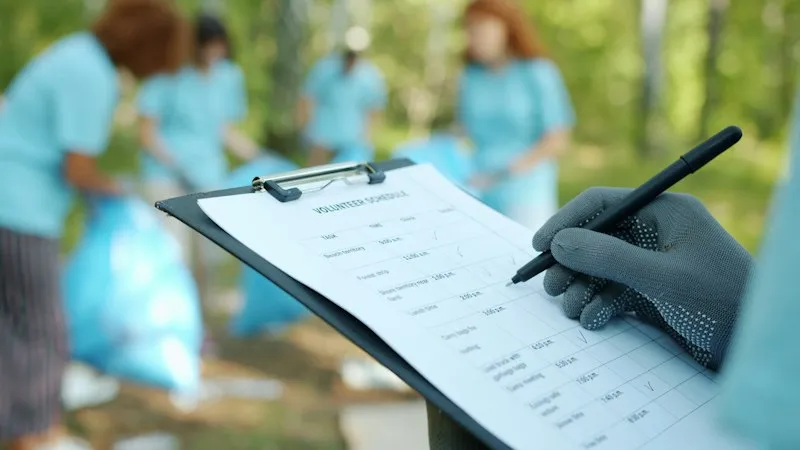
A gloved hand filling in a paper checklist on a clipboard outdoors

How it works

Seven Stages, Each Confirmed at the Joint

A joint moves to the next stage only when the crew scans it and records the work. Your own stages and sign-offs are set up to match your procedure.

  1. QR code generated

    Flanges are loaded from Excel, and a QR label is printed for each one.

  2. QR code fixed

    A field task is raised to fix each label, and scanning it confirms the joint is tagged.

  3. Blinding or opening

    The crew scans the joint and records that it has been blinded or opened.

  4. Ready for box-up

    The joint is marked ready once the work behind it is finished.

  5. Box-up and de-blinding

    Blinds are removed and the joint is reassembled, recorded at the joint.

  6. Torquing

    The joint is tightened to the torque value held on its record.

  7. Torque verification

    A second sign-off confirms the torque before the joint is closed out.

What you get

One Record per Joint, Live for the Whole Shutdown

  • Flange register

    Each joint carries its specification, bolts, torque value, pressure and tag documents.

  • QR label on every joint

    Labels are printed in bulk as a PDF and scanned by the crew at every stage.

  • Stages moved by scans

    The stage changes when the crew records the work at the joint, not when a sheet reaches the office.

  • Named sign-offs

    Each stage is completed by a named person in the role that owns it, with the date and time.

  • Status by unit

    A dashboard shows how many joints in each plant unit are at each stage.

  • Access by unit

    Contractors and crews see only the units they are working on.

  • Bulk upload from Excel

    The joint list from your shutdown plan is uploaded in one file, and corrections can be made the same way.

  • Works without signal

    Scans and records are saved on the phone inside the plant and sync when the connection returns.

  • Permits on the same platform

    Permits to work for the same jobs can run in the same app, with the same people and roles.

What the field link proves

The Status of Every Joint, as of Now

Tags and a spreadsheetFieldmaster flange tracking
Finding the joint’s recordTags and a spreadsheet

Match a handwritten tag number to a row in a spreadsheet.

Fieldmaster flange tracking

Scan the QR code on the joint.

When the status is updatedTags and a spreadsheet

At the end of the shift, from paper sheets.

Fieldmaster flange tracking

When the crew records the stage at the joint.

Who did the workTags and a spreadsheet

Initials on a tag.

Fieldmaster flange tracking

A named user and role, with the date and time.

Torque valueTags and a spreadsheet

Looked up in a separate table.

Fieldmaster flange tracking

On the joint’s record, in front of the crew.

Readiness for start-upTags and a spreadsheet

Counted by hand from the spreadsheet.

Fieldmaster flange tracking

Shown by unit and stage on the dashboard.

Built around your procedure

Your Stages, Your Sign-Offs, Your Units

Every plant has its own joint integrity procedure. The stages, the roles that sign each one, the fields on the flange record and the units on the dashboard are set up to match yours. The same platform can carry more of the shutdown’s field work, such as permits and inspections, in one app for the same crews.

A typical app is live in 10 to 18 working days, so it can be ready before the shutdown starts.

Oil field worker in a hard hat using a phone and tablet with a pump jack behind him

FAQ

Flange Management Software: Common Questions

What is flange management?

Flange management, or joint integrity management, is the control of every flanged joint that is opened during maintenance or a shutdown. Each joint is identified, its work is recorded stage by stage, and it is torqued and verified before the plant starts up, so that no joint leaks.

Flange management software replaces paper tags and spreadsheets with a record per joint that crews update on site.

What does a flange management system record?

For each joint: its tag, unit, specification, bolts, torque value and pressure, and who completed each stage and when. Together these show, joint by joint, that the plant is ready to start up.

Which stages does it track?

As set up today: QR code generated, QR code fixed, blinding or opening, ready for box-up, box-up and de-blinding, torquing and torque verification. Stages can be added, removed or renamed to match your procedure.

How do the joints get into the system?

From an Excel file with one row per flange: its unit, tag, specification, bolts, torque value and pressure. QR labels are then printed in bulk for the crews to fix.

Does it work inside the plant without signal?

Yes. Scans and stage records are saved on the phone and sync when the connection returns.

Can several contractors use it on the same shutdown?

Yes. Access is given by plant unit, so each contractor’s crews see only the joints in the units assigned to them.

Do you work with companies across the GCC?

Yes. We work with companies in Oman, the UAE, Saudi Arabia, Qatar, Kuwait and Bahrain. Our team works from Muscat, Ajman and Cochin, and support comes directly from the people who built the platform.