
How it works
One Workflow From Report to Verified Fix
Your sites, roles and rules are set up once. From then on, every report, inspection and incident moves through the same stages, and every finding ends in the same action register.
Step 1
Sites, Roles and Rules Are Set Up Once
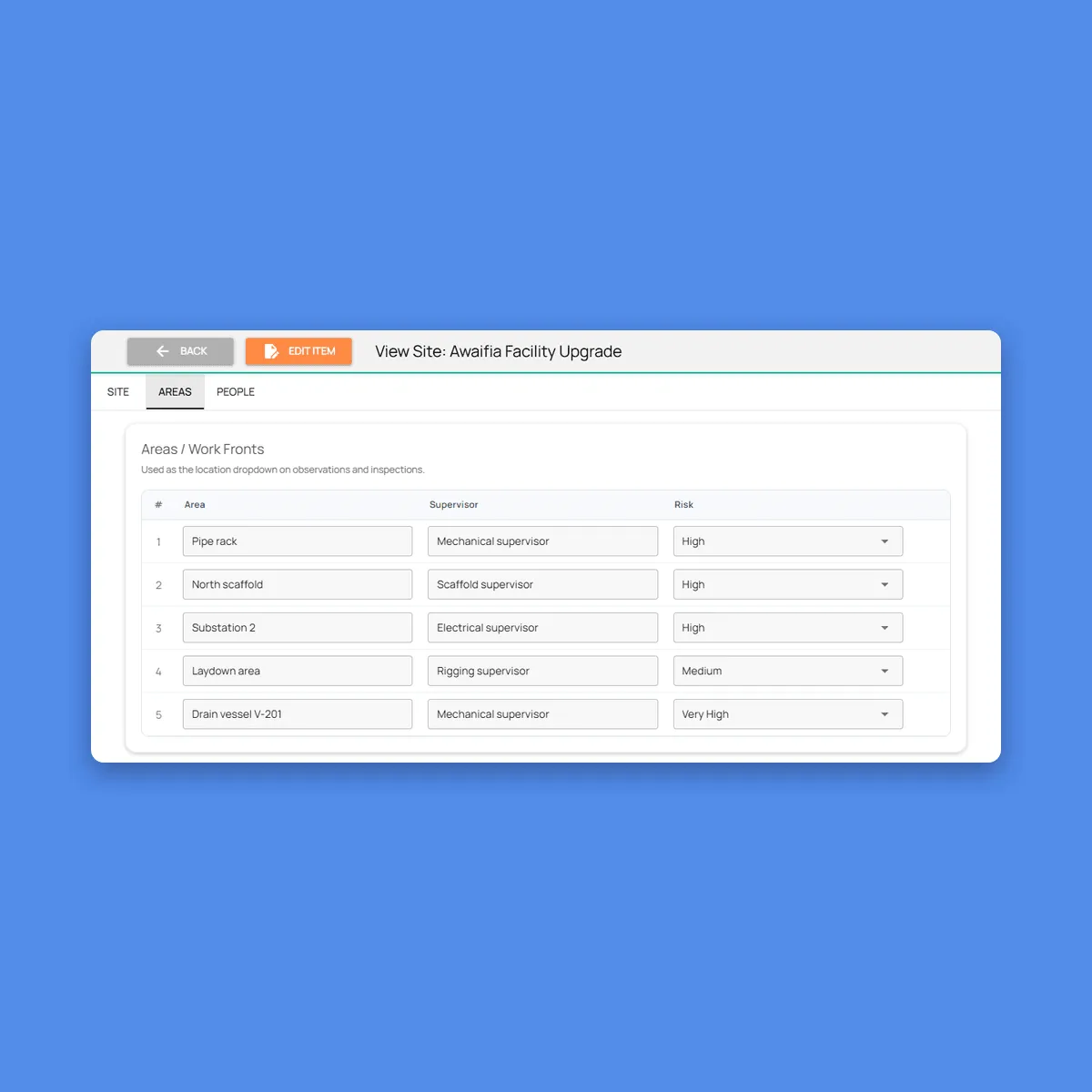
Each site or project is set up with its areas and work fronts, and each area has a supervisor and a risk level. A site supervisor sees only the sites they cover, while HSE officers and managers work across all of them.
We then set up your categories, Life-Saving Rules, inspection checklists and the time allowed for each action priority, such as one day for critical and a week for high. When your procedures change, the forms change with them.
Step 2
Workers Report What They See, by Voice or Photo
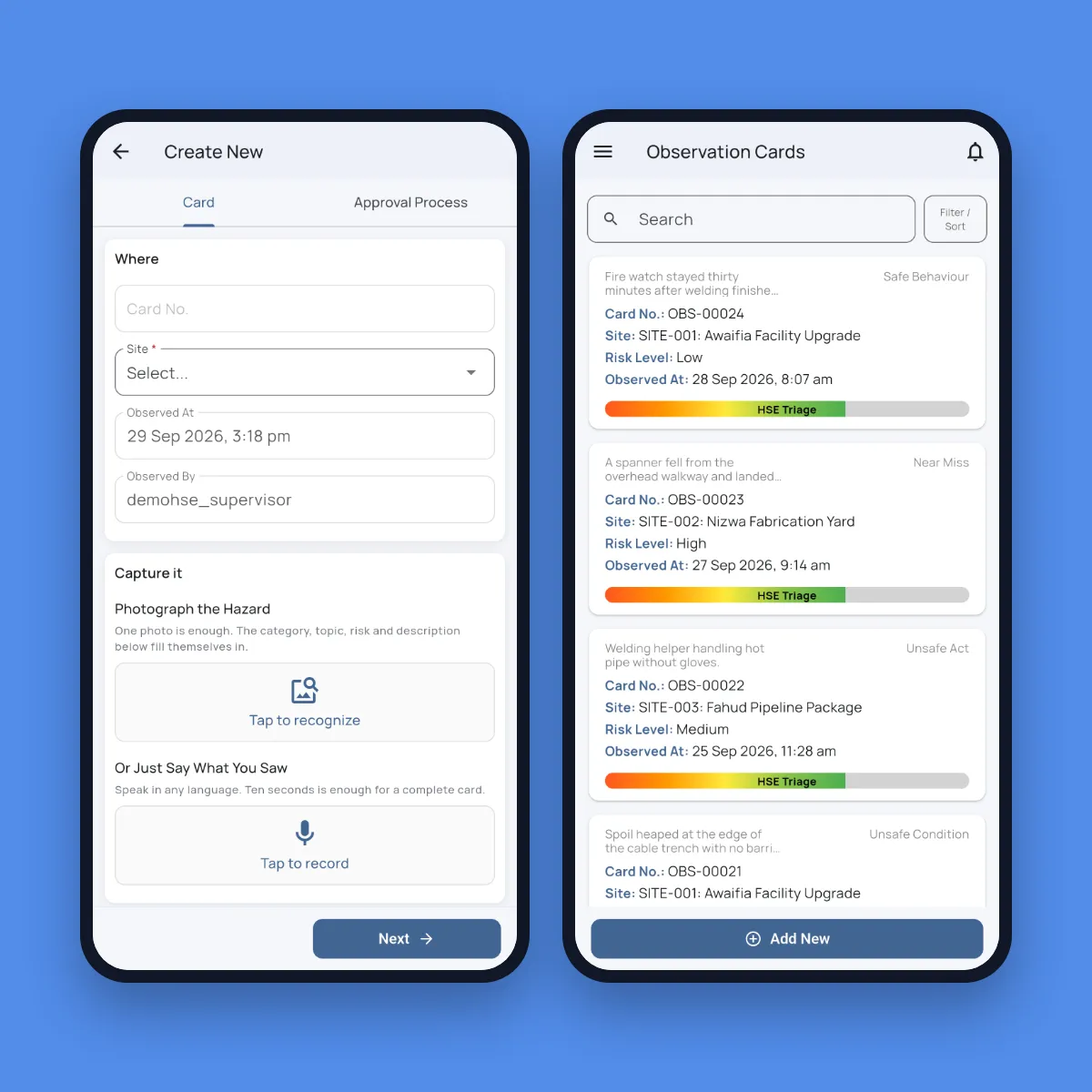
A worker opens an observation card on their phone and either photographs the hazard or says what they saw, in any language. The category, topic, risk level, description, the action they took and the fix still needed are filled in, and the original recording is kept next to the English translation. Cards ask for a trade, never a name, so reporting stays free of blame.
The card saves without signal, with the time, photos and GPS location, and uploads when the phone reconnects. An HSE officer then triages it: action required, fixed on the spot, good practice, duplicate or not an HSE issue.
Step 3
Supervisors Inspect by Walking and Talking
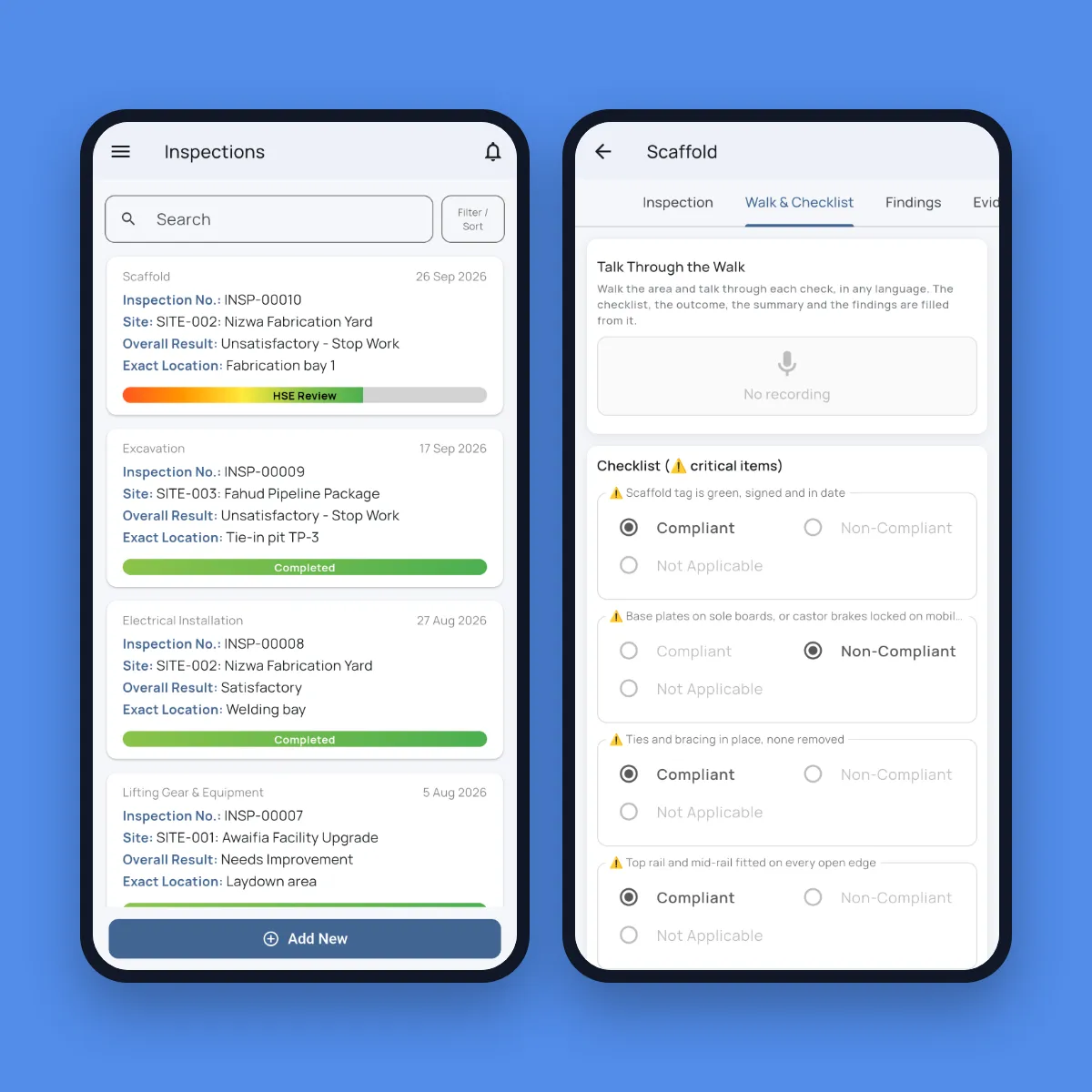
The supervisor picks the inspection type, such as scaffold, lifting gear or excavation, and talks through the walk. What they say fills your checklist, marks each check compliant or not and writes up the findings. A check that is never mentioned is left blank, not ticked.
The score and failure counts update as the checklist fills, and any failed critical item turns the result to stop work. Evidence photos are read by AI too, so a check marked compliant with a photo that shows otherwise is flagged. When HSE accepts the inspection, each finding becomes a corrective action.
Step 4
Incidents Are Reported, Classified and Investigated
The first report is a voice note from whoever was there. It becomes a factual report with the incident type, the injury, the equipment involved, witnesses by trade and a suggested classification, with no names and no blame.
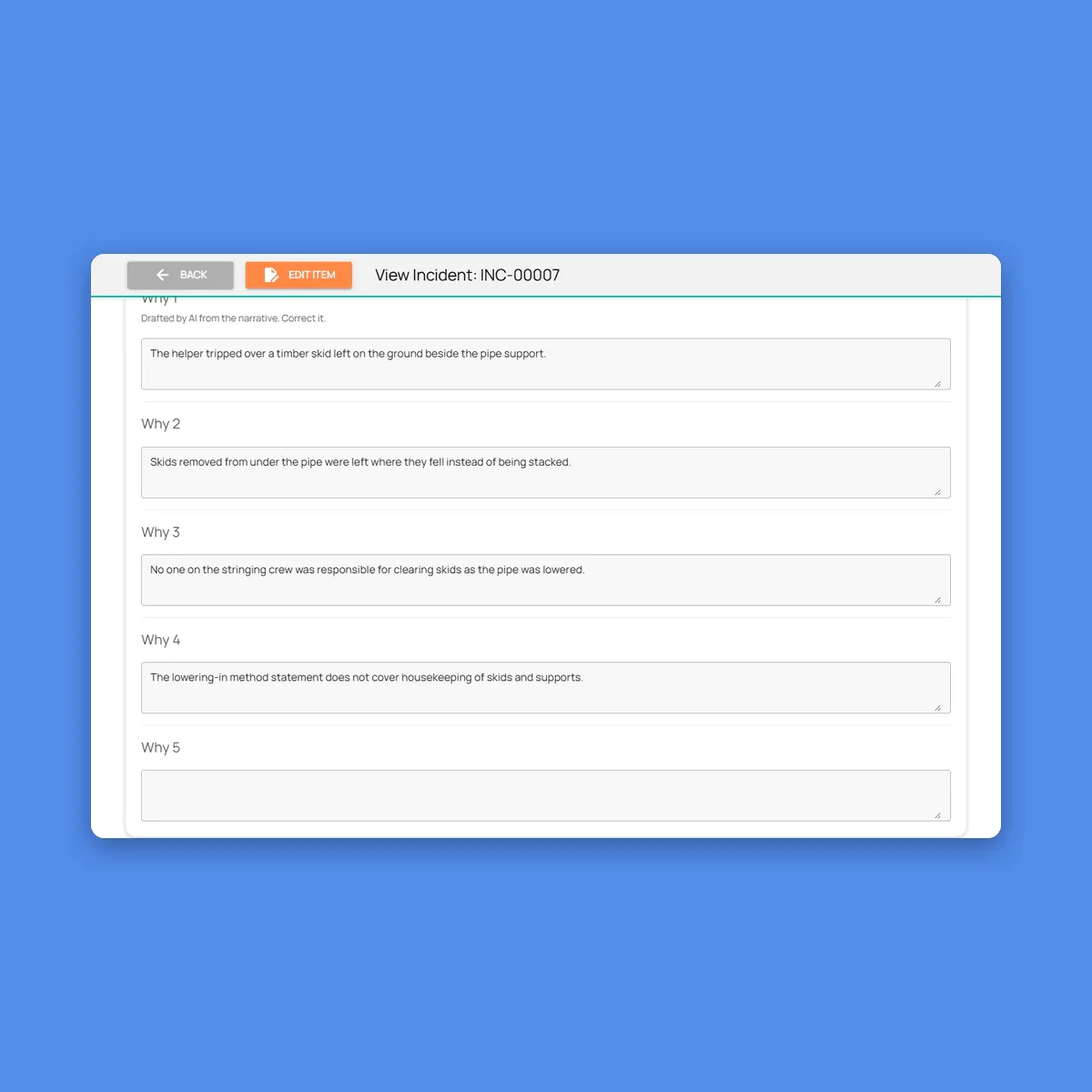
An HSE officer confirms the classification, because it drives TRIR and LTIF. Once it’s confirmed, AI drafts the five whys, the immediate and root causes and the recommended actions, and the investigator corrects the draft. Each recommended action with an owner becomes a tracked corrective action, and the HSE manager closes the incident with the lessons learned for the next toolbox talk.
Step 5
Every Action Is Closed With Evidence and Verified
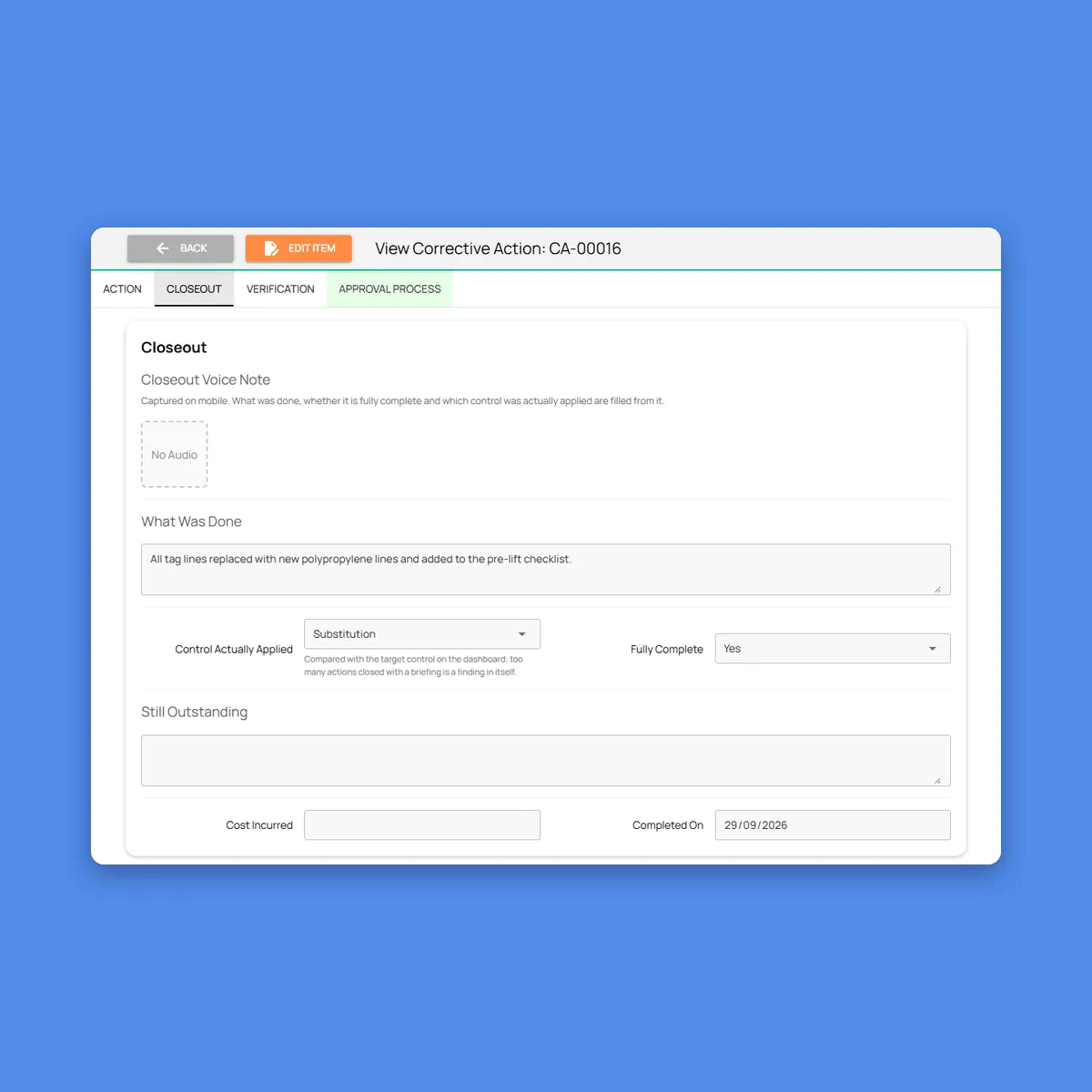
Each action has a finding, an instruction, an owner, a priority and a due date, and only the named owner can close it. They say what they did, and the closing note, the control applied and anything still outstanding are filled in. Then they photograph the finished work, and AI grades the photo as strong, adequate or weak evidence.
An HSE officer checks the fix and closes the action, or rejects it with a reason and sends it back. The owner is never the one who verifies it.
Step 6
Managers Review the Numbers Without Building Them
Each month, man-hours are entered per site, with your own and subcontractor hours kept apart. From then on, the rates calculate themselves from the confirmed incidents.
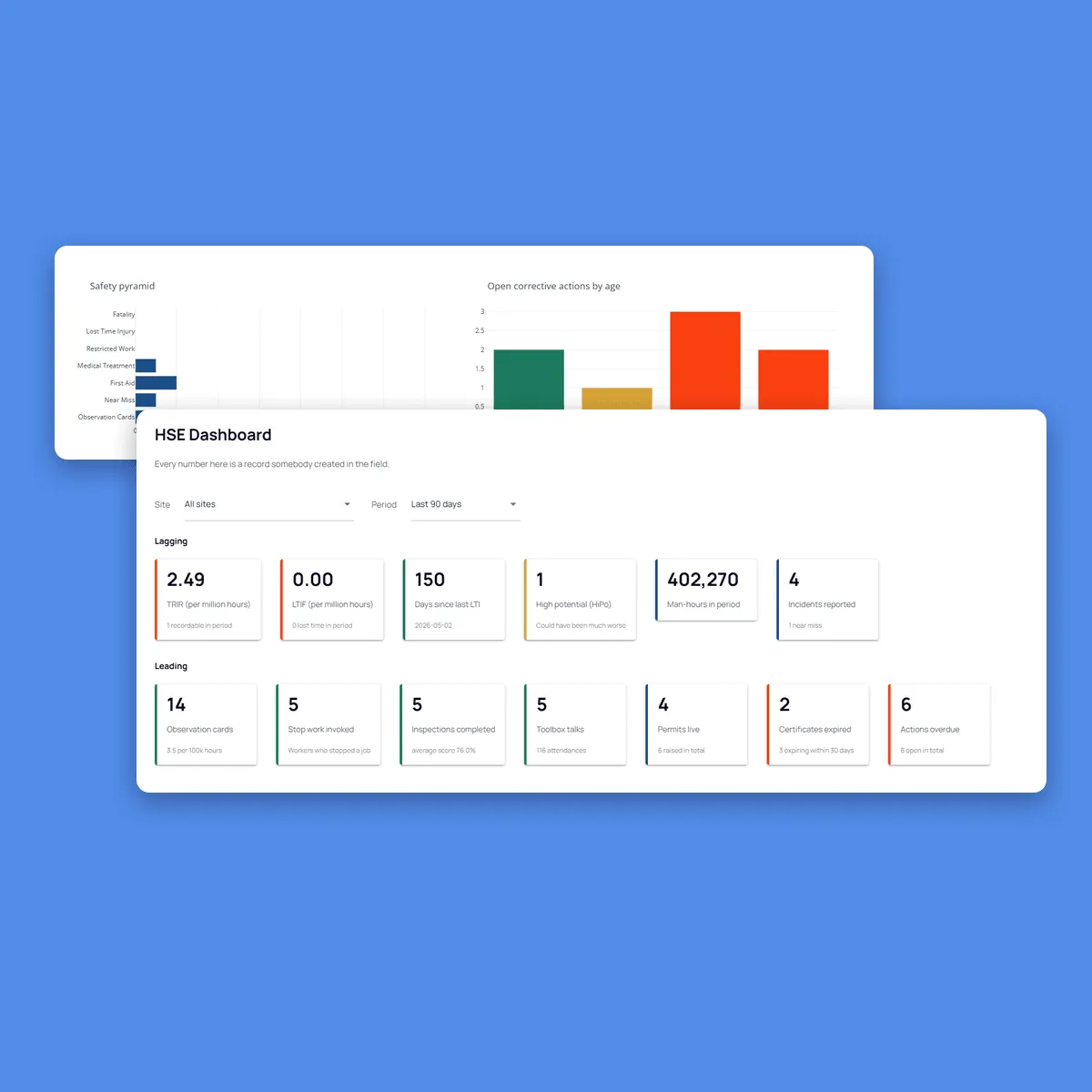
The HSE manager filters the dashboard by site and period and runs the monthly review from one page: lagging rates, leading indicators, overdue actions and expiring certificates, every figure traceable to a record created in the field.
Rollout
Start With One Site and One Module
Most teams start where paper hurts most, usually observation cards or corrective actions, and add modules once the first is in daily use.
Sites and people
Sites, areas, roles and site supervisors are set up.
Your forms and rules
Categories, checklists, permit types and action due dates are configured to your procedures.
Training
Workers, supervisors and HSE staff are trained on the app, in their own language.
Pilot
One site runs live, and the forms are adjusted based on what the field reports.
Roll out
More sites and modules go live, feeding the same register and dashboard.
FAQ
Questions About the Workflow
Do we have to change our HSE procedures?
No. Categories, checklists, approval stages and due dates are configured to match your management system. Fieldmaster.ai enforces your process rather than replacing it.
What if the AI gets something wrong?
Everything it fills in can be corrected before the form is submitted, and it leaves a field blank rather than guessing. The decisions that matter, such as an incident’s classification or accepting a fix, are always made by a person.
Can workers report without a phone signal?
Yes. Observation cards, inspections, incident reports and close-outs are saved on the phone with photos, time and GPS, and upload when the signal returns. Voice notes recorded offline are processed when they sync.
Can we add audits, drills or other HSE processes?
Yes. Anything else you run, such as audits, emergency drills or waste tracking, is built the same way: a form with voice and photo capture and an approval flow, feeding the same action register and dashboard.