Digital Permit to Work, Checked on Site Before Work Begins

Fieldmaster’s e-PTW runs every permit from application to close-out on the phone and the web. The requester speaks the job and its hazards and the permit fills itself, the crew photo is checked for PPE, and every step is signed by a named person, with a full audit trail. It is part of HSE Management.
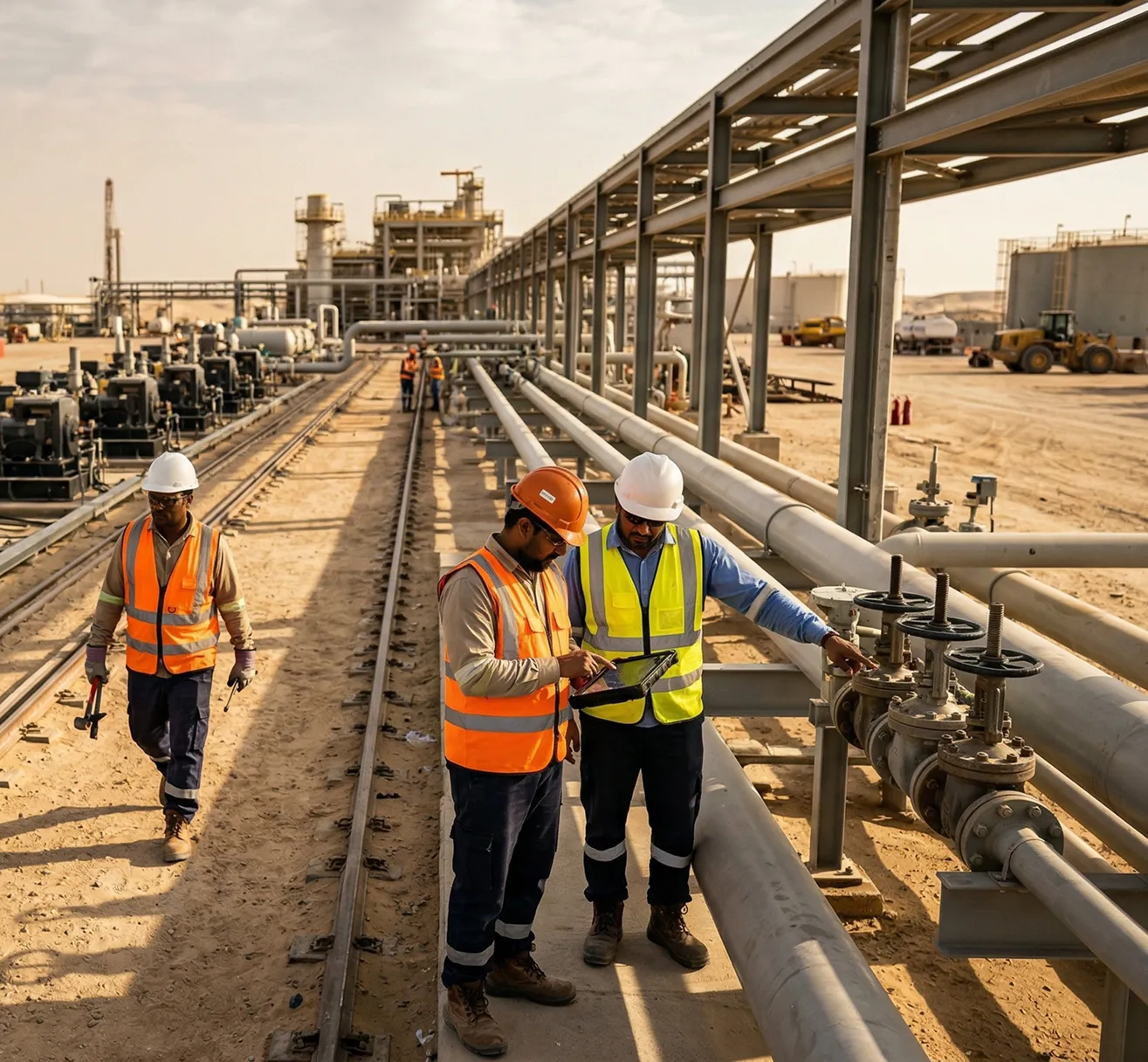
Two workers in hard hats and high-visibility vests checking a tablet beside pipework at an industrial plant, with a third worker walking past

The problem

Why Paper Permits Prove So Little

On many sites the permit is a paper form in a book. It is filled in at the site office, signed by whoever is available, and sometimes ticked before anyone has looked at the job. Gas tests and isolations are written down, but nothing shows when or where they were done.

When something goes wrong, the investigation starts with a stack of carbon copies. Nobody can say for certain who checked what, or whether the crew was wearing the right PPE when work began.

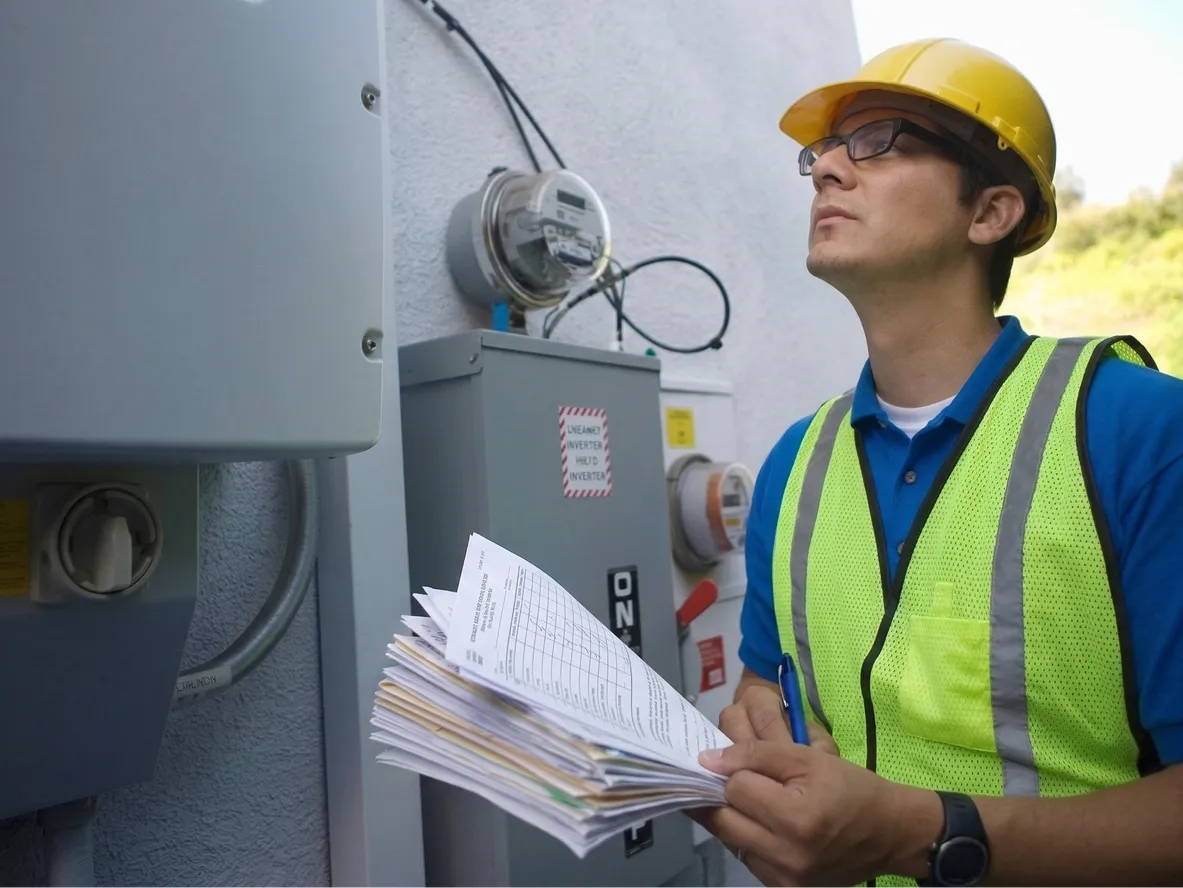
Worker in a hard hat and high-visibility vest holding a stack of paper forms next to an electricity meter

Application

The Requester Speaks the Job. The Permit Fills Itself.

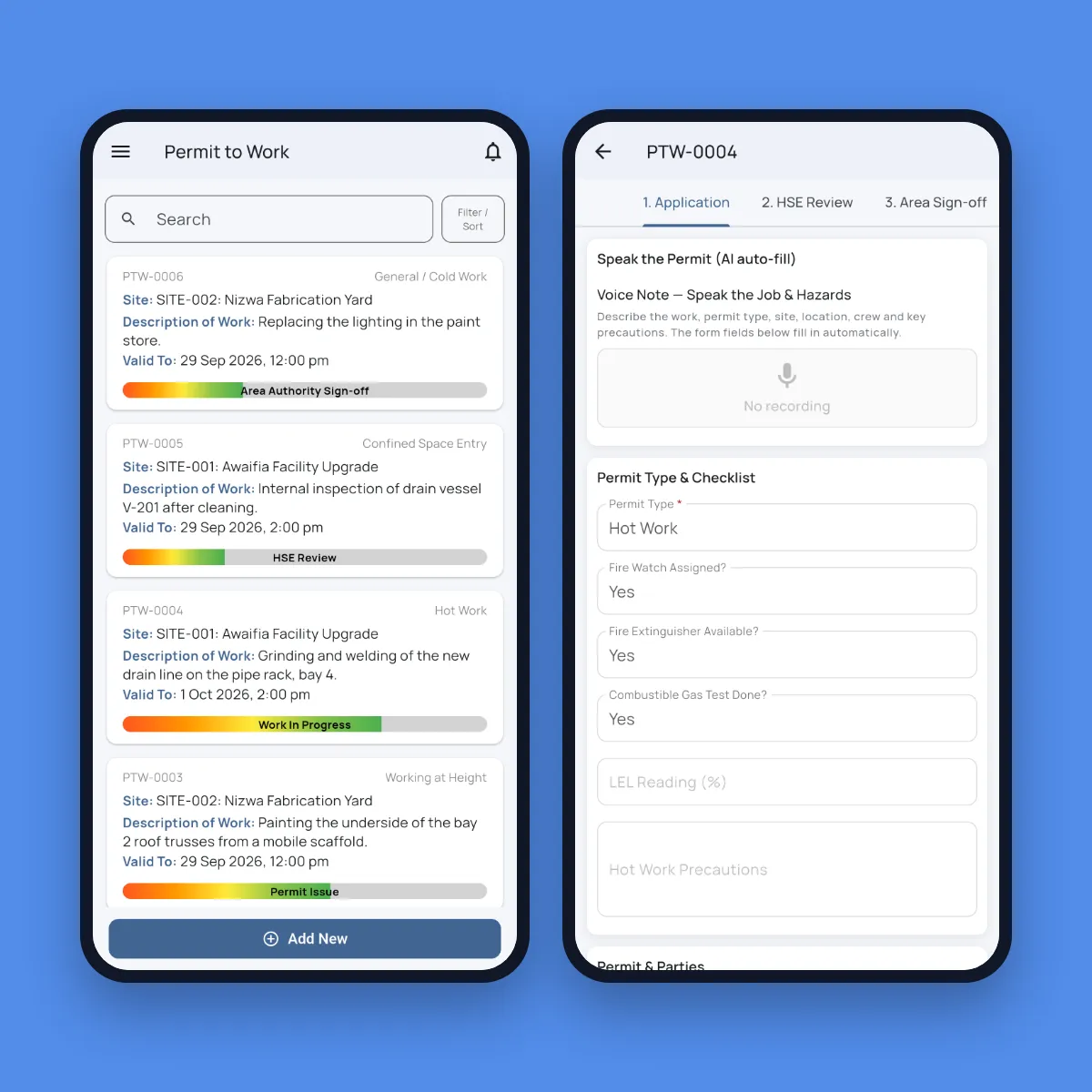
The requester opens a new permit on their phone and describes the work in their own words and language: what the job is, where it is, who is in the crew, and the hazards and precautions. The permit type, site, location, key precautions, the safety checks for that permit type and the job safety analysis are filled in from the voice note, ready to check, and the original recording is kept.

Each permit type brings its own checklist: fire watch and gas test for hot work, O2, LEL and H2S readings for confined space, harness and anchor point for work at height, an isolation register for electrical work, and shoring and service scans for excavation.

Fieldmaster Pocket screens: the permit to work list with each permit’s stage, and a hot work permit with a voice note to speak the job and hazards above its checklist

Checks you can trust

What the Platform Checks Before Work Starts

  • Crew photo checked for PPE

    A photo of the crew is taken on site. AI checks every person for a helmet, hi-vis, boots and glasses, plus gloves, face shields, respirators or harnesses where the job needs them, and the permit is blocked if anyone fails.

  • Signed at each step

    Each stage is signed on the phone or the web by the named person responsible for it.

  • Isolations and clashes

    The area authority confirms isolations and checks for clashes with simultaneous operations.

  • Reconfirmed every shift

    Conditions are reconfirmed every shift for as long as the work is in progress.

  • Time and place on every record

    Photos, checks and signatures carry the GPS location, the date and time, and who made them.

  • Live permits on the dashboard

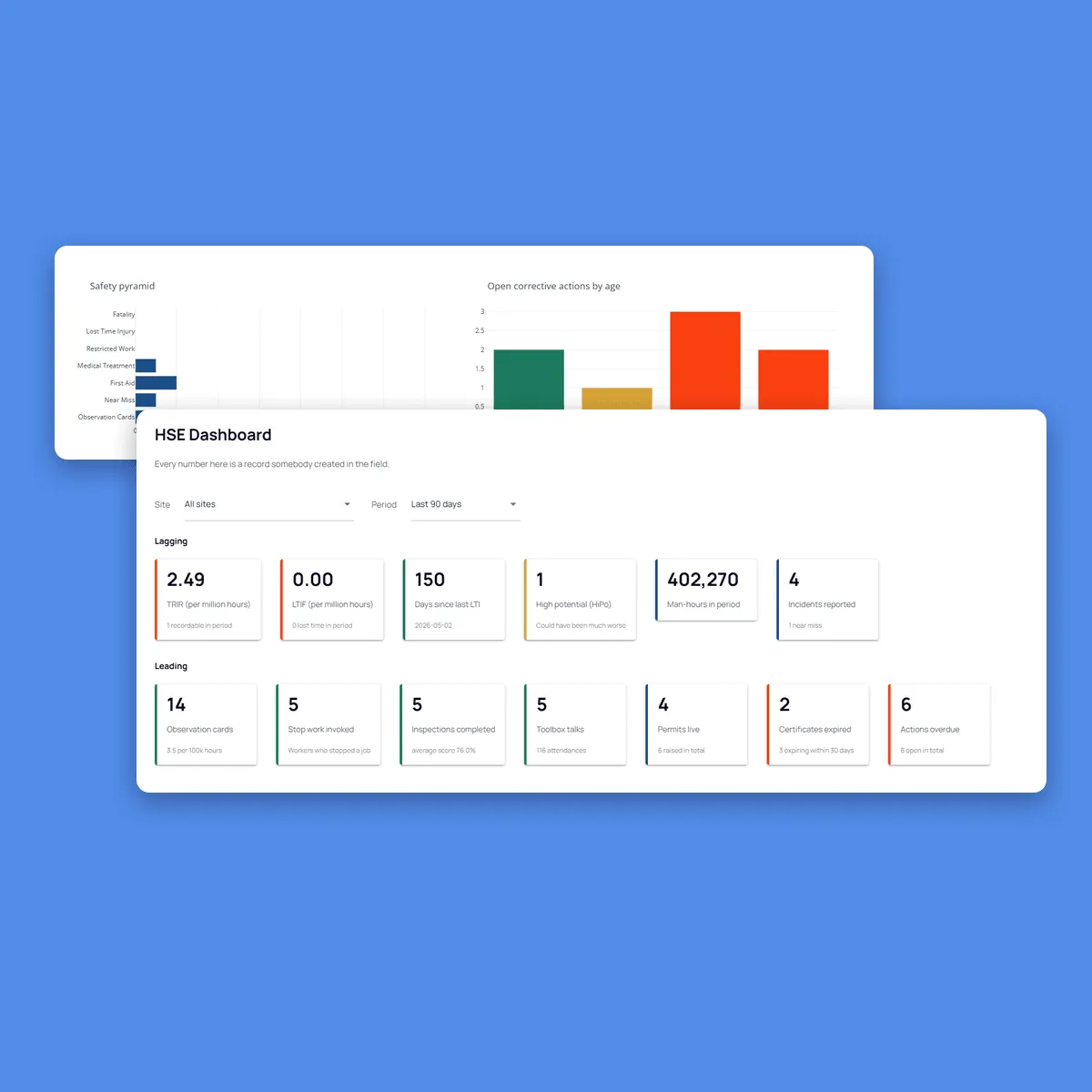
    Live permits show on the HSE dashboard, next to inspections, observation cards and open actions.

How it works

Six Steps From Application to Close-Out

Every permit follows the same path, and each stage is signed before the next one starts.

  1. Application

    The requester speaks or types the job, its hazards and the crew, and completes the permit type’s checklist.

  2. HSE review

    An HSE officer reviews the hazards and precautions, and approves the permit or sends it back.

  3. Area authority sign-off

    The area authority confirms isolations and checks for clashes with other work in the area.

  4. Permit issue

    The permit is issued to the crew. Before work starts, the crew photo is checked for PPE.

  5. Work in progress

    Conditions are reconfirmed every shift while the work goes on.

  6. Close-out

    The job is closed out and signed off, and the full history of the permit stays on record.

What the field link proves

Checks Done on Site, by Named People, Before Work Began

No permits ticked in advance. Every check carries proof of when, where and by whom it was done.

Paper permitFieldmaster e-PTW
Where the checks were donePaper permit

Filled in at the site office, or wherever the permit book is.

Fieldmaster e-PTW

On site, with the GPS location and time on every check and photo.

WhenPaper permit

Sometimes ticked before anyone has looked at the job.

Fieldmaster e-PTW

Recorded at the moment each check is made, before work can begin.

Who signedPaper permit

A signature, sometimes from whoever was available.

Fieldmaster e-PTW

Named people signing in the app, each in the role that owns the step.

PPEPaper permit

Assumed, or checked by eye at the start of the job.

Fieldmaster e-PTW

Crew photo checked by AI for helmet, hi-vis, boots and glasses. The permit is blocked if anyone fails.

Audit trailPaper permit

Carbon copies in a file, if they can be found.

Fieldmaster e-PTW

The full history of every permit, from application to close-out, in one record.

Part of HSE Management

Permits Next to the Rest of Your HSE System

Permit to Work is part of Fieldmaster HSE Management. Permits run in the same app as observation cards, inspections, incidents, corrective actions and toolbox talks, on the same sites and roles. Live permits show on the HSE dashboard, next to TRIR, LTIF and the leading indicators.

Your permit types, checklists and approval stages are set up to match your own procedures.

Fieldmaster.ai HSE dashboard with lagging indicators such as TRIR and LTIF, and leading indicators including observation cards, inspections, toolbox talks and live permits

FAQ

Permit to Work Questions

What is a permit to work system?

A permit to work (PTW) system controls high-risk jobs such as hot work, confined space entry, work at height, electrical work and excavation. Each job needs a permit that sets out the hazards and precautions, is approved by the right people before work starts, and is closed out when the job is done.

A digital permit to work, or e-PTW, does the same on phones and the web, with a record of every step.

Which permit types does it cover?

Hot work, confined space entry, work at height, electrical work and excavation each come with their own checklist, alongside general and cold work. Permit types, checklists and approval stages are configured to match your procedures.

What happens if the PPE check fails?

The permit is blocked until the crew photo passes, so work can’t start with someone missing a helmet, hi-vis, boots or glasses.

Can requesters use their own language?

Yes. The application can be spoken in Arabic, English, Hindi, Urdu and many other languages. The permit is filled in English, and the original recording is kept.

Do you work with companies in Oman?

Yes. Our team works from Muscat, Ajman and Cochin, and support comes directly from the people who built the platform.