Purchase Requisition Software: Approvals Without Chasing Signatures

Staff raise a material request from their phone, in their own words. It goes through your approval chain, with senior approvers added for high-value requests, and approved requests become purchase orders with a suggestion of the cheapest vendor. Everyone can see where each request is waiting, and who has it.


Worker in a white hard hat and a high-visibility shirt using a phone inside an industrial building

The problem

Why Requisitions Get Stuck

In many companies a requisition is a paper form, an email or a message in a group chat. It waits on a desk for a signature, gets lost between departments, or is approved by someone who can’t see what is already in stock.

The person who needs the part keeps calling to ask where it is, purchasing types the request again into another system, and nobody can show who approved what when the auditors ask.

A mechanic in a blue cap and grease-stained hands looks at a smartphone while sitting beside motorbikes in a workshop.

How it works

From Request to Purchase Order in Five Steps

Every request follows the same recorded path, so nothing depends on someone remembering to pass it on.

  1. Request

    The requester describes the item, adds a photo or records a voice note. Purchasing matches it to your item list, and live stock by store shows before anything is ordered.

  2. Approve

    The request follows your approval chain. The path can change with the value, site or type of purchase, so large requests go to senior approvers.

  3. Quote

    Purchasing collects quotes from vendors, who reply on their own portal page, and compares them line by line.

  4. Order

    Approved requests become purchase orders, with a PDF ready to send to the vendor. Each request line can go on only one order.

  5. Receive

    Goods are received against the order and posted to stock, so the requester can see that the item has arrived.

What you get

What Keeps Approvals Moving

  • Request by voice or photo

    Requesters describe what they need in their own language, without knowing the item code.

  • Approval rules from your policy

    Stages, approvers and limits follow your authority matrix, with extra approvers for high-value requests.

  • See where every request waits

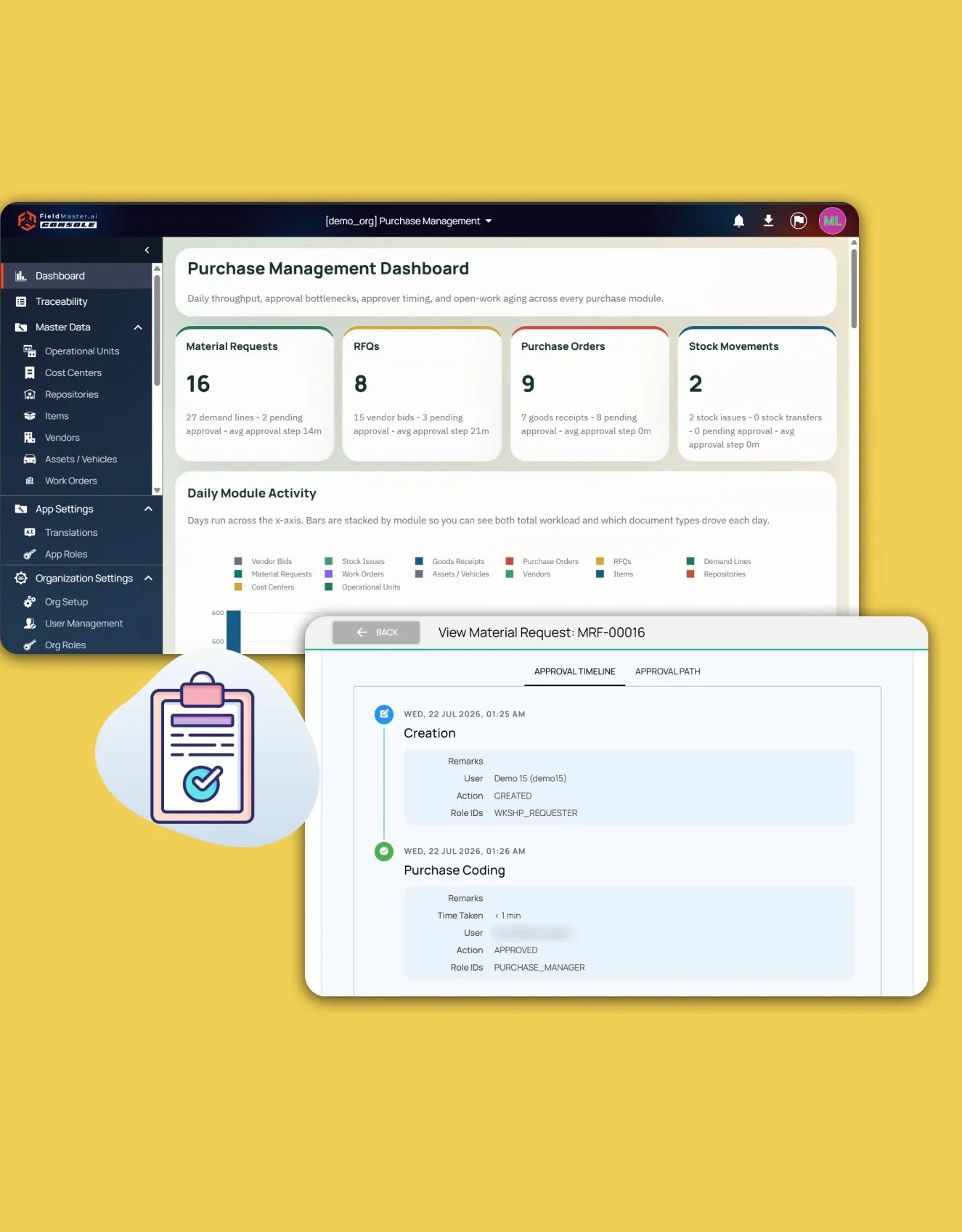
    Each request shows its approval timeline: who acted, when, their remarks and how long each step took.

  • Approve from the phone

    Managers approve or reject in the mobile app with remarks, even without signal. The decision syncs when they are back online.

  • Send back, don’t start again

    A rejected request goes back to the right earlier stage for correction, and keeps its history.

  • Quotes compared line by line

    Vendor prices sit side by side with price history, and an AI summary of the bids is a suggestion for the buyer to decide on.

  • Purchase order PDFs

    Approved orders come out as PDFs in your layout, ready to send.

  • No duplicate orders

    Each request line can go on only one purchase order, and live stock shows before anyone orders.

Proof

Proven at Volume

Numbers from an operator in the GCC that runs its purchasing and stores on Fieldmaster.

  • 500+

    Purchase orders a month

    Each one traceable from the first request to the final payment.

  • 85,000+

    SKUs under management

    Every item tracked across stores, from requisition to issue.

Part of Purchase & Material Management

Requisitions Connected to Stores and Purchasing

Purchase requisitions are part of Fieldmaster Purchase & Material Management, together with vendor quotes, purchase orders, goods receipt and stock.

Your approval chain, item list and stores are set up around how you buy today, and a typical app is live in 10 to 18 working days.

The Fieldmaster.ai web console showing a dashboard and the approval timeline of a request

FAQ

Purchase Requisition Questions

What is purchase requisition software?

Software that replaces paper or emailed requisition forms. Staff request what they need, the request is approved according to your rules, and approved requests become purchase orders, with a record of every step.

What is the difference between a purchase requisition and a purchase order?

A requisition is an internal request to buy something, raised by the person who needs it. A purchase order is the document sent to the vendor once the request is approved and a vendor is chosen.

Can approvals depend on the amount?

Yes. The approval path can change with the value, the site or the type of purchase, so high-value requests go to more senior approvers.

Can approvers act from their phone?

Yes. Approvals and rejections can be done in the mobile app, with remarks, and are queued and synced if there is no signal.

Can it work with our ERP?

Yes. Fieldmaster can handle the requests and approvals while your ERP keeps the accounts. Lists export to Excel, and a direct link to your ERP can be built as part of your app.