
How it works
One Connected Process From Clock-In to Control Tower
Vehicles, drivers and depots are set up once. From then on, every check, repair, dispatch and fuel fill is recorded against the same vehicle, and the dashboard updates as the work happens.
Step 1
Vehicles, Drivers and Depots Are Set Up Once
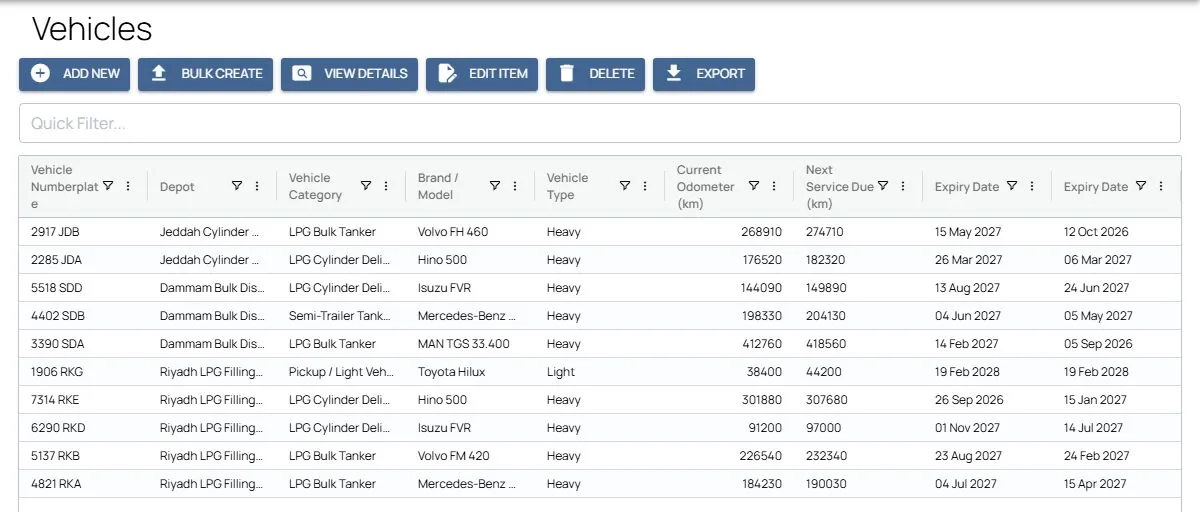
Each vehicle record holds its plate, category, depot, service interval and current odometer, with its registration and operating permit stored as photos with expiry dates. Driver records hold licences and permits the same way. Your own vehicles and subcontractor vehicles sit in one register, each linked to the company that owns it.
The register can be imported from Excel, and the next service due is worked out from the service interval and the odometer at the last service.
Step 2
Every Shift Starts With a Vehicle Check
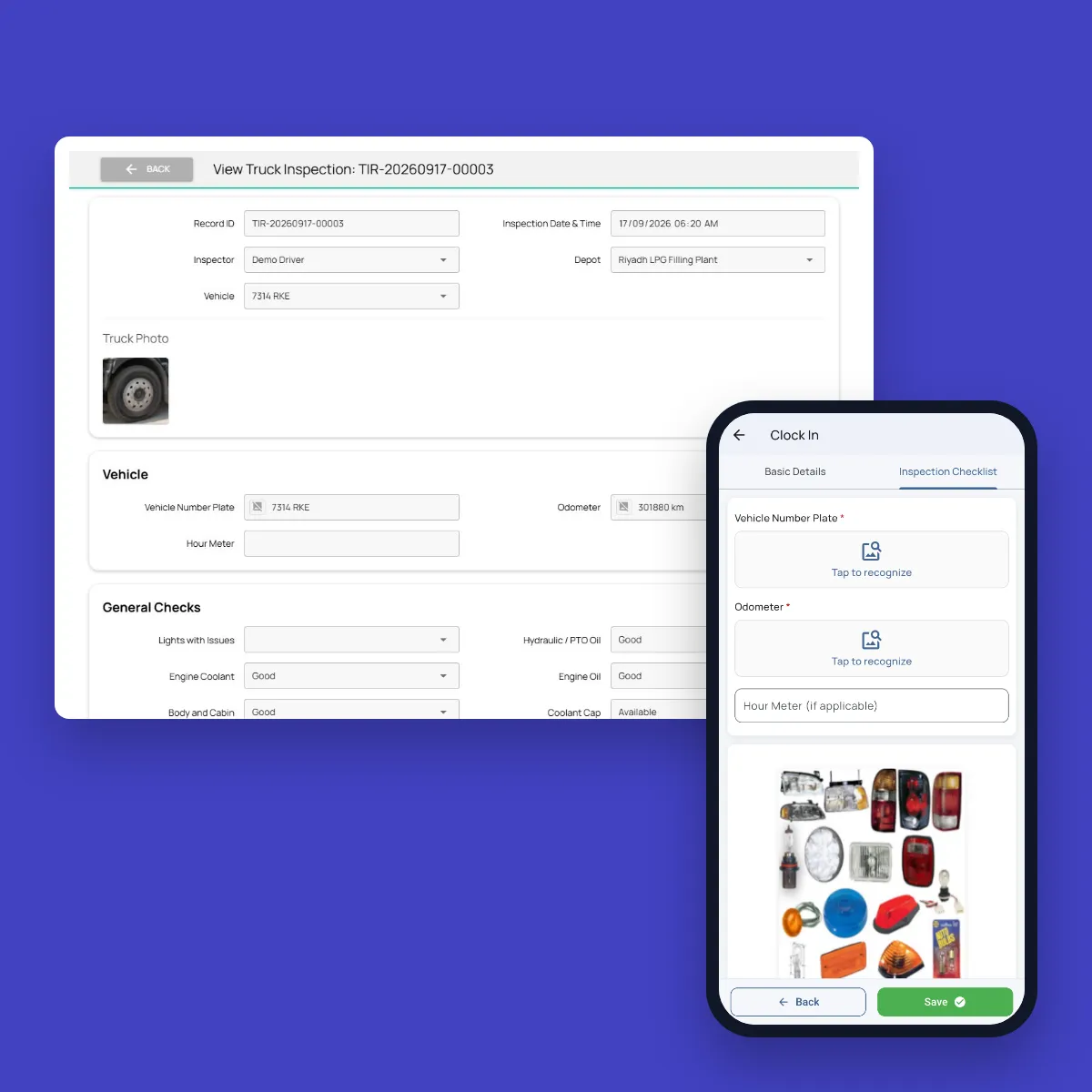
Drivers clock in on their phone with a face check, and their location can be checked against the depot’s clock-in boundary. Before the shift starts, they photograph the number plate and the odometer, which AI reads, and work through the checklist: fluids, caps, body, steering, mirrors, brakes, tyres, lights and safety equipment, with extra items for tankers and dangerous goods such as placards, valves, hoses and the spill kit. Each item shows a reference photo of what to look at.
The same checklist runs at clock-out, and as a standalone truck inspection whenever a supervisor or the workshop wants one.
Step 3
Failed Checks and Breakdowns Go Straight to the Workshop
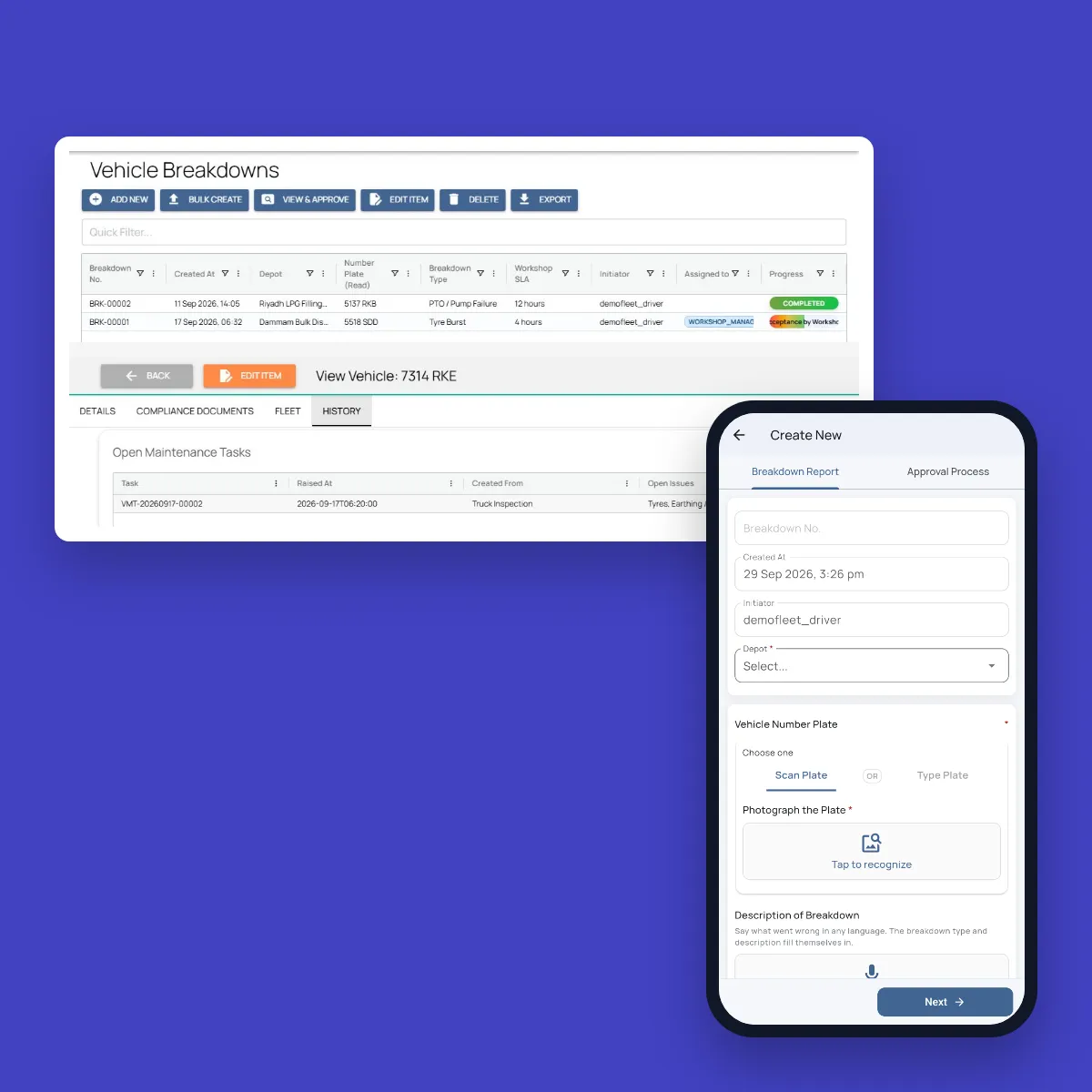
Any item that fails becomes a maintenance task for that vehicle, with the failed items, photos, location and odometer attached. An issue that is already open for the vehicle isn’t raised twice. The workshop closes each issue on mobile, with the diagnosis, the fix, spare parts used and photos of the repair.
When a vehicle breaks down, the driver scans the plate and describes the problem in a voice note, in their own language. AI picks the breakdown type and writes a short summary for the workshop, and the type sets the response time, from minutes for a missing cap to two hours for a tank valve leak. The depot’s workshop managers are notified at once, accept the job with an arrival time, and record the repair times and parts replaced.
Step 4
Dispatch Plans Each Shift With Ready Vehicles
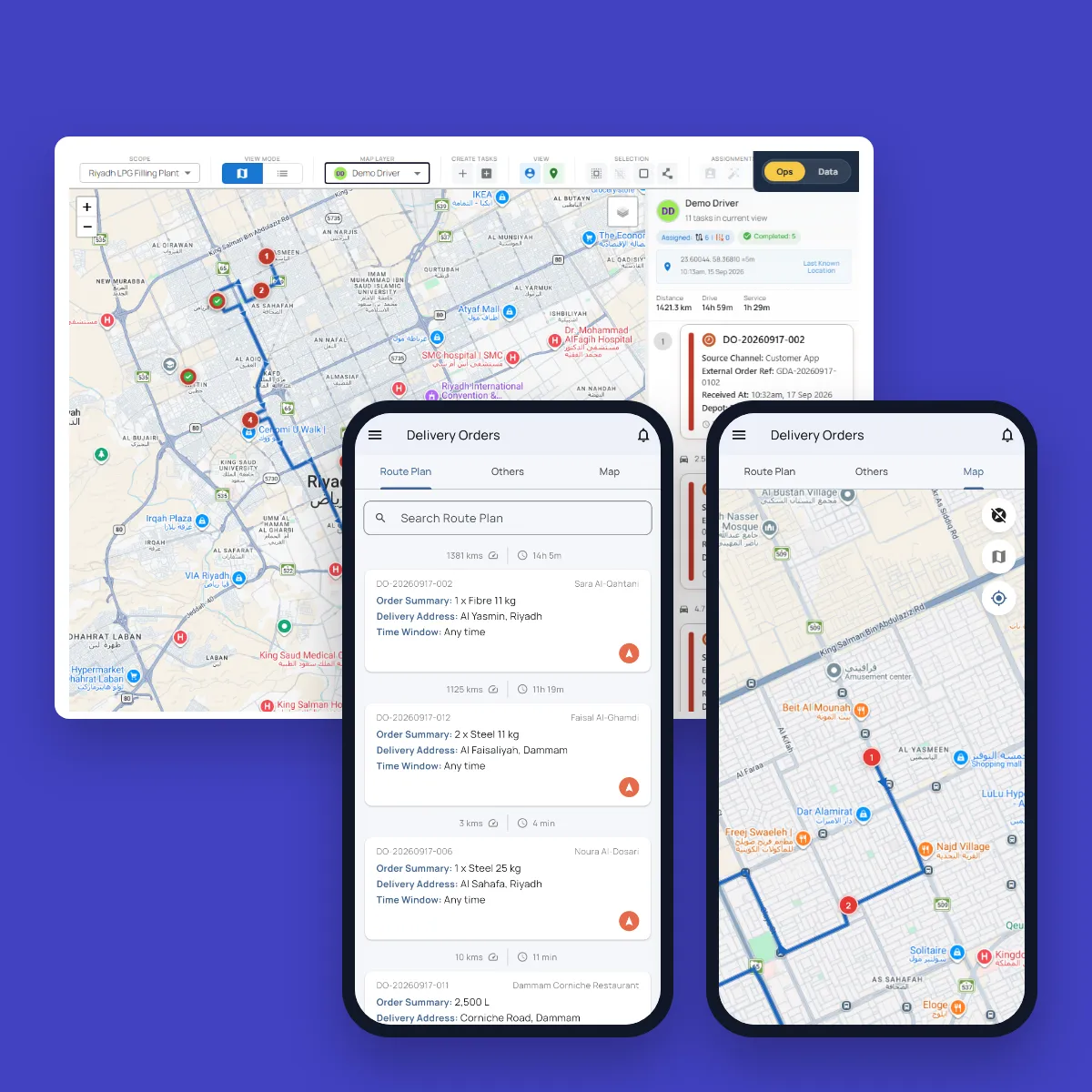
The dispatcher opens the dispatch for a depot, date and shift. Every driver at the depot is listed, and the dispatcher assigns each one a vehicle, a route or area and the planned trips. No vehicle can be given to two drivers.
Vehicles left unassigned are listed as idle, with the reason filled in from any open breakdown or maintenance task. Drivers without a vehicle are listed with the reason, such as leave, training or absence. Once the dispatch is finalized, every shift has a record of who drove what.
Step 5
Fuel Is Logged From a Photo of the Receipt
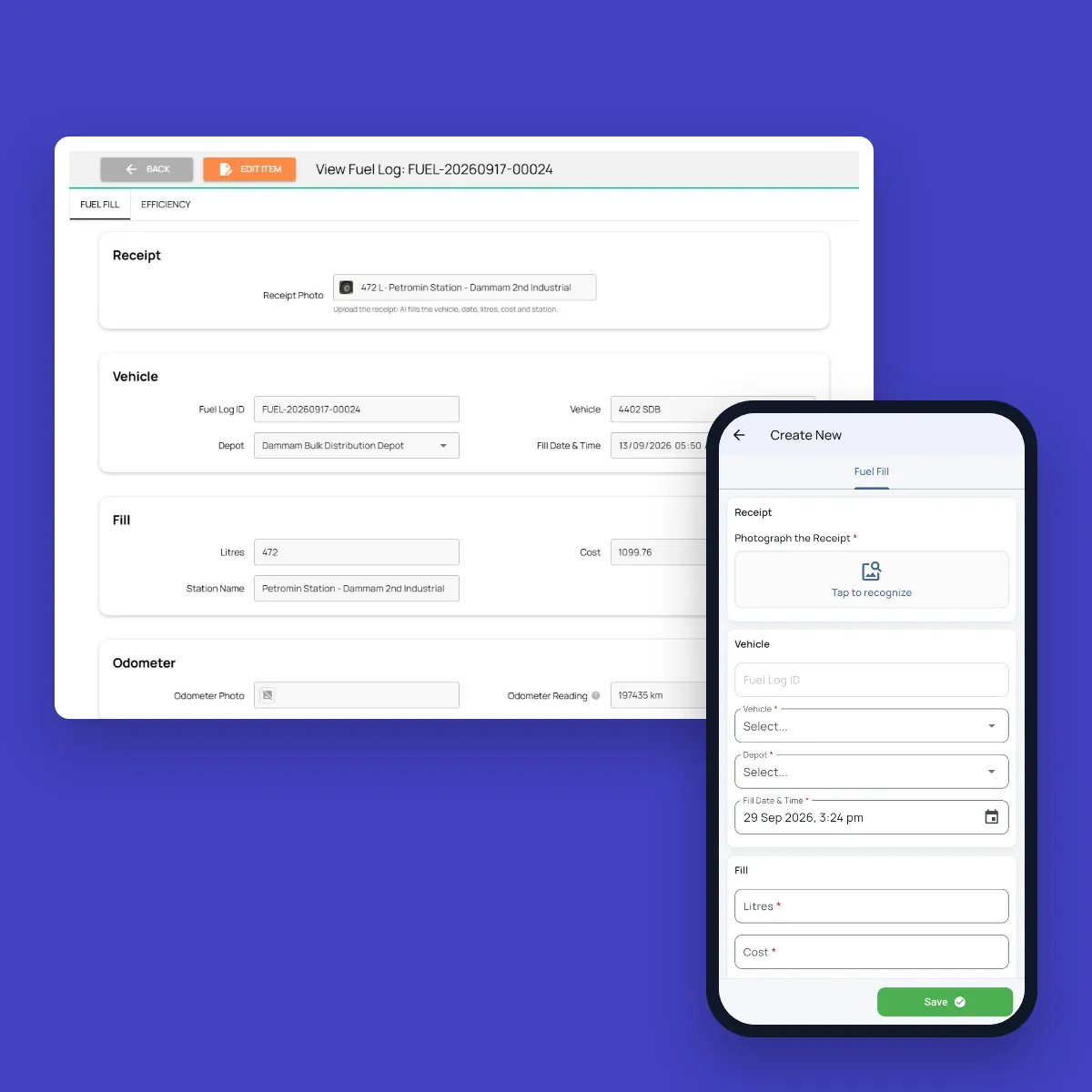
At the pump, the driver photographs the receipt. AI reads the vehicle plate, date, litres, cost and station, in Arabic or English, and fills in the fuel log. A photo of the odometer adds the distance.
Fieldmaster.ai works out the cost per litre and the kilometres per litre since the vehicle’s last fill, and moves the vehicle’s odometer forward, so the next service due stays current without anyone typing a reading.
Step 6
The Control Tower Shows the Whole Fleet
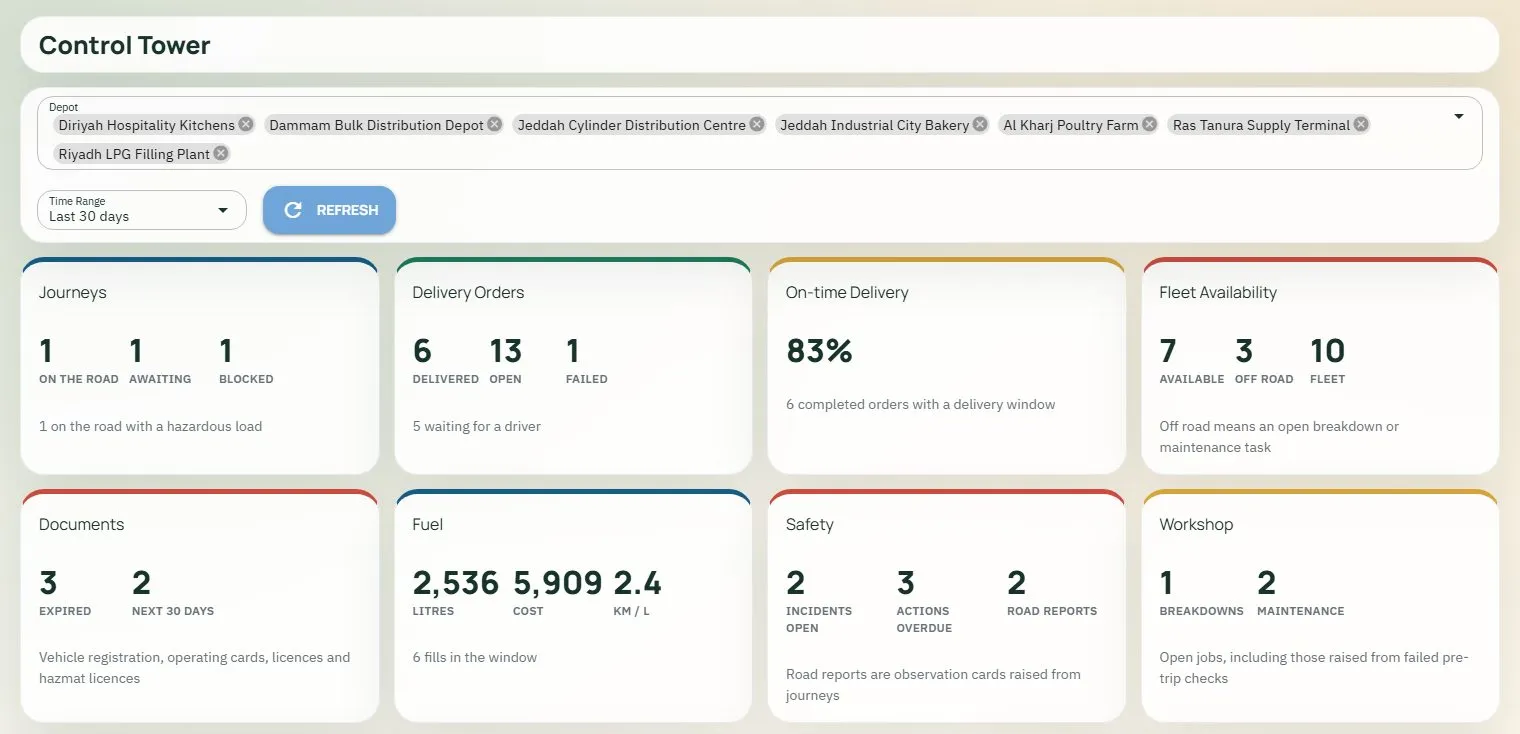
Operations managers open one page for the depots they are responsible for: vehicles available and off the road, documents expired or expiring in the next 30 days, fuel used, cost and km per litre, open breakdowns and maintenance jobs, and safety reports. Beside the map, a list shows what needs a decision, such as expired documents and open breakdowns, most urgent first.
If you also run journeys, their status appears on the same page. Journey requests, risk-based approval and trip tracking are covered by Safe Journey Management.
Rollout
From Setup to First Shift in Weeks
No long deployment and no heavy IT involvement: a structured rollout, one depot first, with real shifts running through the system early.
Vehicles and documents
Your vehicle and driver lists are imported, with documents and expiry dates.
Depots, roles and checklists
Depots, clock-in boundaries, roles, checklists and breakdown response times are set to your standards.
Training
Drivers, dispatchers and workshop teams are trained on the app and the dashboard.
Pilot
One depot runs real shifts through the system to validate the workflows.
Go live
The remaining depots move over, one at a time.
FAQ
Questions About the Workflow
Can we use our own vehicle checklist?
Yes. The checklist items, the answers that count as a defect and the reference photos are set up to match your standards, with separate items for vehicle types such as tankers, light vehicles and forklifts. When your standard changes, our team updates the checklist.
How are workshop response times set?
Each breakdown type carries its own response time, set to your workshop’s agreements. When AI picks the type from the driver’s voice note, the response time follows automatically, and open breakdowns stay on the dashboard until the repair is recorded.
Do we need telematics or tracking devices?
No. Vehicle checks, odometer readings and photo locations come from the driver’s phone. Where vehicles already carry telematics or IVMS, it can be connected as an integration.
Does Fleet Management include journey management?
Fleet Management covers the vehicles: readiness, maintenance, breakdowns, dispatch and fuel. If journeys need to be requested, risk-assessed and approved before a vehicle leaves, Safe Journey Management runs on the same vehicle and driver records, and a failed pre-trip check on a journey raises the same workshop task.