
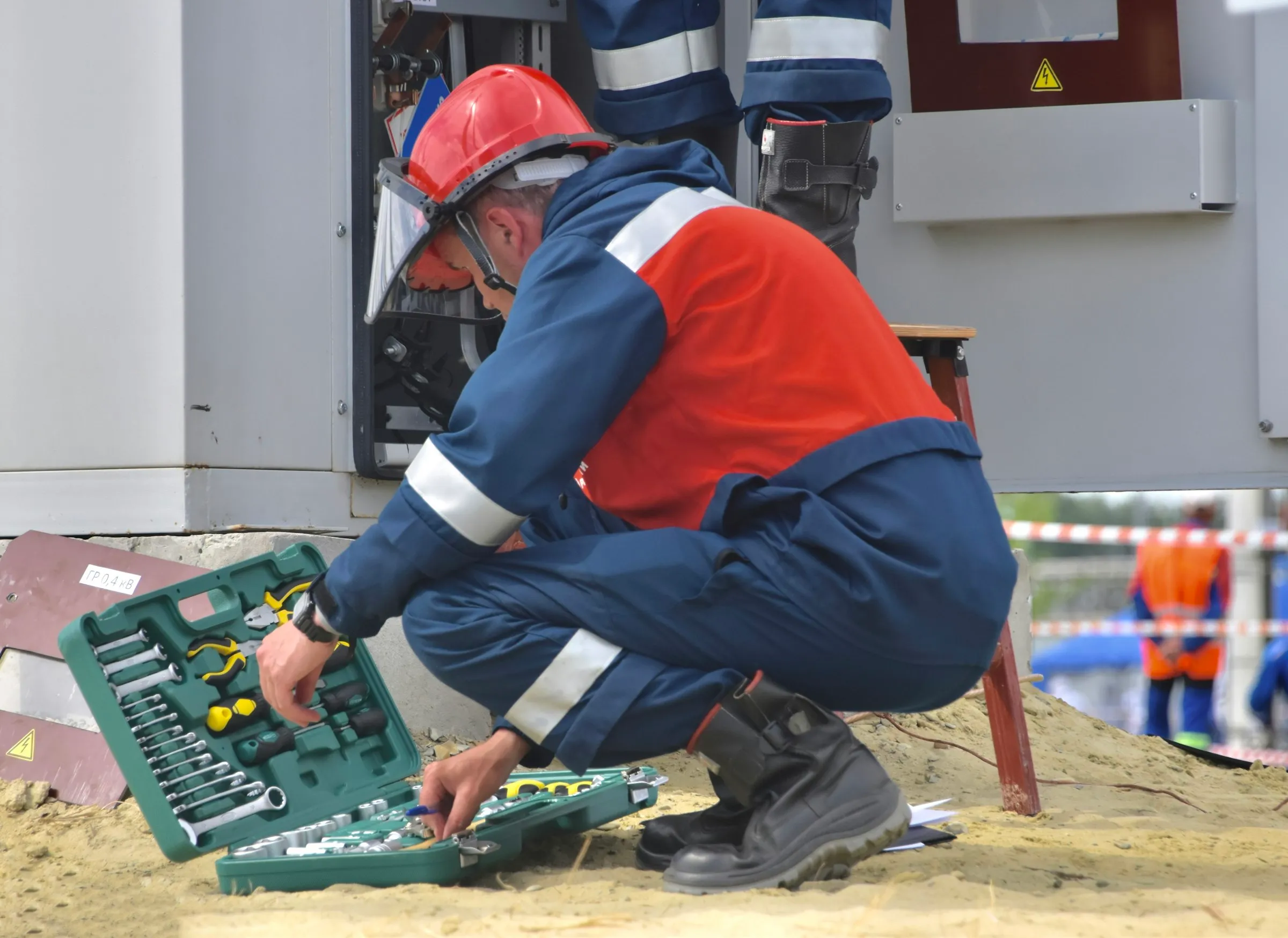
How it works
The Six-Step Maintenance Workflow
Planned services and reported faults follow the same path: the job is raised, a technician does the work with proof, and a supervisor signs it off.
Step 1
Every Asset Gets a Service Plan for the Year
Import your asset register from Excel or add assets one at a time. Each asset carries its barcode ID, its site and zone or its GPS location, its category and how often it needs servicing: monthly, quarterly, half-yearly or yearly.
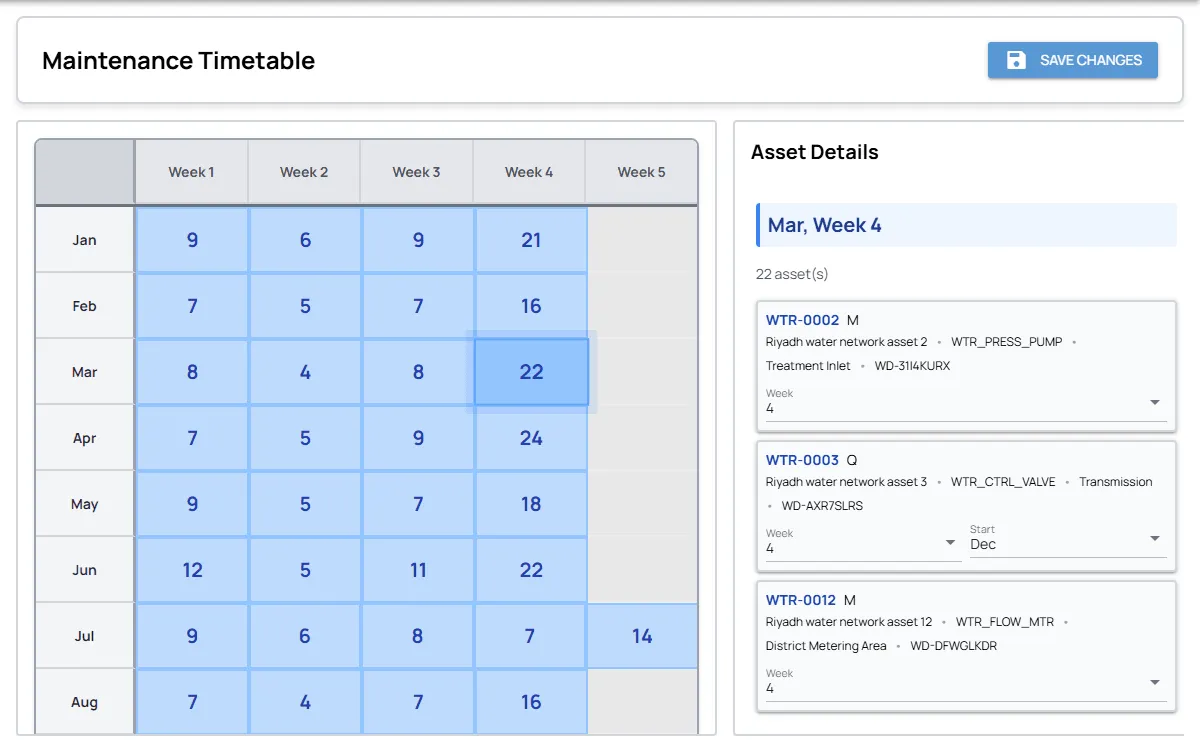
The maintenance timetable shows how many assets are due in each week of the year. Open a week to see which assets fall in it, and move an asset’s service week or starting month to spread the load. When a week comes round, its preventive tasks are created automatically.
Step 2
Requests and Inspections Become Jobs
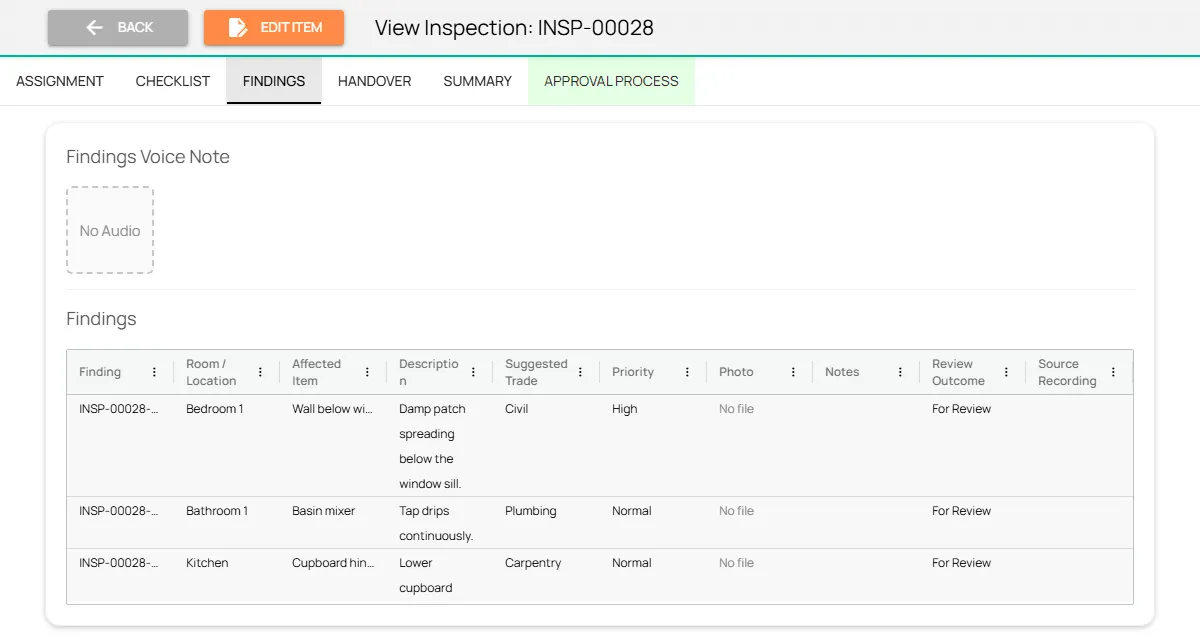
The helpdesk logs each complaint or reported fault once, with the location, urgency and photos. Inspectors walk units and common areas against a checklist built from the unit’s layout, and describe defects in a voice note that becomes separate findings, each with a room, an item, a suggested trade and a priority.
A supervisor confirms or dismisses each finding. Confirmed findings and requests become work orders in one step, with the location and photos carried over, and the same finding can never be turned into a job twice.
Step 3
Jobs Reach the Right Technician
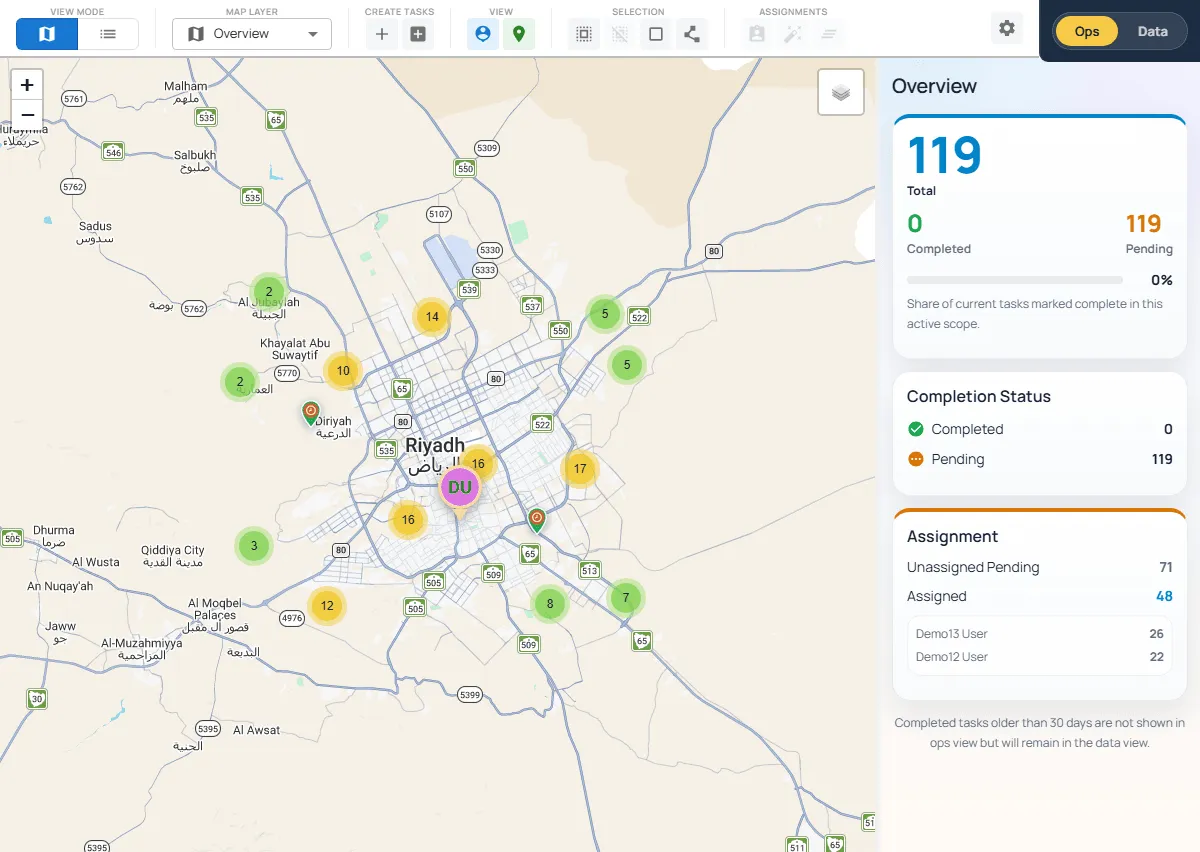
Every job sits on a map at its asset’s location. Supervisors assign work by site, location, trade and workload, or let the platform plan each technician’s route around working hours and daily capacity. The live panel shows how many jobs are pending, completed, assigned or still waiting for a technician.
Technicians clock in with face ID, and the app checks they are inside the boundary of a site they are assigned to. Their jobs arrive on their phone as soon as they are assigned.
Step 4
Technicians Work the Asset With Proof
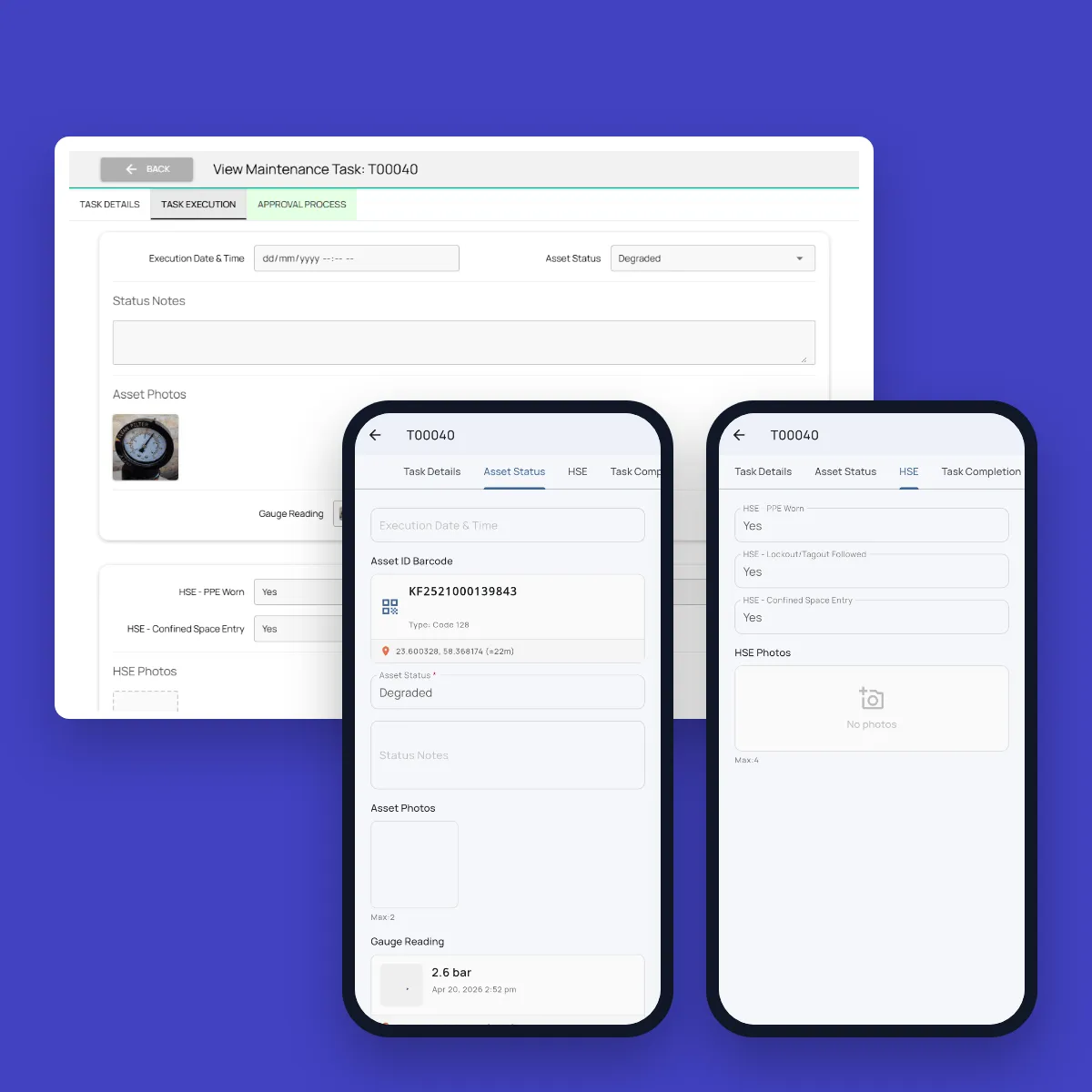
On site, the technician scans the asset’s barcode and records its status: operational, degraded, failed or out of service. Anything short of operational needs a note. They photograph the asset, and the app reads pressure gauges and meters from a photo, so values aren’t typed by hand.
Before the job closes, they record whether PPE was worn, whether lockout/tagout was followed and whether confined space entry was needed, with photos. Every record carries the time and GPS location.
Step 5
The Work Is Recorded by Voice
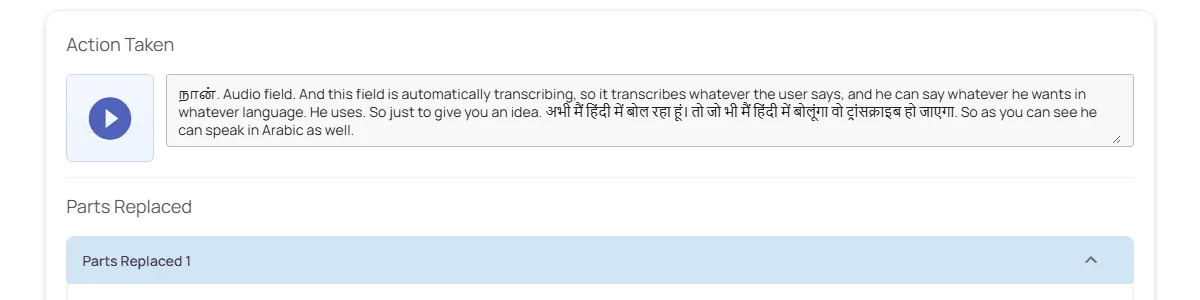
Technicians describe what they found and what they did in their own language. One recording fills in the observations, the cause, the action taken, the materials needed, whether a test was run and any work still outstanding. The original recording stays attached to the job.
Parts replaced and consumables used are recorded against the job. If parts are needed, the technician requests them from the job, the storekeeper codes and issues them, and the job waits in Awaiting Materials until they arrive.
Step 6
Supervisors Sign Off and Managers Track Everything
A job can’t be submitted until it has the action taken, a completion photo and an answer on whether it was tested. The supervisor accepts it or returns it for more work. If follow-up work was reported, a separate follow-up job is raised and stays open until it’s done.
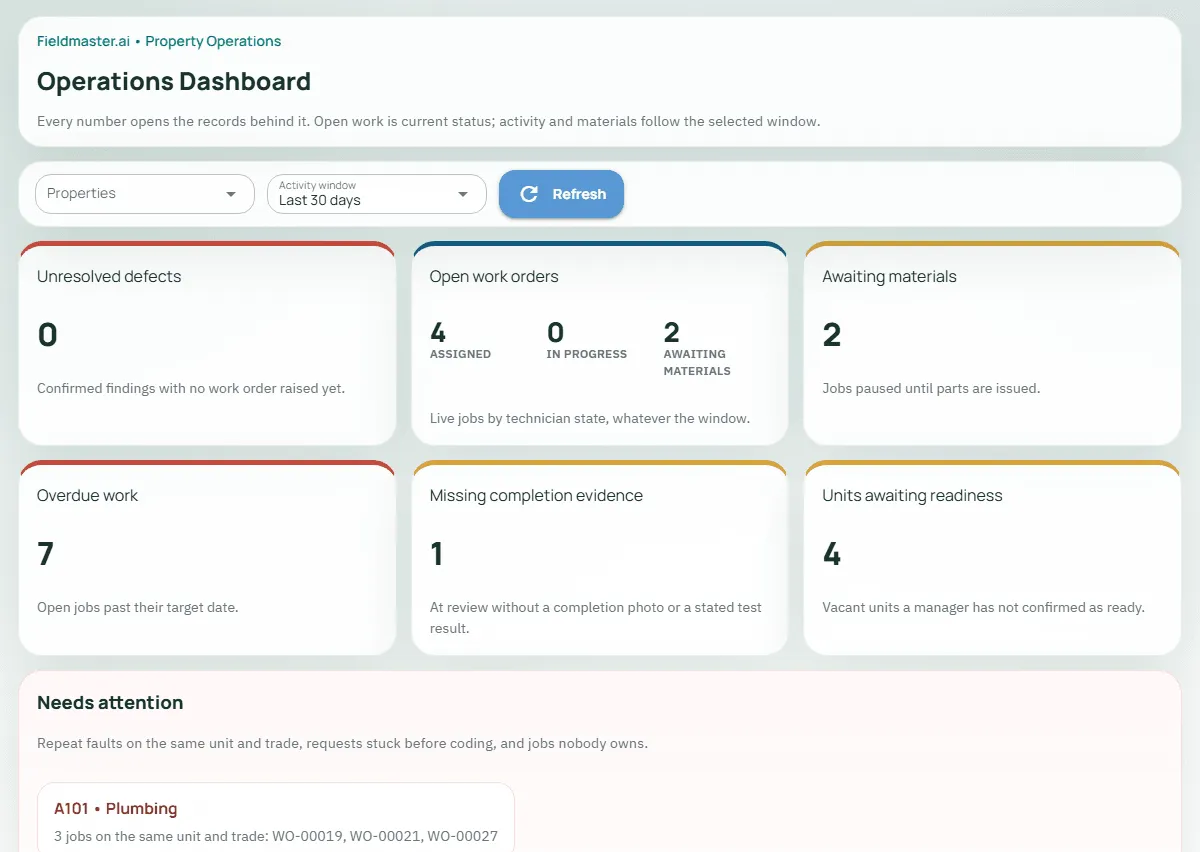
The operations dashboard shows unresolved defects, open jobs by state, jobs waiting for parts, overdue work and jobs missing evidence. It also flags repeat faults on the same unit and trade, and jobs nobody owns. Every number opens the records behind it.
Rollout
From Kickoff to Go-Live in Weeks
Most operations go live within two to four weeks, depending on the size of your asset register and how quickly teams are available for training.
Sites and asset import
Sites, buildings and zones are set up, and your existing asset register and service frequencies are imported.
Checklists, roles and approvals
Inspection checklists, job types, evidence rules and who signs off each job are configured to match how you work.
Pilot site
Technicians, inspectors and supervisors are trained, and one site or building goes live first.
Full rollout
The remaining sites follow, with support on hand as teams settle in.
FAQ
Questions About the Workflow
Can we import our existing asset register and PPM schedule?
Yes. Assets are imported from Excel with their IDs, sites, categories and service frequencies, and the platform builds each asset’s yearly service calendar from them. You can then adjust individual weeks in the timetable.
What happens when too many services fall in the same week?
Open that week in the timetable to see which assets are due, then move an asset’s service week or starting month. The change applies to the rest of its schedule, so the load stays even across the year.
Does it handle reactive work as well as planned maintenance?
Yes. Preventive, corrective, emergency and installation jobs all run through the same workflow. Reported faults and confirmed inspection findings become work orders, and one reported issue can hold several jobs when it needs more than one visit or trade.
How do we know a technician was really at the asset?
Technicians clock in with face ID inside the boundary of their site, scan the asset’s barcode and take photos with the time and GPS location. Readings are taken from a photo of the gauge or meter, so they can be checked later.
Who signs off completed work?
Roles are split so nobody signs off their own work. The technician submits the job with its evidence, and a supervisor accepts it or returns it for more work. Readiness of a vacant unit is confirmed by the property manager, and only once its open jobs are closed.
How much training do technicians need?
Very little. Each person only sees the jobs and sites assigned to them, the app works in the language set on their phone, such as Arabic, Urdu, Hindi, Bengali, Malayalam, Tamil or Tagalog, and the work can be described by voice. Supervisors get guided onboarding during rollout.