

IT Asset ManagementPlatform
The Features Behind IT Asset Management
Fieldmaster.ai has hundreds of features. These are the ones IT managers and technicians rely on to keep every laptop, monitor and licence accounted for.
Mobile
One App for Handovers, Returns, Repairs and Audits
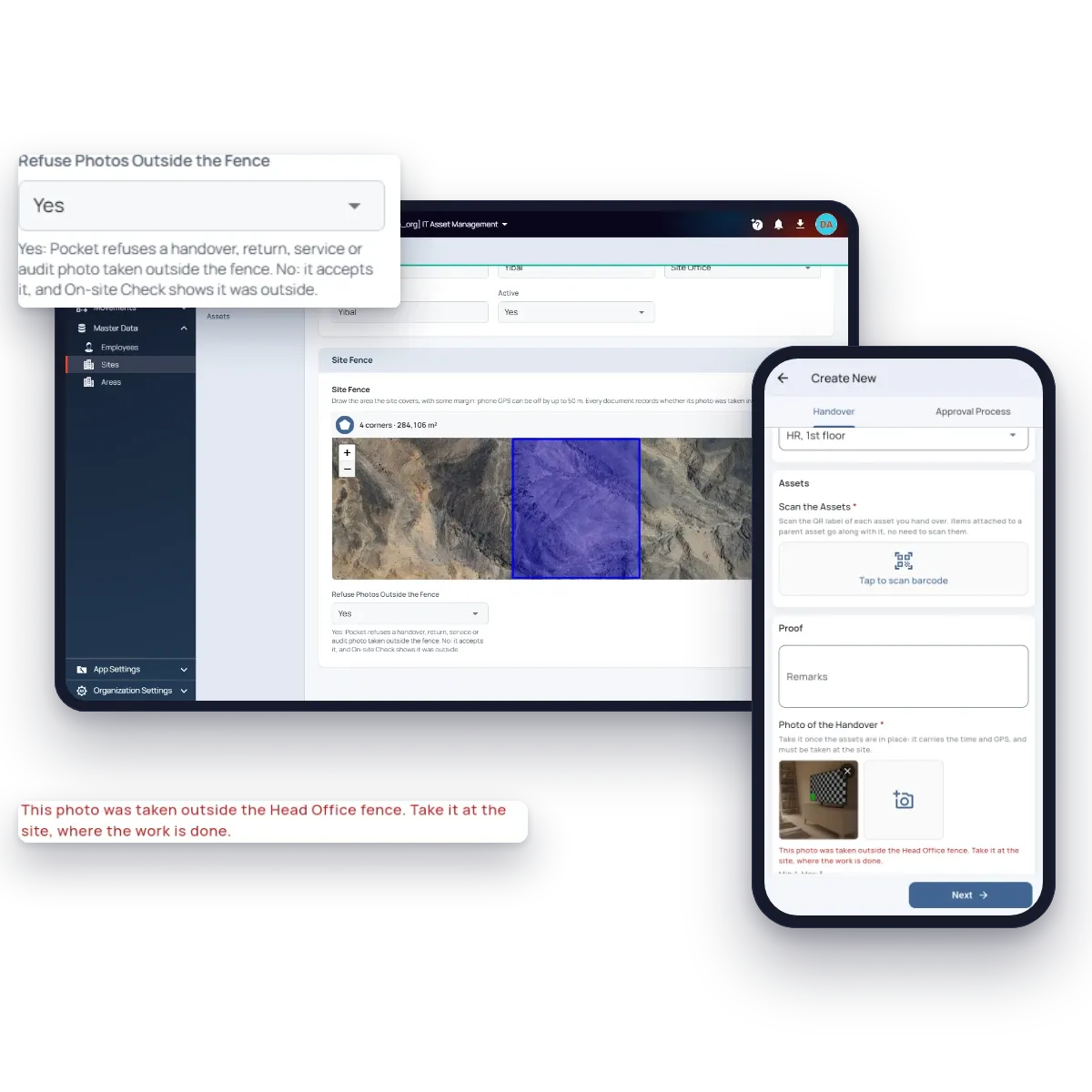
Technicians work from Fieldmaster Pocket, at the asset. They scan QR labels, pick the employee and the area from lists, capture a signature and close each job with a photo from the camera, never from the gallery. The photo carries the time, the GPS position and the technician’s name, and where a site refuses photos outside its fence, the phone won’t accept one taken anywhere else.
Site offices and stores often have weak signal, so the app keeps working offline and syncs as soon as it reconnects. It runs on Android and iOS, in each technician’s own language.
AI connectors
Ask ChatGPT or Claude About Your IT Assets
Use your own LLM to ask about your assets, handovers and licences in plain words, and get the chart you need from your latest records, in seconds.
Each person only reaches the data they can already access in the app. AI connectors are opt-in, and not turned on by default.
Which site has the most laptops in store?
Head Office has the most laptops in store (9).
Laptops in store, by site
Hardware
Every Item Its Own Record, Attached Where It Belongs
Laptops, desktops and servers carry the columns of your register: system number, processor, RAM, disk, OS and version, IP address and configuration dates. Monitors, docks, phones and printers carry their own specification.
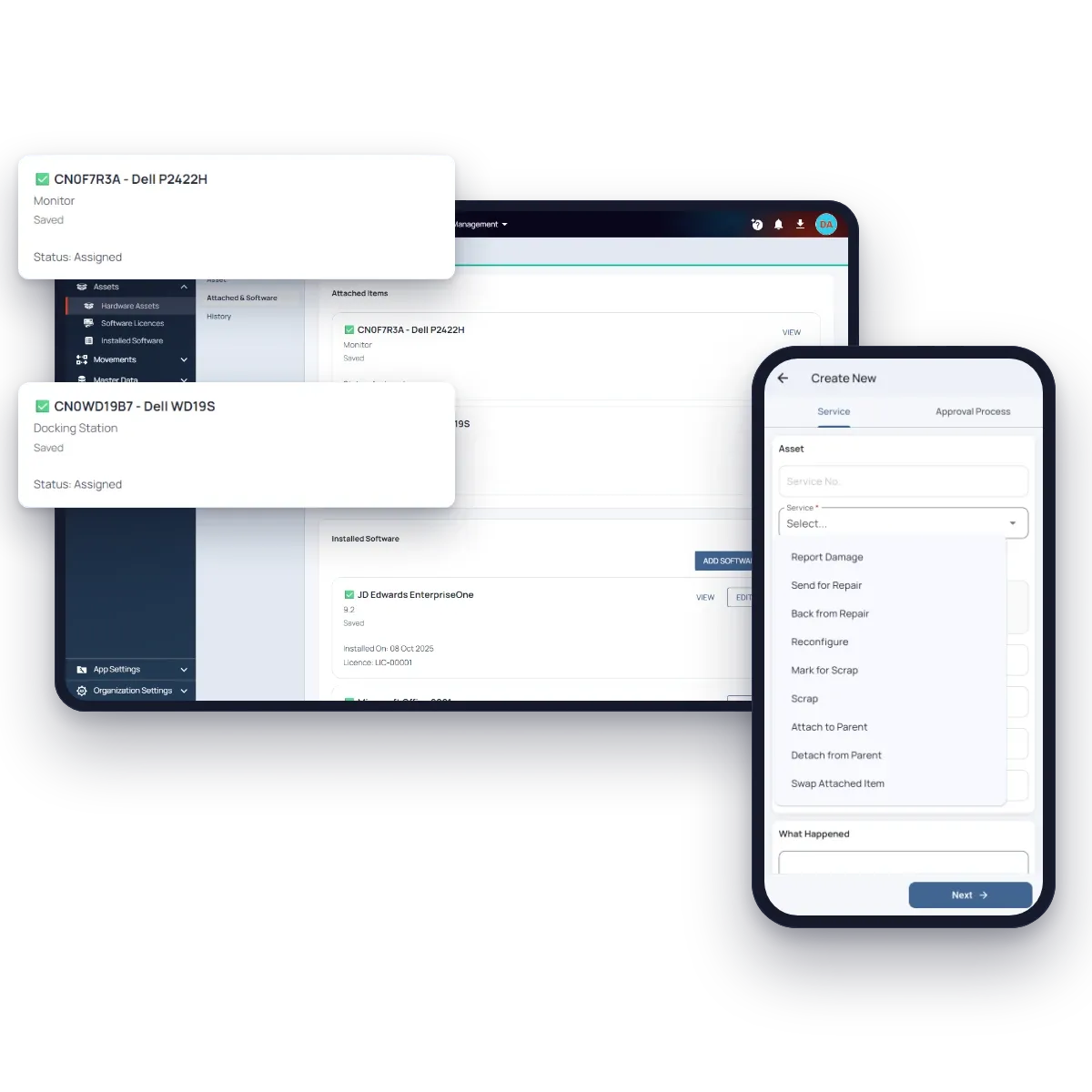
Any asset can be attached to another. A monitor and a dock attached to a laptop move with it on every handover and return, and each still has its own serial number, warranty and history, so a swap or a repair never loses track of anything.
Software
Licences Checked Against What’s Installed
Each licence purchase records the product, its seats, its type and its renewal date. Installations are recorded against each machine, by hand or loaded from your inventory tool’s export, and follow the machine when it moves.
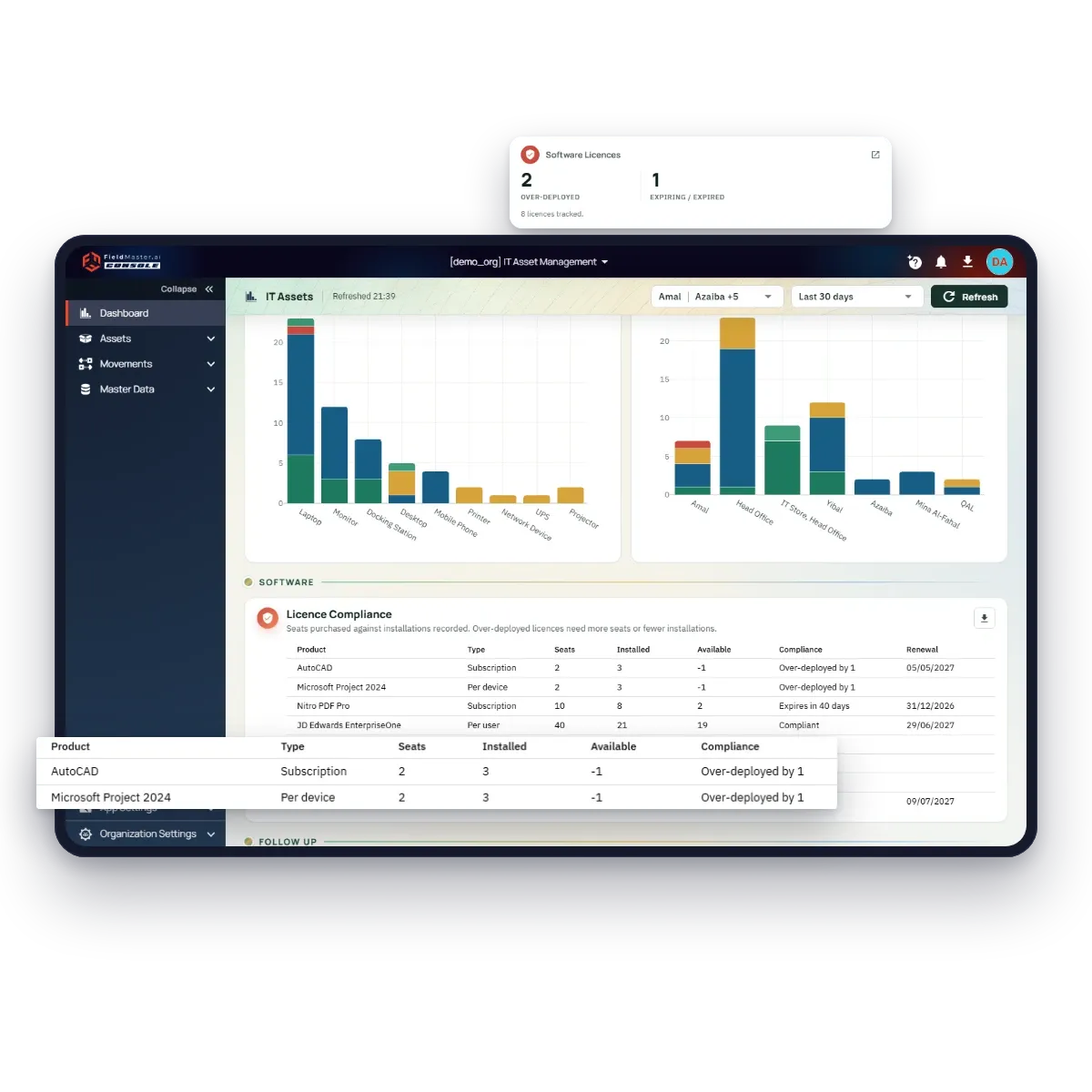
Installed, available and compliance are worked out from the installations, never typed. Over-deployed licences and renewals in the next 60 days show on the dashboard, and only IT administrators see the licence keys.
Proof on site
Controls That Keep the Register Honest
We switch on the controls that suit each site during setup, and tune them as you go.
Site fences
Each site is drawn on the map, with margin for GPS. Every document records whether its photo was taken inside.
Camera-only photos
Photos come from the camera, never the gallery, stamped with time, position and the technician’s name.
On-site check
A column on every list shows which records were proven on site and which were keyed at a desk.
Moves only through documents
Nobody edits an asset’s site, holder or status by hand: a handover, return or service does it.
Scrapping approved
An asset leaves the books only when the IT administrator approves it.
Sites per technician
Each technician sees only the sites they look after, on the web and on the phone.
Features
More Features IT Teams Use
QR labels
Each label carries the serial number, and a scan also finds the asset by its old asset number.
Excel bulk upload
Load assets and installations in your register’s own columns. Every row is checked before anything is saved.
Employee portal
Employees confirm handovers and see what they hold with a one-time code. No password and no licence.
Signature on the phone
Staff without email sign for their equipment on the technician’s phone.
Areas per site
Offices, stores and rooms picked from each site’s list, so locations are always written the same way.
Warranty and renewal alerts
Warranties ending and licences renewing in the next 60 days show on the dashboard.
Repairs tracked
Who has an item for repair and when it is expected back, so you know when to chase it.
Exports everywhere
Every list and dashboard table exports, for audits and finance.
Site attendance
Add face-check attendance for your IT team on the same platform, with the same users.
Security and your data
Built for Operations Where Accountability Matters
How your data is protected, where it’s hosted, and how you take it with you.
Encrypted in transit and at rest
Field records, photos and documents are encrypted on their way from the device and while stored on our servers.
Choice of hosting location
Hosted in the US or the EU by default, on enterprise-grade servers. Other locations, for local data rules, are available at extra cost.
Automated backups
Backups run automatically across the whole system, so your data can be fully recovered after an emergency or a system failure.
Your data, yours to export
Your organization owns its data. Every module has an export to Excel, and photos and recordings are provided as download links on request.
Access managed by your admins
Your administrators add and remove people and decide what each role can see and do, down to a single site or unit, without a support ticket.
Complete audit trail
Every submission, edit and approval is time-stamped and attributed, with GPS-tagged photos, ready for audits and disputes.
FAQ
Questions About the Platform
Does the mobile app work offline?
Yes. Field teams can clock in, complete tasks, record inspections and capture photos with no connection. Everything is stored on the device and syncs to the dashboard as soon as it reconnects, so no work is lost.
Which languages does the app support?
The app supports more than 40 languages, including Arabic, Urdu, Hindi, Bengali, Malayalam, Tamil and Tagalog. It follows the language set on each worker’s device, so crews see instructions, checklists and tasks in the language they are most comfortable with. Voice notes can be recorded in any language, even mixing languages in one note. The words appear as the worker speaks, and they can read the English translation before submitting.
Can we build our own workflows?
Yes. Fieldmaster.ai is a low-code platform, and our team configures the forms, approval rules and task sequences to match your business rules. New workflows and changes are delivered in days, without a development project on your side.
Does it connect to our existing systems?
Yes. Fieldmaster.ai connects through API connectors, webhooks and Excel import and export, and can feed your reporting database. Our team builds the link to your ERP, billing or customer systems, so field data flows into the tools your office already uses. If you’d rather run without an ERP, Fieldmaster.ai also works as a standalone solution. The choice is yours.
Can we ask ChatGPT or Claude about our data?
Yes. AI connectors let you use your own LLM, such as ChatGPT or Claude, to ask about your field data and get answers and charts from your latest records. They follow each person’s role, and they are opt-in, not turned on by default.
What support do you provide?
Support comes straight from the people who built your app, in Muscat, Ajman and Cochin. During rollout we train your key users, who then train everyone else, and we stay close in the weeks after go-live.
After that, support is available by phone, email and chat, every request is tracked from report to verified fix, and changes to your app take days, not quarters.