
Platform
The Features Behind City Waste Operations
Fieldmaster.ai has hundreds of features. These are the ones waste operators and municipalities rely on every day.
Mobile
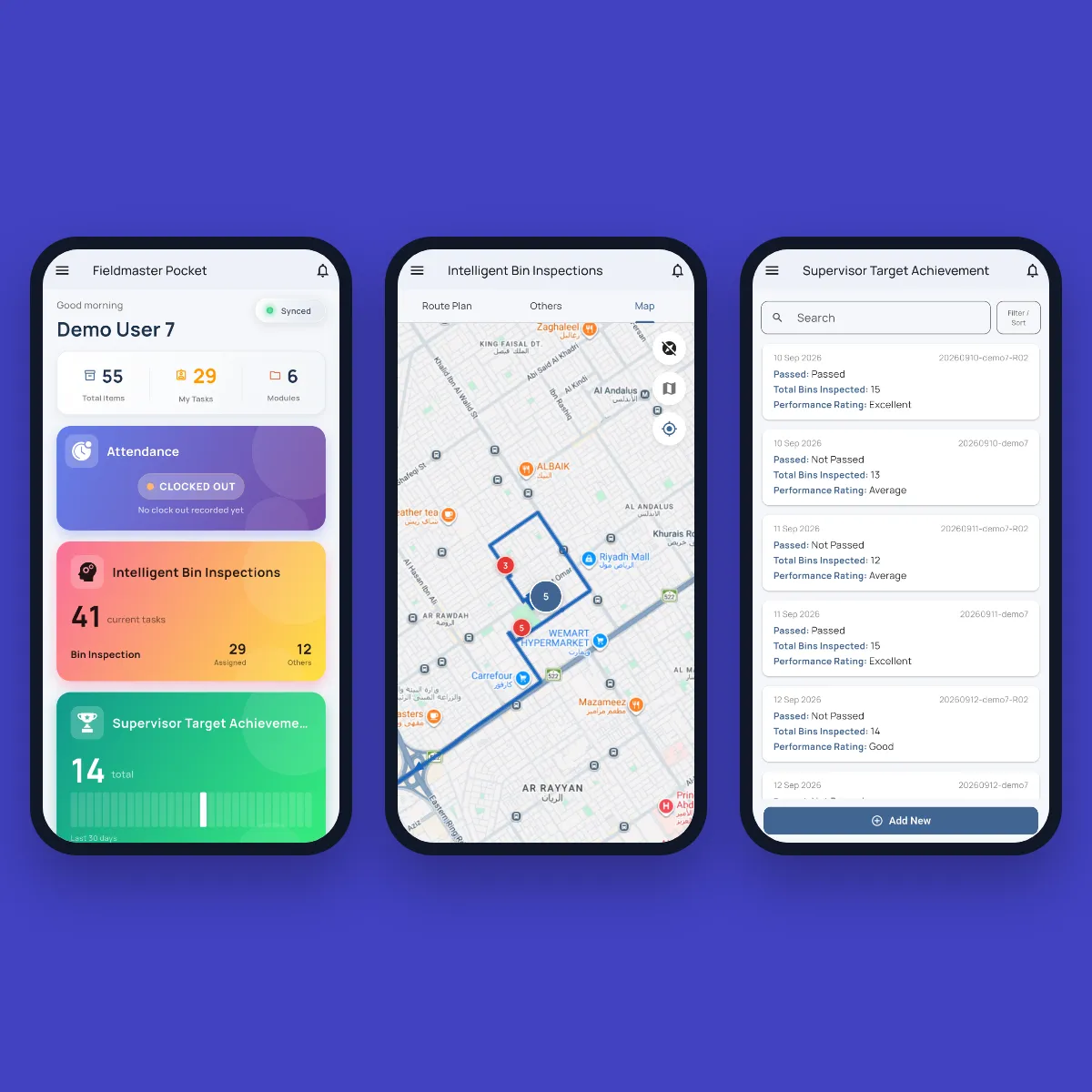
Supervisor and Crew App
Supervisors run inspections, record fixes and check their daily scorecard. Drivers and helpers clock in, check their truck and report breakdowns. The app runs on Android and iOS, and keeps working with no signal.
Office
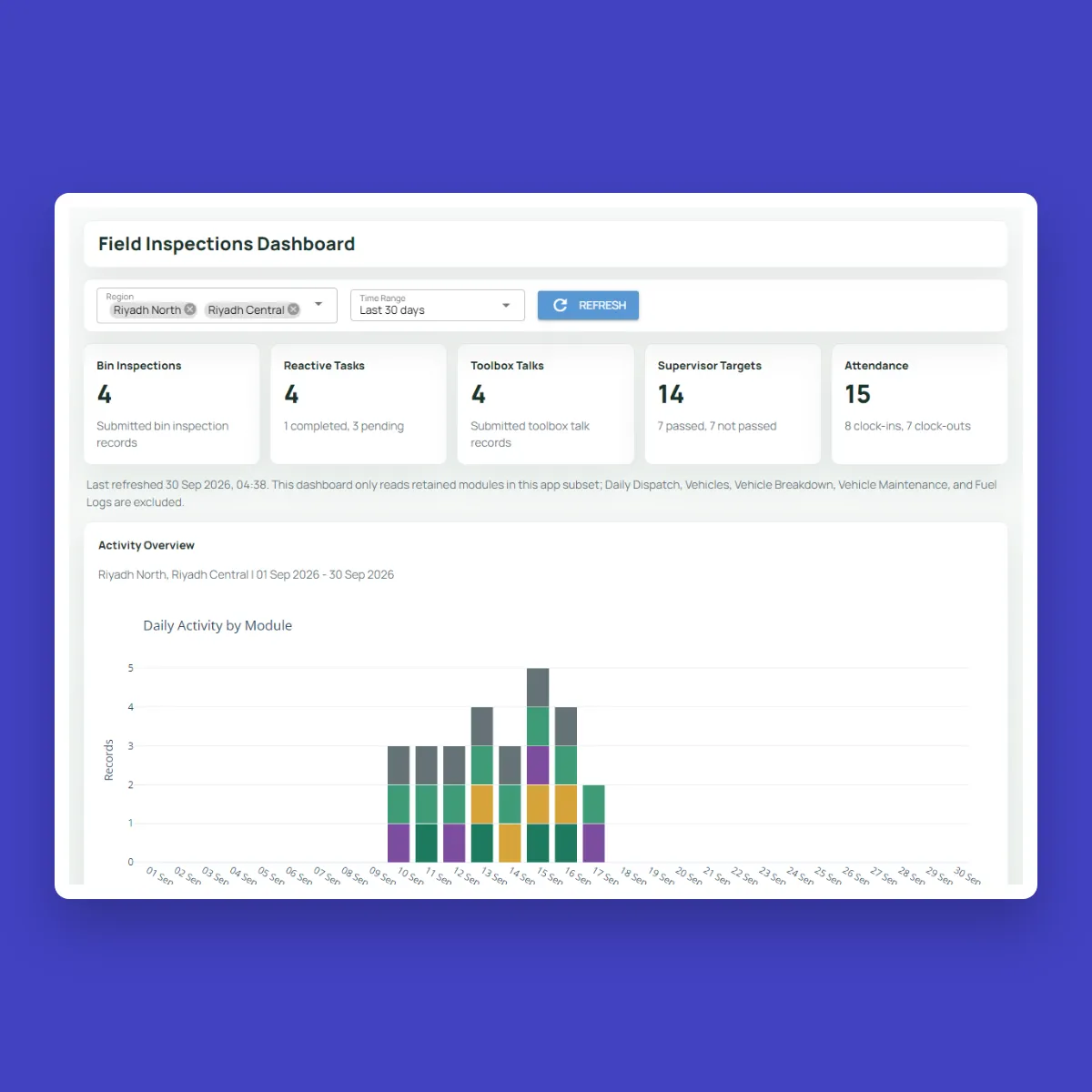
One Place to Monitor Everything
The control room dashboard shows dispatched and idle trucks, vehicles under repair, supervisor pass rates, attendance and toolbox talks, filtered by zone, region and date range. Charts export to Excel, and access to each module is set by role.
Accountability
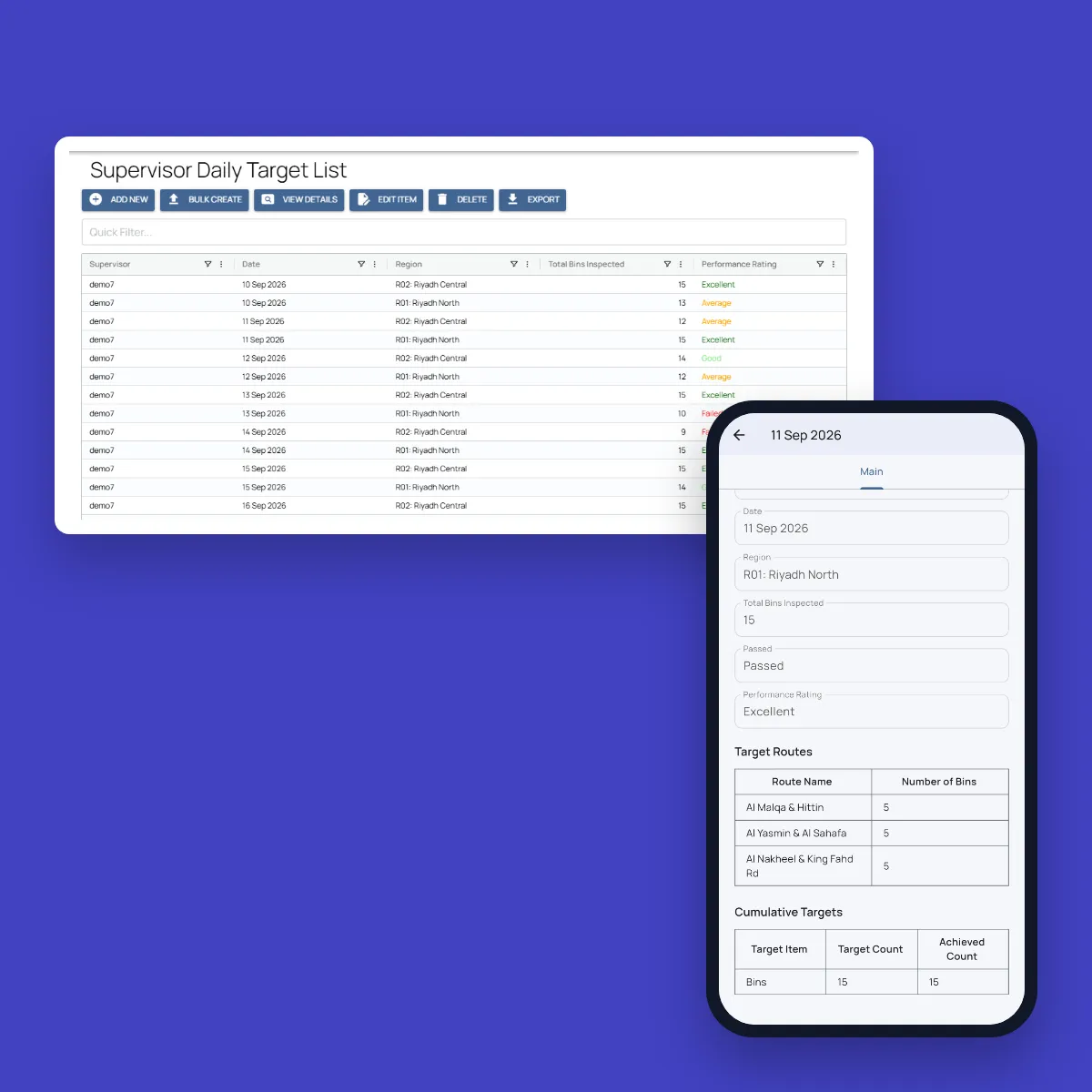
Attendance, Targets and Scorecards in One System
Crews clock in with face ID inside their region’s boundary. Supervisors get daily targets for each contract criterion, scored automatically as inspections come in and rated from Excellent to Failed, so performance is measured the same way in every region.
Fleet
Trucks Ready for Every Shift
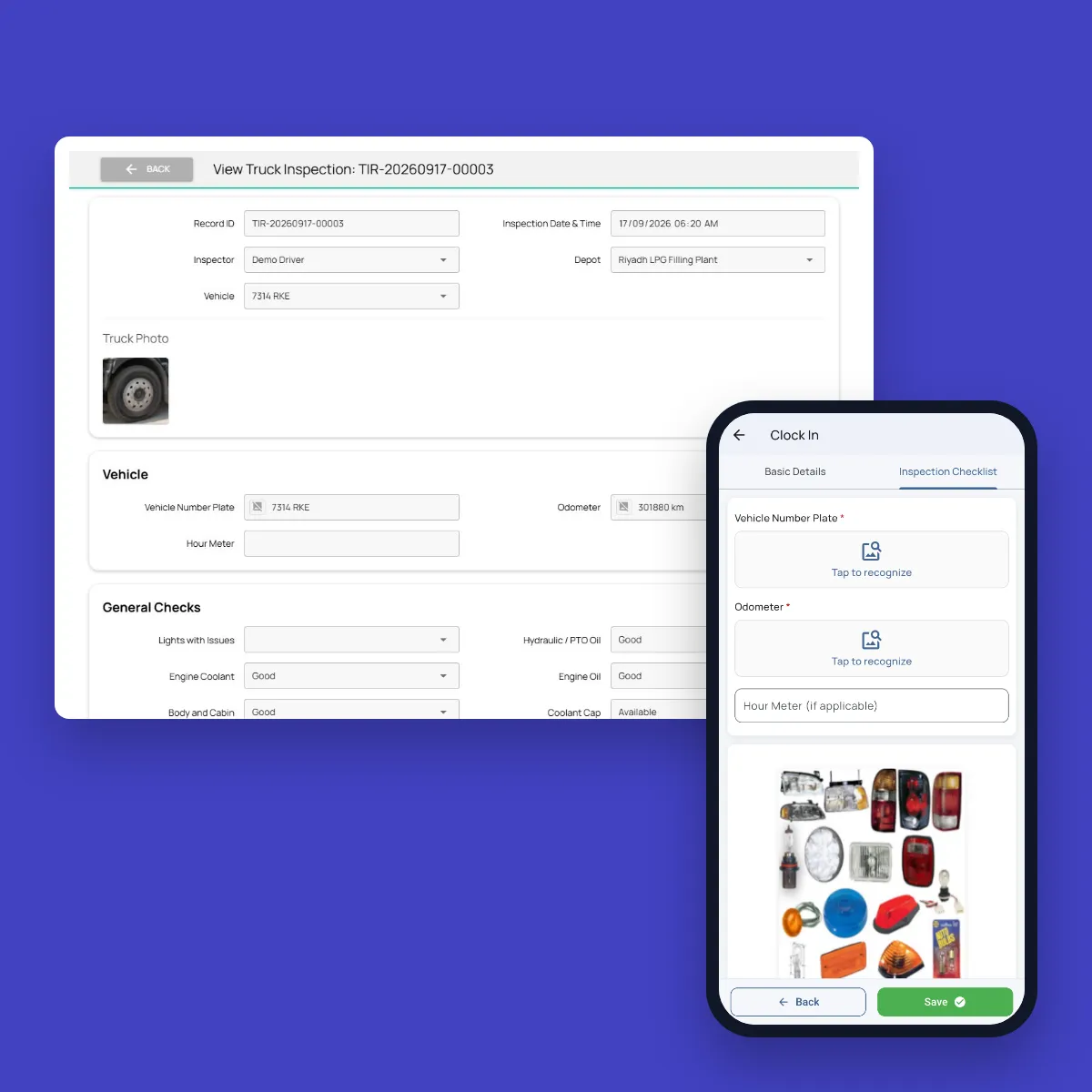
Drivers check their truck at every clock-in, with the number plate and odometer read from a photo. Failed checks become workshop tasks. Breakdowns are reported with photos and location, and each type of breakdown has its own repair deadline.
AI
AI That Sees What’s Wrong With Every Bin
The supervisor takes the photo, and AI looks at what’s in it, so problems are caught even when nobody writes them down. We switch on the checks that matter to your operation and tune them to your standards during the build.
Bin condition
Spots an overflowing bin, a broken lid or wheel, graffiti and fire damage in the inspection photo, and raises the right follow-up task.
Branding and bin numbers
Reads the bin number from the photo and checks that your branding is present and readable, sending faded or missing branding to the maintenance crew.
The area around the bin
Flags waste left beside the bin and illegal dumping, so the spot is cleaned and not only the bin emptied.
Fixes confirmed
Compares the before photos with the after-fix photos to confirm each fix was really done, then approves the inspection or sends it back.
Answers that match the photo
An inspection marked clean with a photo of an overflowing bin, or a photo that doesn’t show a bin at all, is flagged for review.
Toolbox talks graded
Each talk is recorded and checked against the topics you set. Missed topics are listed and the presenter gets a score.
Features
More Features Waste Operators Use
Contract checklists
Your contract criteria as OK or Not OK answers, with photos for every inspection.
Bin ID scanning
The camera reads the bin number, so every record is tied to the right bin.
Proof of work
Photos, GPS location and timestamps on every inspection, fix and task.
Automatic follow-up tasks
Unfixed issues go to the supervisor or the nearest bin maintenance crew.
Asset register
Every bin with its ID, RFID tag, type, capacity, location and history.
Daily dispatch
Drivers, helpers, trucks and routes for each shift, with idle trucks and absences recorded.
Voice and AI checks
Talk through a bin in any language to fill in the checklist, and AI checks the photos.
Toolbox talks
A daily safety talk for each crew, with attendees and photos, tracked on the dashboard.
Offline and multilingual
The app works without signal and in each worker’s language.
Security and your data
Built for Operations Where Accountability Matters
How your data is protected, where it’s hosted, and how you take it with you.
Encrypted in transit and at rest
Field records, photos and documents are encrypted on their way from the device and while stored on our servers.
Choice of hosting location
Hosted in the US or the EU by default, on enterprise-grade servers. Other locations, for local data rules, are available at extra cost.
Automated backups
Backups run automatically across the whole system, so your data can be fully recovered after an emergency or a system failure.
Your data, yours to export
Your organization owns its data. Every module has an export to Excel, and photos and recordings are provided as download links on request.
Access managed by your admins
Your administrators add and remove people and decide what each role can see and do, down to a single site or unit, without a support ticket.
Complete audit trail
Every submission, edit and approval is time-stamped and attributed, with GPS-tagged photos, ready for audits and disputes.
FAQ
Questions About the Platform
Does the mobile app work offline?
Yes. Field teams can clock in, complete tasks, record inspections and capture photos with no connection. Everything is stored on the device and syncs to the dashboard as soon as it reconnects, so no work is lost.
Which languages does the app support?
The app supports more than 40 languages, including Arabic, Urdu, Hindi, Bengali, Malayalam, Tamil and Tagalog. It follows the language set on each worker’s device, so crews see instructions, checklists and tasks in the language they are most comfortable with. Voice notes can be recorded in any language, even mixing languages in one note. The words appear as the worker speaks, and they can read the English translation before submitting.
Can we build our own workflows?
Yes. Fieldmaster.ai is a low-code platform, and our team configures the forms, approval rules and task sequences to match your business rules. New workflows and changes are delivered in days, without a development project on your side.
Does it connect to our existing systems?
Yes. Fieldmaster.ai connects through open APIs, webhooks and Excel import and export, and can feed your reporting database. Our team builds the link to your ERP, billing or customer systems, so field data flows into the tools your office already uses.
What support do you provide?
Support comes straight from the people who built your app, in Muscat, Ajman and Cochin. During rollout we train your key users, who then train everyone else, and we stay close in the weeks after go-live.
After that, support is available by phone, email and chat, every request is tracked from report to verified fix, and changes to your app take days, not quarters.