
How it works
The Six-Step Waste Management Workflow
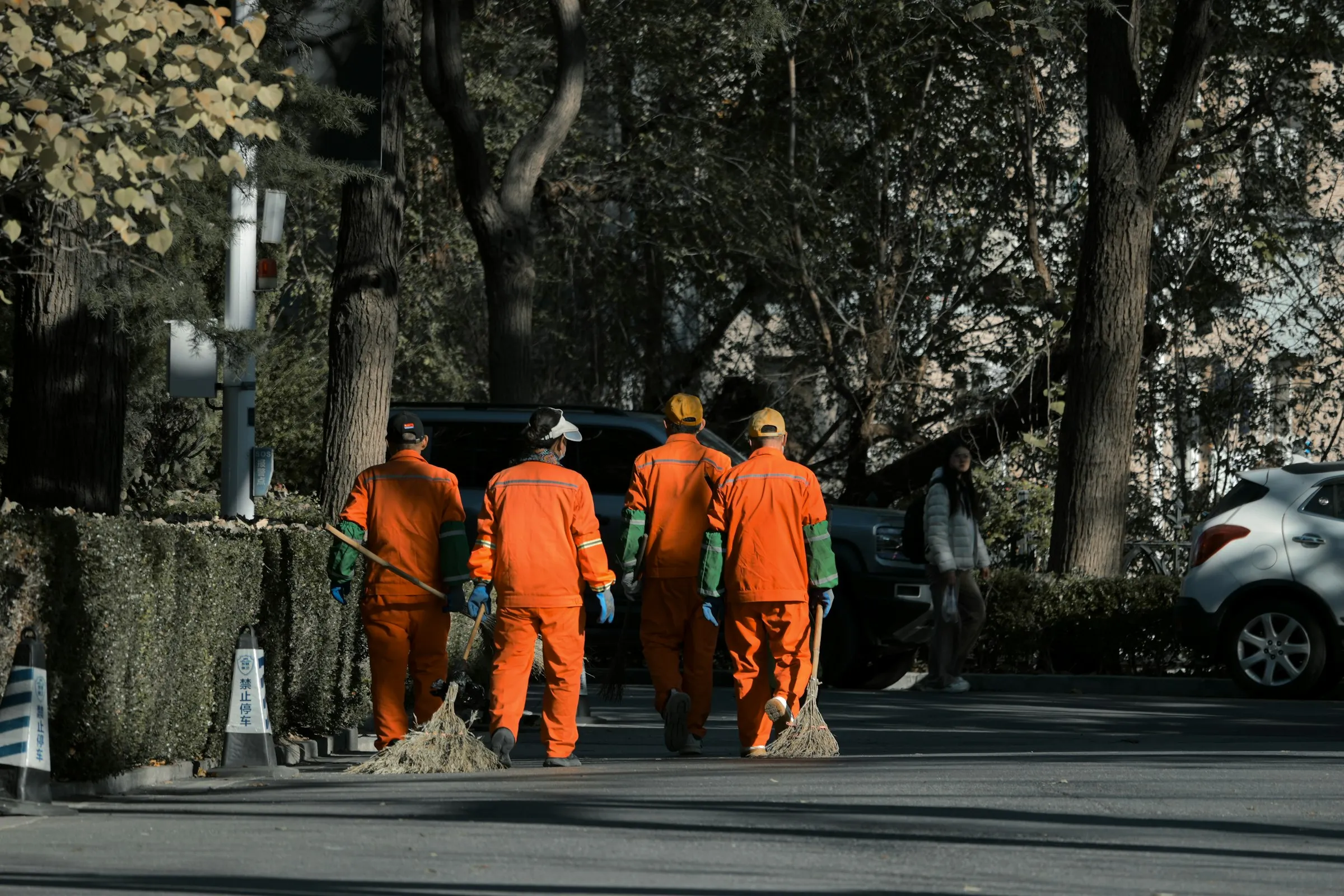
Each step feeds the next: managers set the targets, crews and trucks go out, supervisors inspect and fix, and the system keeps score.
Step 1
Managers Set Routes, Rosters and Targets
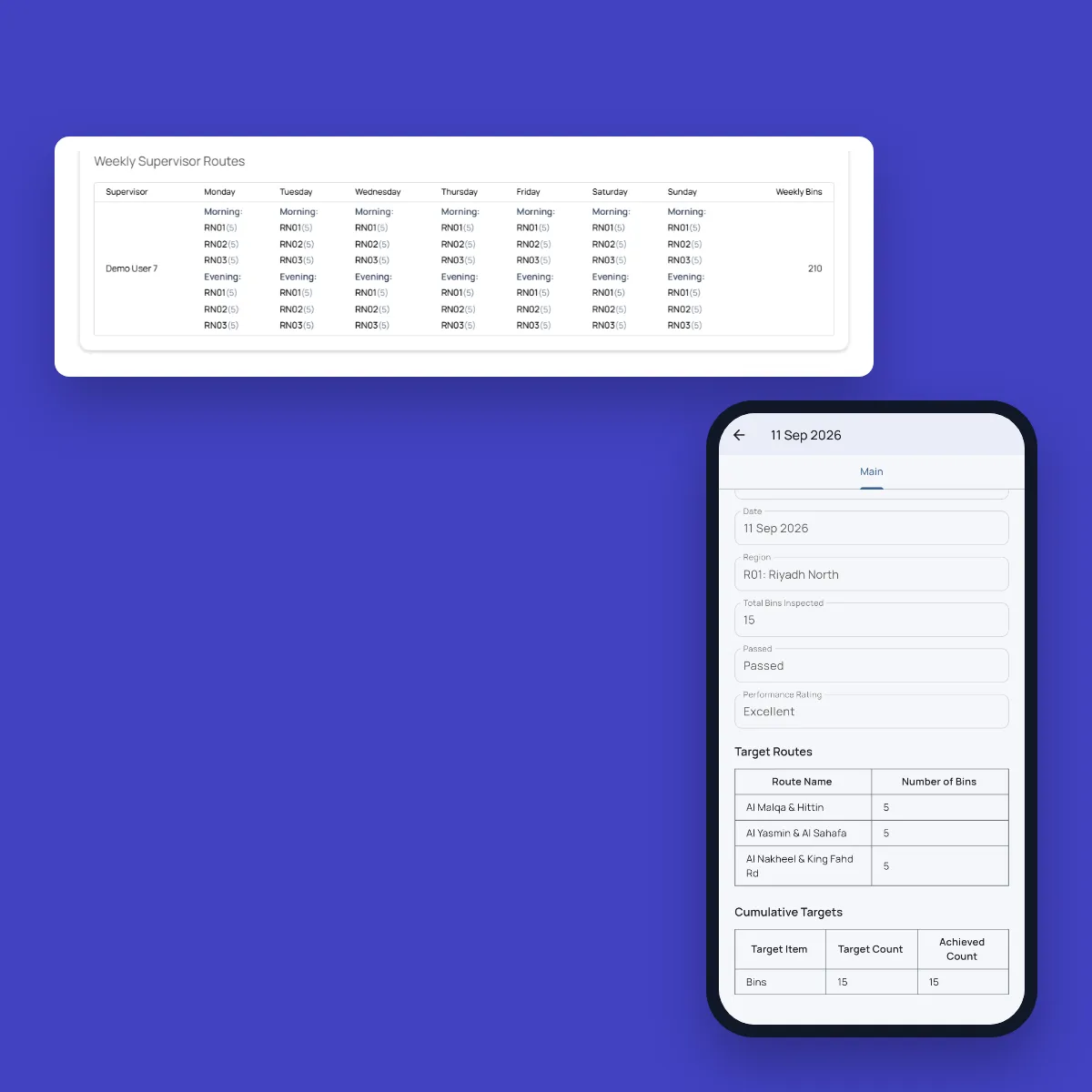
Set up regions, areas and routes, then give each supervisor their routes by weekday and shift. Daily targets are set for each contract criterion and approved by management before they take effect, so everyone knows what a good day looks like.
Step 2
Every Bin Is Loaded Into the Asset Register
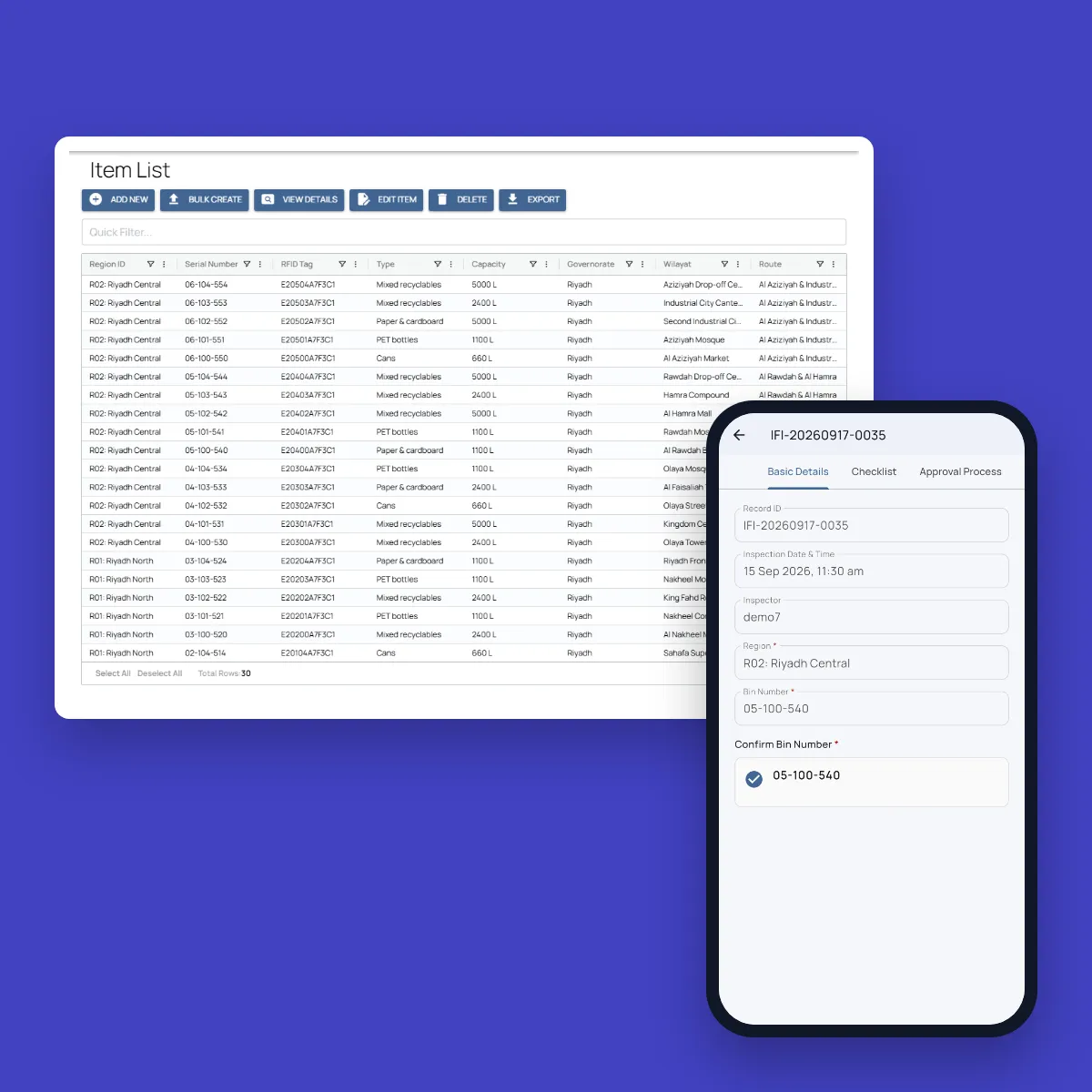
Bins are imported with their serial number, RFID tag, type, capacity, area and location. Each bin keeps its own history of inspections and repairs, so you can see what happened at any bin, and when.
Step 3
Crews Are Dispatched and Clock In
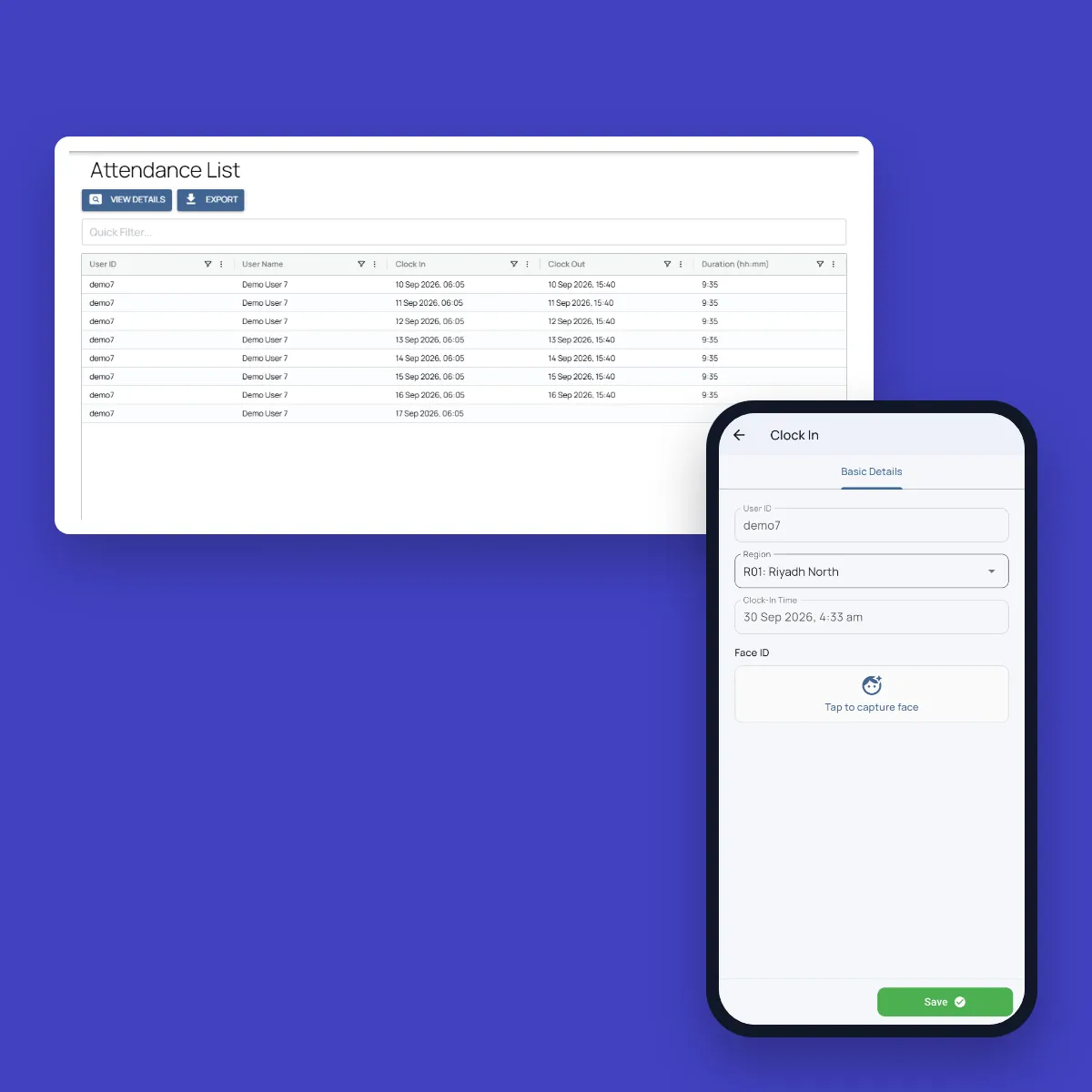
Each shift, the control room assigns drivers, helpers and trucks to their collection routes, and records idle trucks and absences with a reason. Crews clock in with face ID inside their region’s boundary, and drivers check their truck before the first stop.
Step 4
Supervisors Inspect Every Bin
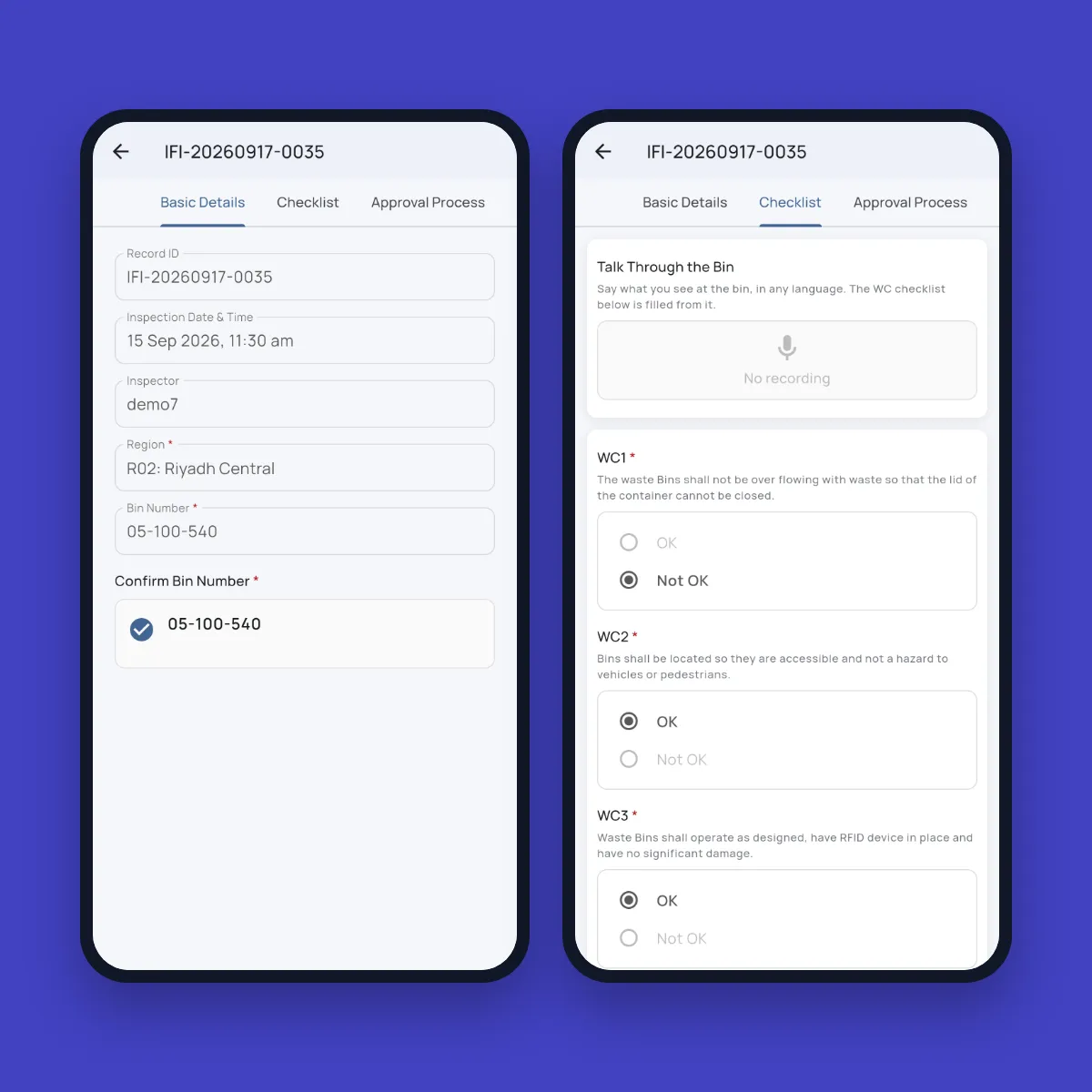
Supervisors scan the bin’s ID with the camera, answer your contract checklist and take photos with GPS location. They can talk through the bin in their own language to fill in the checklist, and AI checks that the photos match the answers.
Step 5
Issues Are Fixed or Sent to the Right Team
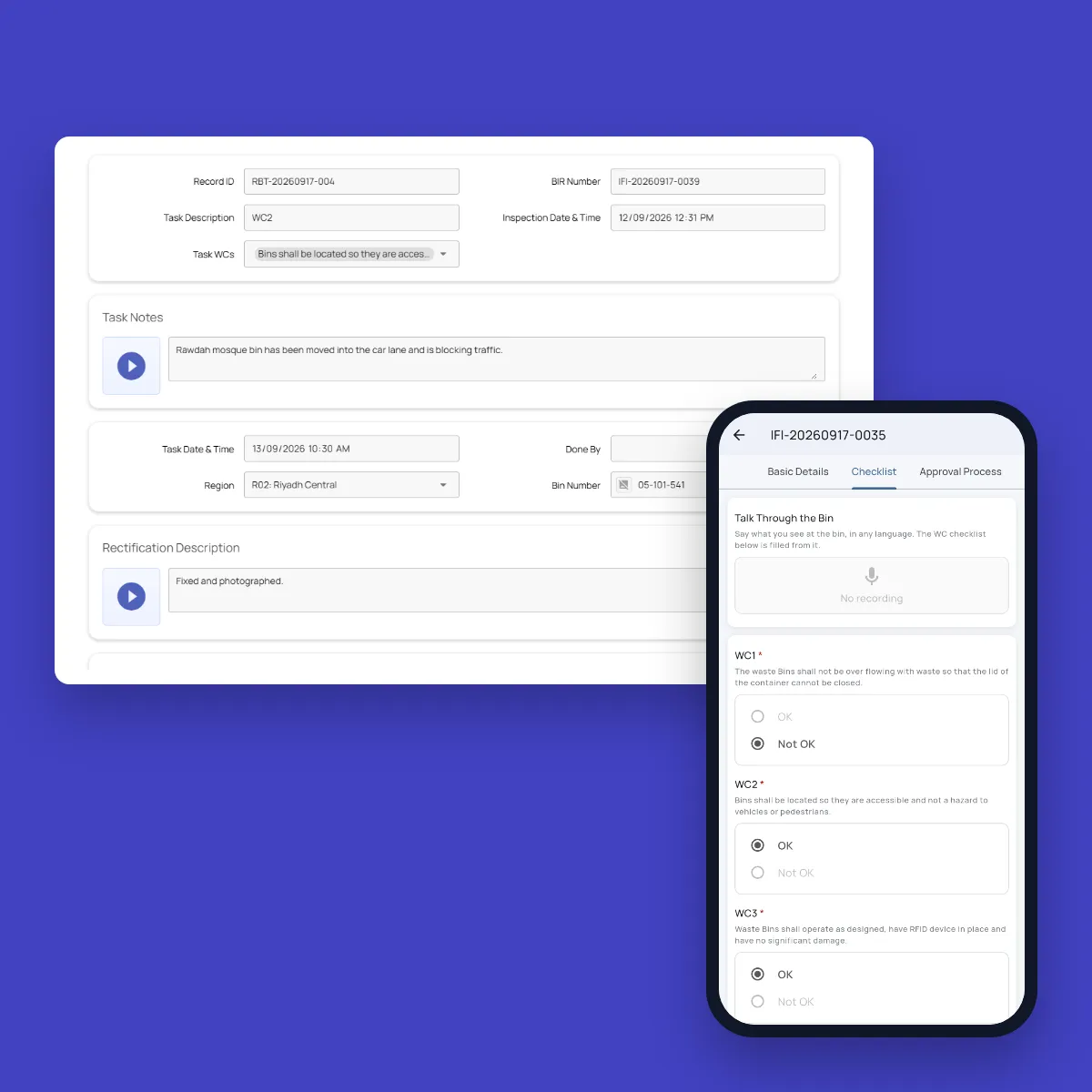
If the supervisor can fix a problem on the spot, they record what they did with after photos. Anything left open becomes a task as soon as the inspection is submitted. Overflow and litter go back to the supervisor. Damaged, unbranded or dirty bins go to the nearest bin maintenance crew.
Step 6
The Control Room Tracks Compliance Live
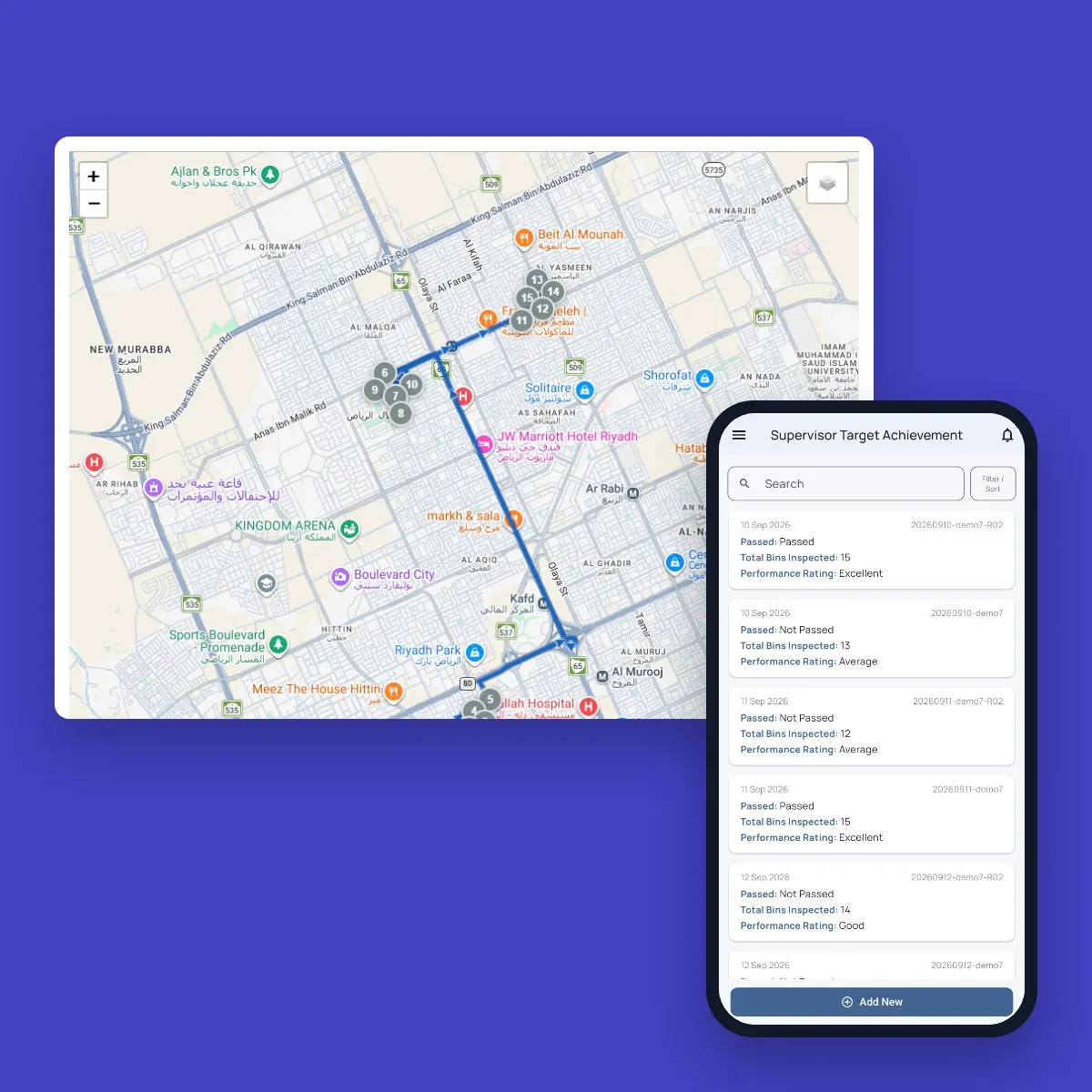
The control room sees target achievement, open and completed tasks, attendance and dispatch for any region and date range, with every open issue on the task map. Each supervisor sees their own daily scorecard in the app.
Rollout
From Kickoff to Go-Live in Weeks
Most operations go live within two to four weeks, depending on the size of the network and how quickly teams are available for training.
Structure and data import
Regions, areas and routes are set up, and your existing bin lists and locations are imported.
Checklists and targets
Inspection criteria, daily targets and follow-up rules are configured for each contract.
Pilot region
Supervisors and crews are trained, and one region goes live first.
Full rollout
The remaining regions follow, with support on hand as teams settle in.
FAQ
Questions About the Workflow
Can we use the checklist from our own contract?
Yes. The checklist follows the criteria in your contract, such as overflowing bins, damage, hygiene and litter within a set distance of the bin. Targets, tasks and reports are all built around the same criteria.
Can we set different targets for different regions or contracts?
Yes. Each region has its own routes, rosters and daily targets, and new targets take effect from a date you choose once they are approved. If one contract needs overflow cleared within two hours and another allows 24, each gets its own deadline.
How do we know an inspection really happened?
Every inspection needs the bin’s scanned ID, photos taken on the spot with GPS location, and a timestamp. Supervisors clock in with face ID inside their region’s boundary, and AI flags photos that don’t show a bin or don’t match the answers.
Who fixes a bin that fails inspection?
The supervisor, if they can fix it on the spot. Otherwise the system creates a task: service issues like overflow go back to the supervisor, and repairs like damage or missing branding go to the nearest bin maintenance crew, with the photos, location and voice notes attached.
Do you manage collections too?
Yes. Daily dispatch assigns drivers, helpers and trucks to routes for each shift, and records idle trucks and missing crew with a reason. Vehicle checks at clock-in, truck inspections and breakdown reports keep the fleet ready.
How much training do supervisors and drivers need?
Very little. The app works in the language set on each phone, such as Arabic, Urdu, Hindi, Malayalam, Tamil, Bengali or Tagalog, and most checklist answers are a single tap. Supervisors get training materials and optional on-site sessions.