
Fieldmaster.ai vs. SafetyCulture
A SafetyCulture Alternative for the Whole Field Process
SafetyCulture, once known as iAuditor and now called Mitti, is a strong self-serve tool for inspections and checklists. Fieldmaster.ai is for when the inspection is only the first step, and the rest of the process has to run too.
A fair comparison
When SafetyCulture Is the Right Choice
It’s a popular, well-built product, and for many teams it’s the right call. It fits well when:
You need checklists today
Sign up, pick a template from the library and start inspecting the same day, with a free plan for small teams.
Inspections are the job
Audits, checks, issues and actions are the whole process, and the report at the end is what you need.
You want to build it yourselves
Your team is happy to create and change its own templates and workflows, without a delivery partner.
Side by side
Fieldmaster.ai vs. SafetyCulture
Where SafetyCulture wins is fast, low-cost, do-it-yourself checklists. Fieldmaster.ai is built for the process around them, delivered for you.
| Fieldmaster.ai | SafetyCulture (Mitti) | |
|---|---|---|
| Designed first for | Fieldmaster.ai Field crews and the office process behind them, from first report to invoice | SafetyCulture (Mitti) Frontline teams running inspections, issues, actions, training and assets |
| Who builds the app | Fieldmaster.ai We do, around your process, and keep adapting it as you change | SafetyCulture (Mitti) You do, self-serve, from templates or with the AI Assistant. Onboarding services on the Enterprise plan. |
| Time to first live app | Fieldmaster.ai A typical app takes 10 to 18 working days to build | SafetyCulture (Mitti) A checklist from the template library can be in use the same day |
| How far it goes | Fieldmaster.ai The whole process: approvals, stock, purchasing, invoices, client and vendor portals, dashboards | SafetyCulture (Mitti) Inspections, issues, tasks, training, assets and analytics, with approval workflows on paid plans |
| How customers pay | Fieldmaster.ai A setup fee and a yearly subscription priced on the work the app handles. Every user included. | SafetyCulture (Mitti) Per seat, per month, with a free plan for small teams. A per-site option includes unlimited users. |
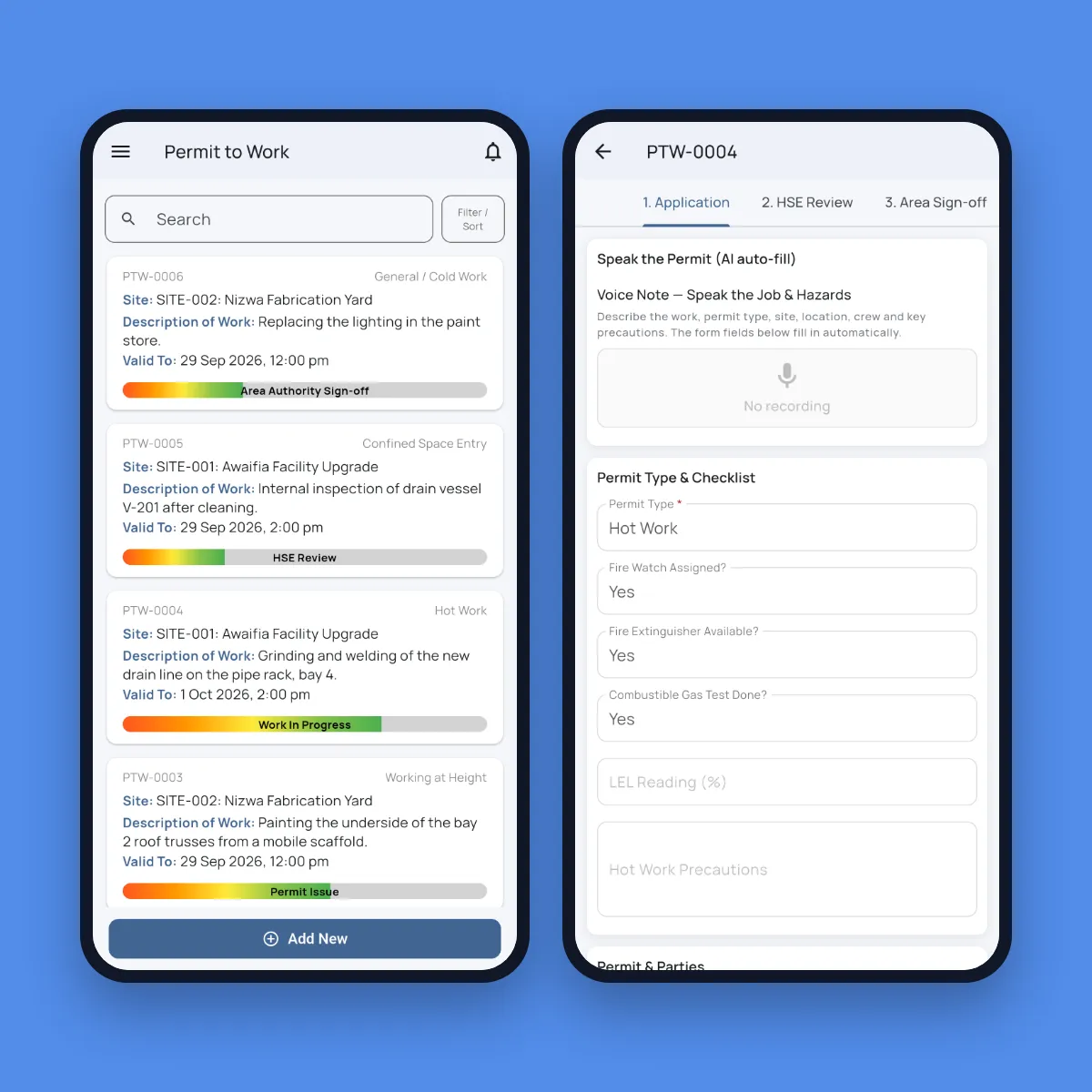
| AI for field work | Fieldmaster.ai Built in. Workers speak in Arabic, English, Hindi, Urdu and more, and AI fills the whole form. Photo AI reads meters, labels and plates. It also spots problems in photos and checks that inspections were done properly. | SafetyCulture (Mitti) AI in every plan, with monthly AI credits per seat. Turns a photo, voice note or prompt into a draft issue. |
| Changes after go-live | Fieldmaster.ai Usually in days, made by the people who built the app | SafetyCulture (Mitti) Your admins edit templates and workflows themselves |
| Support | Fieldmaster.ai Direct from the people who built it, in Muscat, Ajman and Cochin | SafetyCulture (Mitti) Help Center on the free plan, 24/5 support on Premium, 24/7 priority support on Enterprise |
Based on SafetyCulture’s (Mitti’s) public information as of October 2026. Product names, plans, features and prices change often; check with the vendor before deciding. SafetyCulture and Mitti are trademarks of their owner; Fieldmaster.ai is not affiliated with them.
The whole process
From the Inspection to the Invoice
An inspection usually starts something: a repair, a material request, a stock issue, a charge to a client. Often that next step leaves the inspection tool and goes back to email, spreadsheets and the ERP.
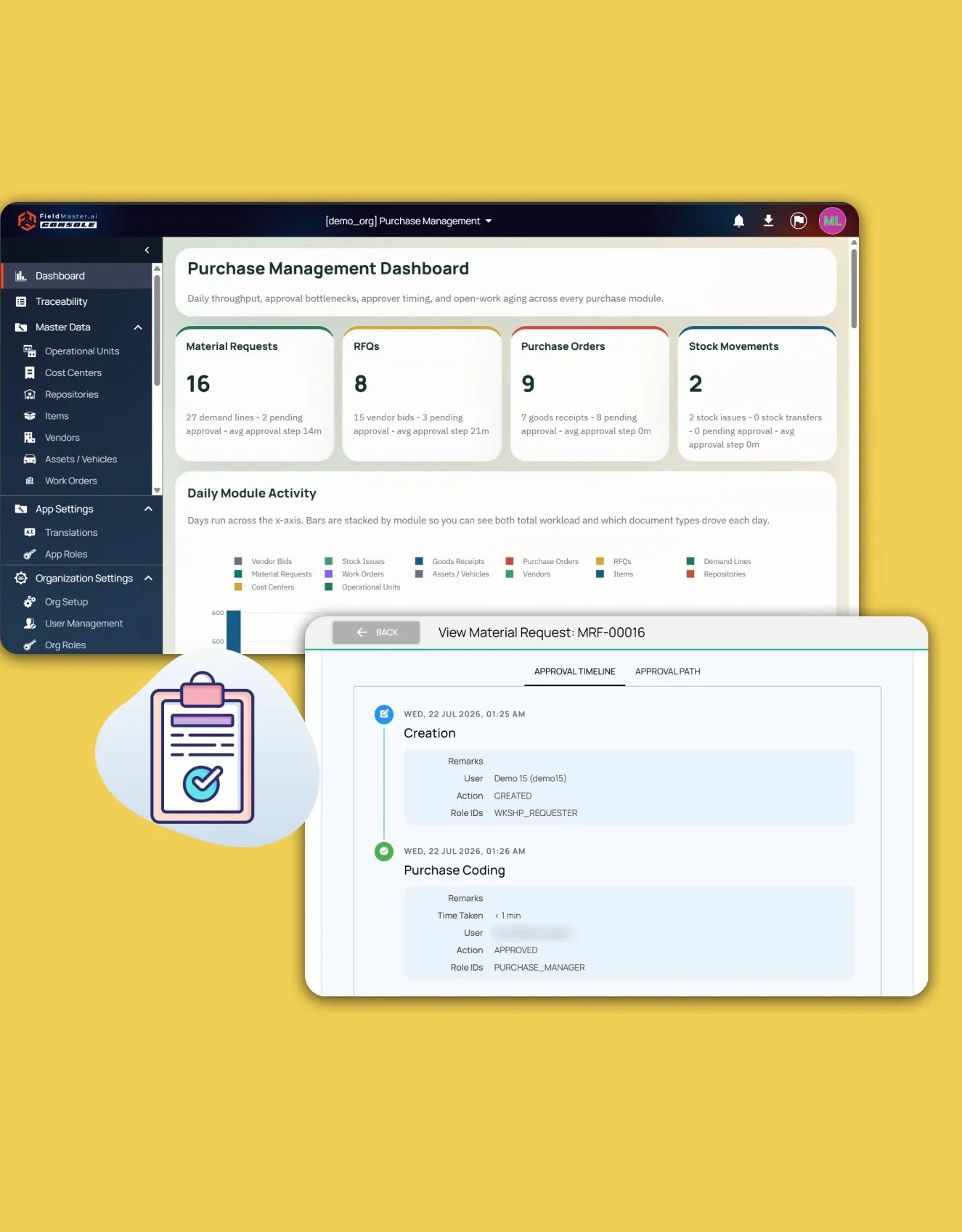
Fieldmaster.ai keeps it in one process. A finding becomes a task, the task needs material, the request goes through approval, stock is issued against the job, and the finished work is ready to invoice with photo proof attached. Field, office, clients and vendors each see their part, and the dashboards show all of it.
In practice
One Inspection, Followed Through
The pattern from our bin inspection app, live with a waste contractor’s supervisors in Riyadh.
Scan and speak
The supervisor scans the bin number, takes photos and describes what’s wrong in a voice note.
AI checks it
AI ticks the checklist from the voice note and checks that the photos match.
Task assigned
A repair task opens and goes to the right crew, with the photos, location and voice note attached.
Office sees it
Validated inspections and supervisor targets show on a live dashboard.
Delivered, not do-it-yourself
We Build It. You Run It.
With a self-serve tool, your team becomes the app builder: templates, logic, user access and every change after launch. That suits checklists well. As the process grows into approvals, stock and billing, it becomes a bigger job.
With Fieldmaster.ai, we build the app around your process, train your trainers, and stay on after go-live. When the process changes, tell us, and the change usually lands in days.
Keep comparing
Other Comparisons
Fieldmaster.ai vs. Power Apps
For teams on Microsoft 365 deciding whether to build field apps themselves.
Fieldmaster.ai vs. ERP field service modules
For teams that already run an ERP and want clean field data to reach it.
Pricing without per-user fees
How a setup fee and an activity-based subscription keep every user included.
FAQ
Questions About SafetyCulture and Fieldmaster.ai
Are SafetyCulture, iAuditor and Mitti the same product?
Yes. iAuditor was renamed SafetyCulture in 2022, and in August 2026 SafetyCulture rebranded as Mitti.
Can we keep SafetyCulture for our inspections?
Yes. If your inspections run well there, keep them. Fieldmaster.ai can take on the process around them, such as approvals, stock, purchasing and invoicing, and connect to other systems through APIs, webhooks and Excel import and export.
Does Fieldmaster.ai do inspections and checklists too?
Yes. Mobile forms take photos, video, GPS, signatures and barcode scans, and AI fills the form from a voice note and checks the photos. The difference is what happens next: approvals, tasks, stock and billing in the same app.
Do we pay for every worker?
No. Fieldmaster.ai is priced on the work the app handles, such as items managed, journeys, purchase orders, permits or forms per month. Field crews, supervisors, clients and vendors are all included.
How long does it take to switch?
A typical app takes 10 to 18 working days to build. You can start with one process, such as inspections and the repairs they trigger, and add more later on the same platform and users.
Who changes the app when our process changes?
We do. Changes after go-live usually land in days, made by the people who built your app, and support comes directly from them, in Muscat, Ajman and Cochin.