

Fieldmaster.ai vs. ERP field service modules
The Field App for Your ERP, Not Another ERP
“We already have an ERP.” Perfect. We don’t replace it. Fieldmaster.ai is the field layer that feeds the ERP you already run, whether that’s SAP, Oracle, Microsoft Dynamics or another system, with clean, checked data from the people doing the work.
A fair comparison
When a Vendor’s Field Service Module Is the Right Choice
Salesforce, Microsoft and Oracle all offer strong field service products. One of them may suit you better when:
You’re standardized on one vendor
Your CRM or ERP already comes from that vendor, and one suite matters more than speed. Oracle and Microsoft both connect their field service products to their own ERP.
Dispatch is the hard part
You schedule large numbers of technicians against service contracts, and need the vendor’s scheduling and route optimization.
You have the team to run it
Your IT team or an implementation partner has the skills and time to set it up, license it and keep changing it.
Side by side
Same Goal, Very Different Path
How Fieldmaster.ai compares with the field service products from Salesforce, Microsoft and Oracle.
| Fieldmaster.ai | Salesforce Field Service | Dynamics 365 Field Service | Oracle Field Service | |
|---|---|---|---|---|
| Designed first for | Fieldmaster.ai Field crews and the office behind them, alongside any ERP | Salesforce Field Service Service teams on Salesforce; needs at least one Service Cloud licence | Dynamics 365 Field Service Service teams on Microsoft Dynamics 365 | Oracle Field Service Service teams on Oracle Fusion, connected to Oracle ERP and supply chain |
| Who builds the app | Fieldmaster.ai We do, around your process | Salesforce Field Service Your IT team or a Salesforce partner | Dynamics 365 Field Service Your IT team or a Microsoft partner | Oracle Field Service Your IT team, Oracle Consulting or a partner |
| Time to first live app | Fieldmaster.ai A typical app takes 10 to 18 working days to build | Salesforce Field Service Set by your implementation project | Dynamics 365 Field Service Set by your implementation project | Oracle Field Service Set by your implementation project |
| How customers pay | Fieldmaster.ai A setup fee and a yearly subscription priced on the work the app handles. Every user included. | Salesforce Field Service Per user, per month, billed annually, with editions for dispatchers, technicians and contractors | Dynamics 365 Field Service Per user, per month, with a separate contractor licence | Oracle Field Service Per named user, per month |
| AI for field work | Fieldmaster.ai Built in. Workers speak in Arabic, English, Hindi, Urdu and more, and AI fills the form. Photo AI reads meters, labels and plates. It also spots problems in photos and checks that inspections were done properly. | Salesforce Field Service AI through Agentforce editions and add-ons | Dynamics 365 Field Service Copilot help with work orders, scheduling and summaries included; agents use Copilot Credits | Oracle Field Service AI embedded across field service at no extra charge, according to Oracle |
| Link to your ERP | Fieldmaster.ai Connects in both directions through APIs, webhooks and Excel, built by our team as part of the project | Salesforce Field Service Connected through an integration | Dynamics 365 Field Service Built-in integration with Dynamics 365 finance and operations apps | Oracle Field Service Part of the same cloud as Oracle ERP and supply chain |
| Changes after go-live | Fieldmaster.ai Usually in days, made by the people who built the app | Salesforce Field Service Your admins or your partner | Dynamics 365 Field Service Your admins or your partner | Oracle Field Service Your admins or your partner |
| Support | Fieldmaster.ai Direct from the people who built it, in Muscat, Ajman and Cochin | Salesforce Field Service The vendor, plus your partner for your own setup | Dynamics 365 Field Service The vendor, plus your partner for your own setup | Oracle Field Service The vendor, plus your partner for your own setup |
Based on each vendor’s public information as of October 2026. Product names, licences, features and prices change often; check with the vendor before deciding. Salesforce, Microsoft Dynamics 365 and Oracle are trademarks of their owners; Fieldmaster.ai is not affiliated with them.
The field layer
We Don’t Replace Your ERP. We Feed It.
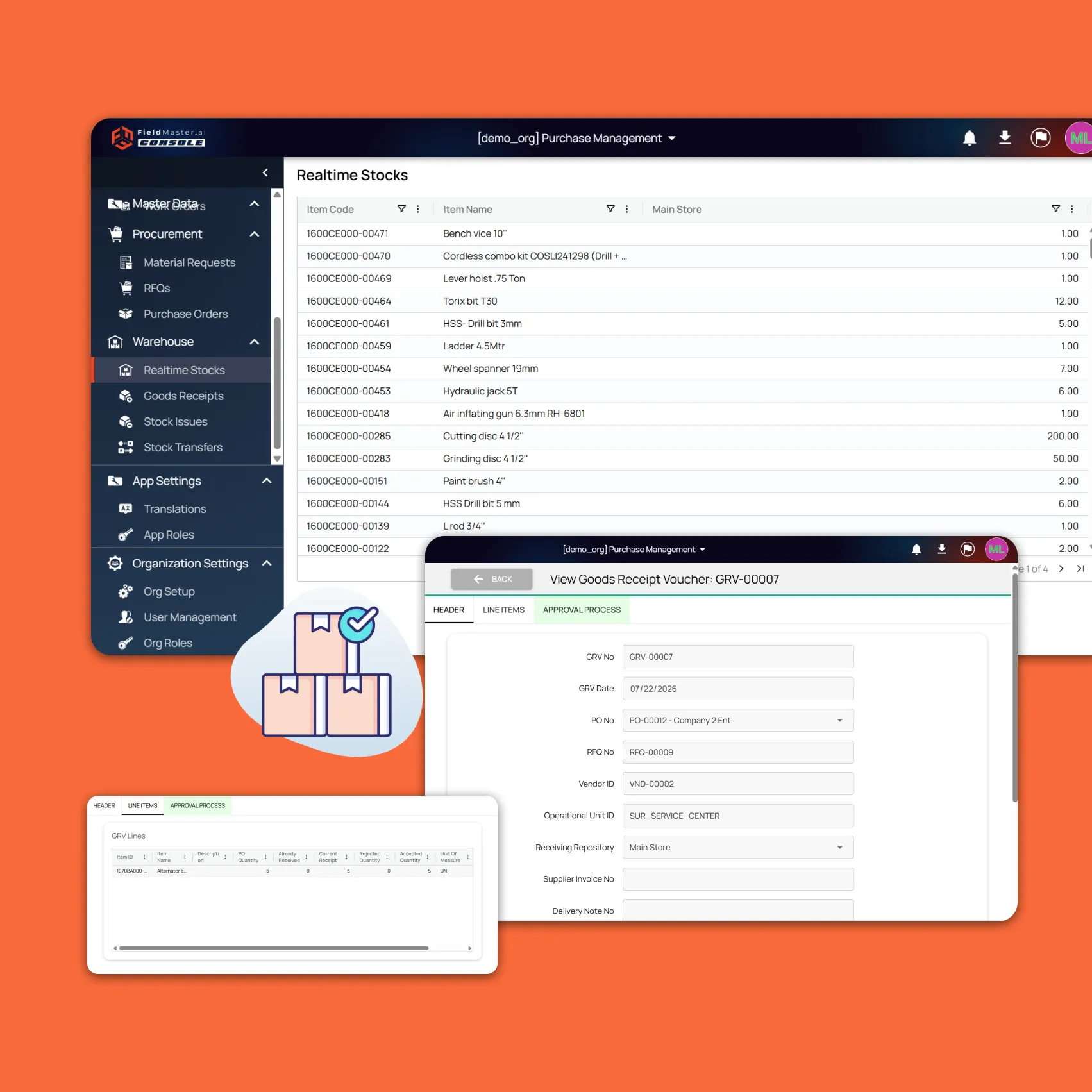
Your ERP is the system of record for finance, stock and assets, and it was built for people at desks. The data it needs is created somewhere else: at the meter, the bin, the site store, the customer’s door.
Fieldmaster.ai captures that data where it happens, by the person who saw it, with photos, GPS and time attached. Approvals, checks and AI review happen before anything reaches the ERP, so what arrives is complete.
How it fits
From the Field to Your ERP
Captured at the source
Crews speak, snap, scan and sign in Fieldmaster Pocket, online or offline.
Checked before it moves
AI reads meters and labels, spots problems in photos and flags odd values, and approvals route each record to the right person.
Sent to your ERP
Clean records reach your ERP through the link our team builds, and reference data flows back.
Seen in the office
Dashboards show the work as it happens, and every chart exports to Excel.
Pricing
Every Field User Included
Field service licences are usually priced per user. That makes it costly to give every driver, technician, subcontractor and client access, so access often stays with a few people, and the rest of the work reaches the system second-hand.
Fieldmaster.ai is priced on the work the app handles: items managed, journeys, purchase orders, permits or forms. Everyone who touches the work can use it, with no fee per person.

Keep comparing
Other Comparisons
Fieldmaster.ai vs. Power Apps
For teams on Microsoft 365 deciding whether to build field apps themselves.
Fieldmaster.ai vs. SafetyCulture
For teams choosing between a self-serve inspection tool and the whole process, delivered.
FAQ
Questions About ERPs and Fieldmaster.ai
Do we have to replace our ERP?
No. Fieldmaster.ai works alongside it. Your ERP stays the system of record; Fieldmaster.ai is where field work is captured, checked and approved before it reaches the ERP.
Which ERPs can Fieldmaster.ai connect to?
Fieldmaster.ai connects through open APIs, webhooks and Excel import and export, and our team builds the link to your ERP as part of the project. Tell us which system you run, and we’ll scope the connection with you.
Our ERP vendor already offers a field service module. Why not use it?
If you’re standardized on that vendor and dispatch is your main challenge, it may be the right choice. Fieldmaster.ai fits when the field process is specific to your operation, when you want it built for you in days rather than run as an internal project, and when everyone in the field needs access without a licence each.
How long does it take?
A typical app takes 10 to 18 working days to build. The ERP connection is scoped with you at the start, so it’s part of the plan rather than an afterthought.
How is it priced next to per-user licences?
A setup fee and a yearly subscription priced on the work the app handles. Every user is included, along with hosting, support, maintenance and AI usage.
Who owns the data?
Your organization. Everything captured in the app is your organization’s work data, and it flows into the systems you choose.