
Ask a finance head where the company’s materials are, and you’ll usually get two answers. The stock ledger says one thing. The project managers say another. Somewhere between the store and the site, cable, fittings, spare parts and tools go missing, and nobody can say exactly where.
This kind of loss rarely shows up as a single event. It is quiet. A few items more than needed are issued for a job. A box is left in a van. A serial-numbered part is signed out on paper and never seen again. Each case is small. Together they show up as project costs that are always higher than planned, and stock counts that never quite match.
This post is about closing that gap with one simple control: prove that goods physically moved, at both ends.
Where Material Goes Missing
In most companies, the store has a system. The site has a notebook, or nothing. Material leaves the store on a paper issue slip, travels in a vehicle and arrives at a site where nobody records what came in.
That leaves three blind spots:
- At the store counter. Items are issued to a person, not to a job, so nobody can later say which project used them.
- In transit. Nothing ties what left the store to what reached the site.
- On site. Unused material isn’t returned or recorded, and at project end nobody checks what is left.
The ledger treats “issued” as “used.” If a part never reached the site, the books will never show it.
Why Finance Can’t See It
Paper records what someone says happened. When an issue slip says ten units went to a project, finance has no way to check that claim against what the site actually received. The cost is charged to the project and the question is closed.
By the time anyone notices a pattern, through a project that always runs over or a stock count that never matches, the trail is months old. There is no photo, no scan and no name to follow up with.
The fix is not more paperwork. It is capturing proof at the point where the material moves, by the people who move it.
Step One: Scan Every Item Out
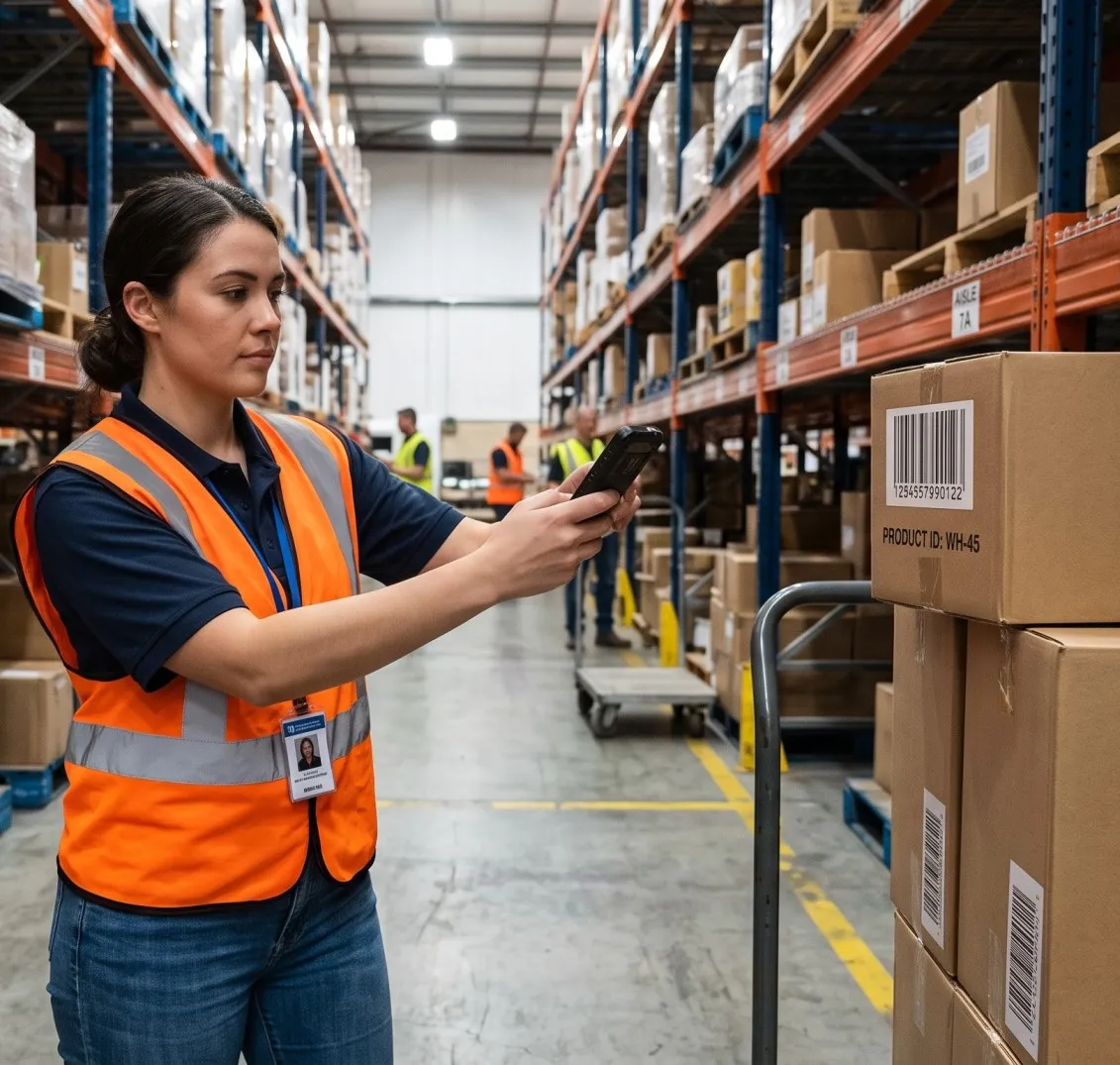
In the Fieldmaster Pocket app, storekeepers scan every item out against a work order or a vehicle. The phone camera reads the barcode, so nobody types part codes by hand. Photos are taken at the counter, and each issue is tied to a named person and a specific job, with the time and place recorded automatically.
Stock updates live as soon as the issue is saved. The store’s balance is correct before the van leaves the yard, not at the end of the month.
Step Two: Scan Again on Arrival and at Project End
The second half of the control happens on site. The site engineer scans each serial number when the material arrives, and again at project end.
This is the step most systems skip, and it is the one that matters. Without it, the store knows what it sent, but nobody knows what was received. With it, there are two independent records of the same items: one from the person who issued them and one from the person who received them.
The app works without signal, which matters on construction sites, in basements and at remote locations. Scans and photos are saved on the phone and sync with their original timestamps when the device reconnects.
Step Three: Compare Issued Against Found
With both records in the same system, the platform compares what was issued with what the site actually found. Anything that left the store and never arrived is flagged. So is anything left over at project end that was never returned.
The result is a simple question finance can finally answer: did the goods we paid for reach the job they were charged to? Quiet theft and paper-only issues show up straight away, while the people involved still remember what happened.
Proof at the Loading Dock Too
Leakage also starts before material reaches the store. When deliveries come in, the platform helps check them against what was ordered:
- Delivery notes read by AI. A photo of the supplier’s delivery note is turned into structured data, so nobody retypes it.
- Receipts checked against the purchase order. Quantities above the order are blocked at the loading dock, and rejected goods are recorded.
- Payments based on what arrived. Each purchase order is linked to its goods receipts, so finance pays for what was received, not what was invoiced.
You can see the stores workflow, with stock tracked in stores, vans and sites, on the material management page. For the buying side, see purchase management.
What the Office Gets
Once both ends of the movement are recorded, the office sees things it couldn’t see before:
- Live stock per store and per site, updated as items are received, issued, transferred and found.
- Material cost per project, built from scanned issues against work orders rather than estimates.
- A flag on anything that went missing, with the person, the job, the photos and the time attached.
- A clean history for audits, showing who issued what, who received it and where it ended up.
This runs at warehouse scale. An operator in the GCC runs its purchasing and stores on Fieldmaster, with more than 85,000 SKUs under management and more than 500 purchase orders a month, each traceable from the first request to the final payment.
Why the Field Link Is a Control
Most finance teams think of controls as approvals and reconciliations in the office. Those matter, but they can only check what is on paper. If the paper is wrong, the control passes anyway.
Putting the field team on the system turns every movement into evidence. An item scanned out, photographed, tied to a job and scanned again on arrival is much harder to lose quietly than one written on a slip. It also protects honest staff: when a dispute comes up, the record shows exactly what happened.
That is why we treat field capture as part of the control system, not just a convenience for the people doing the work. We explain the idea in more depth in why field-first.
Where to Start
You don’t need to change every store and every site at once. A practical first step is one store and one or two projects:
- Load the items and serial numbers for that store.
- Ask storekeepers to scan every issue against a work order.
- Ask site engineers to scan material on arrival and at project end.
- Review the issued-versus-found report each week with the project manager.
Once a few projects have run through it, the report shows whether material is going missing, and at which step.
If materials disappear between your store and your sites, send us your requirements, and we’ll send you a quote to run the scan-out and scan-in flow around your own stores and projects.