A Face Recognition Attendance System on Each Worker’s Phone, at the Right Site

Workers clock in on the Fieldmaster Pocket app with a face check, a liveness test and their GPS location, inside the boundary of the site they are assigned to. There is no machine to install at each site, it works without signal, and the office sees who is on site as soon as the clock-in syncs.

Construction worker in a yellow hard hat and safety vest using a smartphone and holding a clipboard at a building site.

The problem

Why Attendance Breaks Down Away From the Office

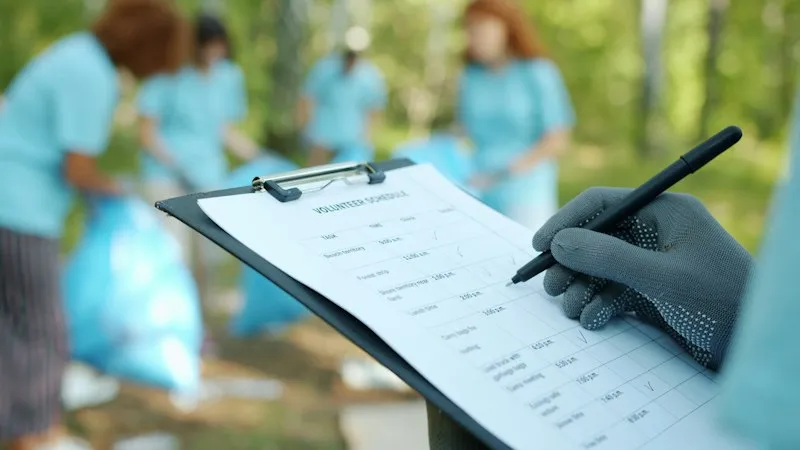
A fingerprint or face terminal works at a gate that everyone passes. Field crews start at dozens of sites, plant rooms and roadside jobs, so attendance falls back to a sheet signed by the supervisor, a message in a group chat, or a call to the office.

Nobody can say for certain who reached which site, and when. Workers sign in for absent colleagues, hours are argued over at the end of the month, and headcounts for a contract are reported from memory.

A gloved hand filling in a paper checklist on a clipboard outdoors

How it works

From Clock-In to Attendance Report

Each step happens on the worker’s phone or in the office console, with nothing to install on site.

  1. Clock in

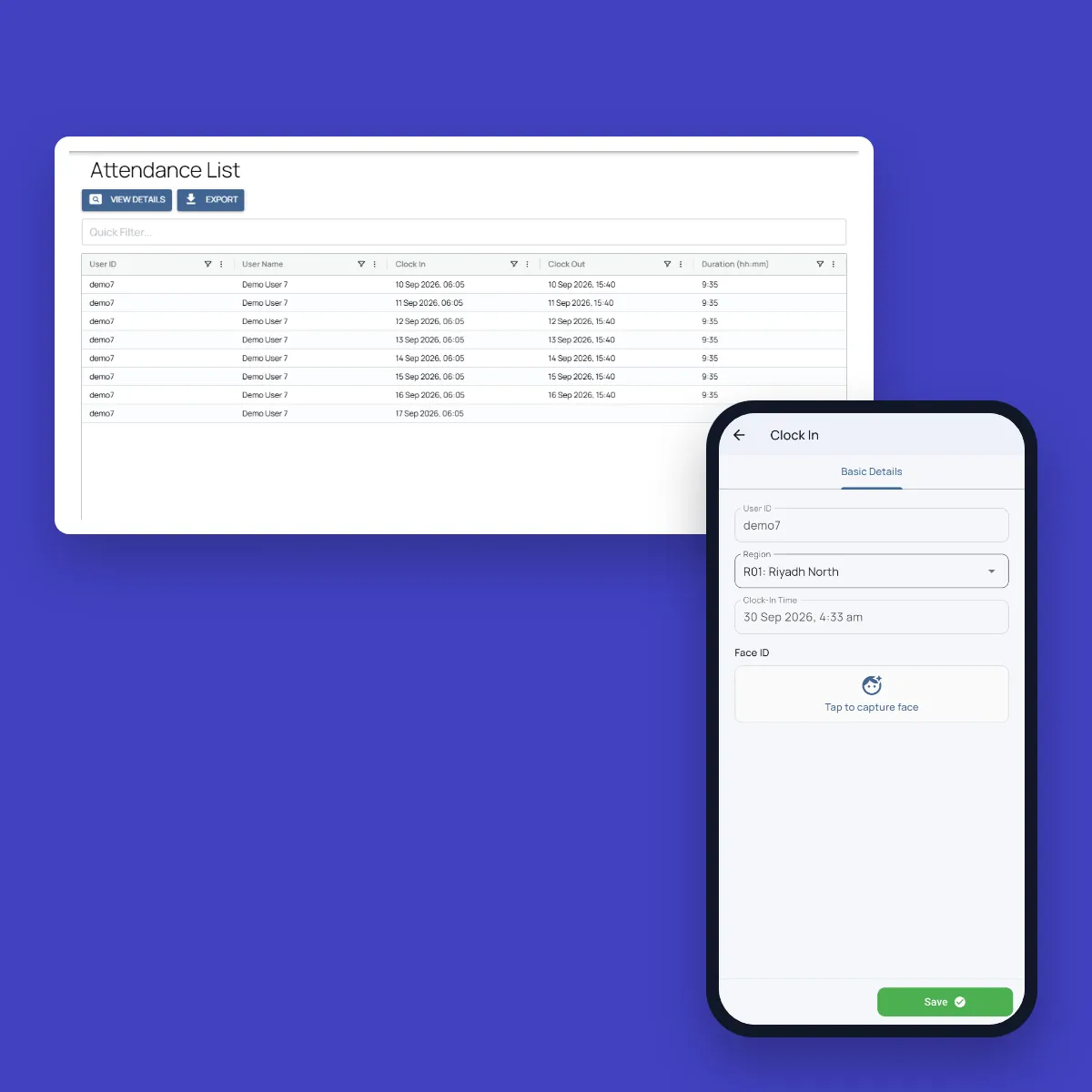
    The worker opens the clock-in form in Fieldmaster Pocket at the start of the shift, and a timer shows how long they have been on shift.

  2. Face check

    The camera confirms it is the right person, with a blink and head-turn liveness test. The check runs on the phone, so it works without signal.

  3. Location check

    The GPS position is recorded and checked against the boundary of the worker’s site. Fake GPS apps are detected and rejected.

  4. Clock out and report

    At the end of the shift the worker clocks out. The office sees clock-in and clock-out times by site, crew and day, and can export them to Excel.

What you get

What Makes Field Attendance Trustworthy

  • Face check with liveness

    Every clock-in is matched to the person, with a blink and head-turn test.

  • Site boundaries

    Clock-in is accepted only inside the boundary drawn around each site, region or work area.

  • Fake GPS rejected

    Apps that fake the phone’s location are detected, and the clock-in is refused.

  • Works without signal

    Clock-ins are saved on the phone with the time they were made, and sync when the connection returns.

  • Vehicle check at clock-in

    Drivers can complete their vehicle checklist as part of clock-in, with the plate and odometer read from photos.

  • In the worker’s language

    The app runs in more than 40 languages, including Arabic, Hindi, Urdu, Bangla and Tagalog.

  • Attendance by site and crew

    Supervisors see who is on site today. Managers filter by site, crew and dates, and export to Excel.

  • Seen by the right people

    Roles limit each supervisor to the sites and crews they manage.

Phone or terminal

Attendance on the Phone vs a Terminal at the Gate

A terminal suits one entrance. Field crews need attendance wherever the work starts.

Terminal at the gateFieldmaster on the phone
Where it worksTerminal at the gate

At the one place the device is installed.

Fieldmaster on the phone

At any site, inside the boundary set for it.

HardwareTerminal at the gate

A device per entrance, with power, network and upkeep.

Fieldmaster on the phone

The Android phones and iPhones your workers already carry.

Who clocked inTerminal at the gate

Fingerprint or face at the device.

Fieldmaster on the phone

Face check with a liveness test on the phone.

Proof of placeTerminal at the gate

Where the device is fixed.

Fieldmaster on the phone

GPS position checked against the site boundary, with fake GPS rejected.

The rest of the shiftTerminal at the gate

Attendance only.

Fieldmaster on the phone

The same app holds the worker’s tasks, checks and reports for the shift.

Part of the platform

Attendance Inside the App Your Crews Already Use

Attendance is one of the Fieldmaster building blocks, so it sits in the same app as the work itself: maintenance jobs, inspections, deliveries, vehicle checks or safety reports. A supervisor sees who clocked in next to what each crew got done.

We set up your sites, shifts and rules around your process, and a typical app is live in 10 to 18 working days.

Fieldmaster.ai attendance list with clock-in and clock-out times, next to the Fieldmaster Pocket clock-in screen with region and face ID

FAQ

Face Recognition Attendance Questions

What is a face recognition attendance system?

A system that records when each worker starts and ends work, and confirms who they are by their face instead of a card, a PIN or a signature. Fieldmaster runs it on the worker’s phone, so it works at any site, and adds the GPS location and a check against the site’s boundary.

Do we need to buy attendance machines?

No. Workers clock in on the Fieldmaster Pocket app on Android or iPhone (iOS 16 or later). There is nothing to install at the site.

Can a worker clock in for a colleague?

The face check confirms the person at every clock-in, with a blink and head-turn liveness test, and the GPS position must be inside the site boundary. Apps that fake the location are rejected.

Does it work without mobile signal?

Yes. The face check runs on the phone, and the clock-in is saved with its time and location, then synced when the connection returns.

Can attendance go to our payroll or HR system?

Attendance lists export to Excel, filtered by site, crew and dates. A direct link to your HR or payroll system can be built as part of your app.