
Utility Revenue ProtectionPlatform
Built for Credit Control at Utility Scale
Utilities and their contractors visit thousands of overdue accounts every month. These are the Fieldmaster.ai features that keep every visit tied to the balance, the rules and the clock.
Mobile
Every Visit Recorded on the Crew’s Phone
Crews see their tasks for the day on a map, in route order. Each task type has its own form: a notice needs a photo of the delivered notice, a disconnection needs before and after photos and the method used, and a site visit asks whether the supply was reconnected illegally.
Photos carry the GPS location, the time and the user, and fake GPS apps are detected and rejected. Visits can be recorded without signal and sync when the connection returns. The app runs on Android and iOS in more than 40 languages, including Arabic, Urdu, Hindi and Bangla.
Integrations
Connected to Your Billing System, in Both Directions
Our team builds the connection for your project. The outstanding balance is read from your billing system for one account or for a whole list, and used by the rules and by the crew’s form. Paid accounts can be pushed to Fieldmaster.ai to raise reconnection tasks without anyone typing them in.
Completed disconnections, reconnections and meter readings go back the other way. Where your billing database sits inside your own network, a small agent installed there writes the results into it. SMS to customers goes out through your own SMS gateway.

Assignment
The Right Accounts to the Right Crew
Each crew is given its area codes, and tasks are assigned by area, account type and amount band. A crew can also be given the highest balances in its area up to a daily number. Reconnections go to the crew that disconnected the supply, or to the nearest crew on shift.
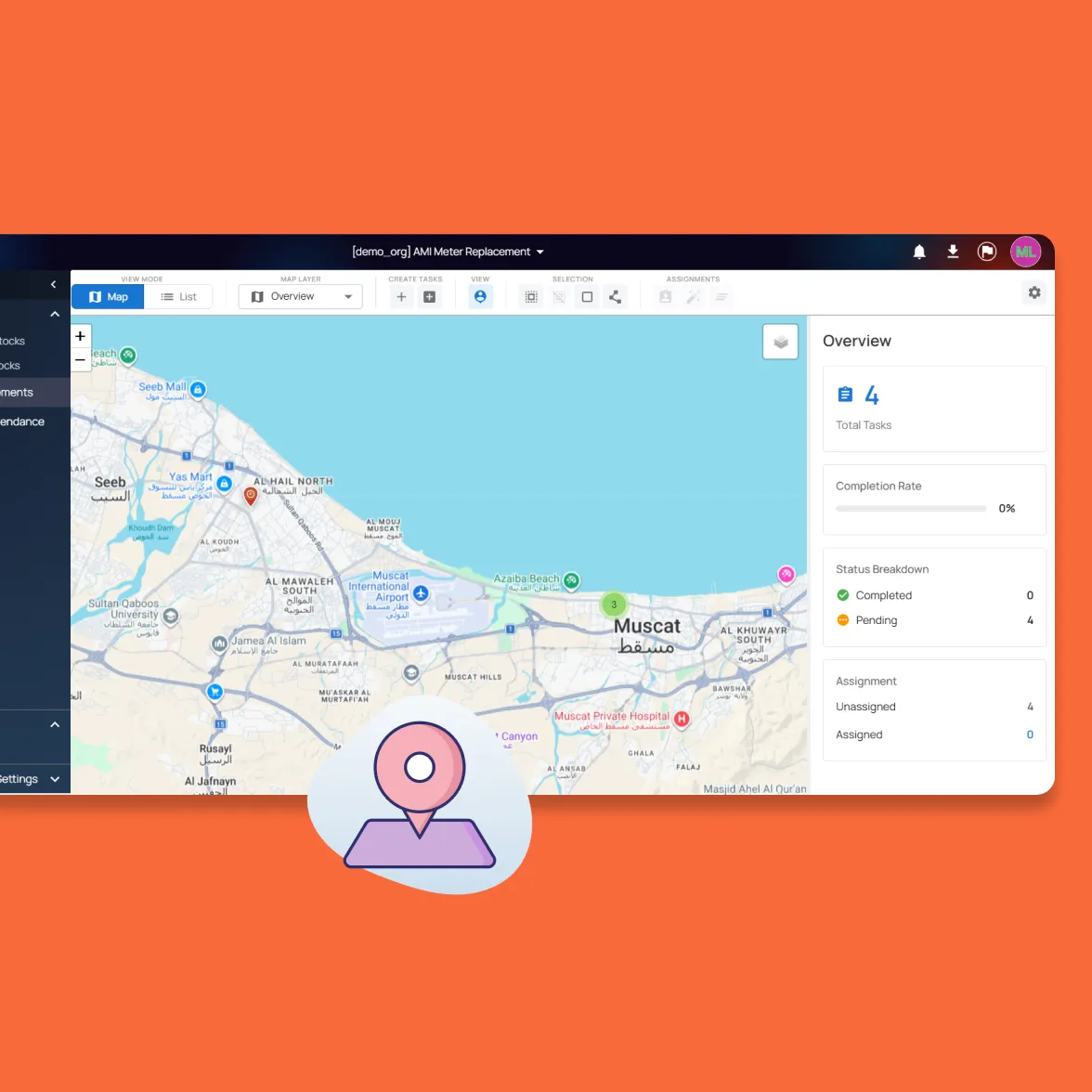
Supervisors see every task on a live map with totals by status, and can reassign work when a crew is unavailable.
Automation
Rules That Run Without Anyone Chasing
The waiting periods, thresholds and escalation steps come from your contract and the utility’s policy. We set them up during the build, and they run every day by themselves.
Balance re-checks
A set number of days after a notice or a disconnection, the balance is read again and the account moves on or drops out.
SLA countdown
Reconnections carry a time limit. Crews see the minutes remaining, and supervisors get a list of the ones still open.
Escalation by rule
A failed disconnection raises one at the pole, and misuse found on a site visit moves the account to the next step.
Automatic protection
Every night, unvisited tasks are withdrawn for accounts that have paid enough, with a list emailed to the office.
Ranked by amount owed
Disconnection tasks are ranked from the live balance, so the largest debts are visited first.
Handover between shifts
Reconnections still open when a crew clocks out are passed to a crew that is on shift.
Features
More Features for Revenue Protection Teams
Account history
Every notice, disconnection, reconnection and site visit for an account on one screen, with the photos.
Notice printing
Notices are printed by area and account type, onto your own pre-printed stationery or as a file for your print house.
SMS in Arabic and English
Customers are told at each step in their own language, and every message is logged against the account.
Installment plans
Plans are checked on each due date, with warnings before a disconnection task is raised.
Tampering inspections
Case numbers, before and after photos, an estimated loss and a report for every tampered meter.
Debt collection call screen
Agents work a daily list of overdue accounts, and each call outcome sets the follow-up, the SMS or the field task.
Crew attendance
Clock-in records the driver, the lineman, the vehicle and the odometer, so distance driven is known per crew.
Reports by email
Daily, weekly and monthly reports reach your managers and the utility as Excel or PDF, in the format they ask for.
Collection dashboard
Accounts, amount outstanding, notices and disconnections done, and accounts paid after each, by customer segment.
Security and your data
Built for Operations Where Accountability Matters
How your data is protected, where it’s hosted, and how you take it with you.
Encrypted in transit and at rest
Field records, photos and documents are encrypted on their way from the device and while stored on our servers.
Choice of hosting location
Hosted in the US or the EU by default, on enterprise-grade servers. Other locations, for local data rules, are available at extra cost.
Automated backups
Backups run automatically across the whole system, so your data can be fully recovered after an emergency or a system failure.
Your data, yours to export
Your organization owns its data. Every module has an export to Excel, and photos and recordings are provided as download links on request.
Access managed by your admins
Your administrators add and remove people and decide what each role can see and do, down to a single site or unit, without a support ticket.
Complete audit trail
Every submission, edit and approval is time-stamped and attributed, with GPS-tagged photos, ready for audits and disputes.
FAQ
Questions About the Platform
Does the mobile app work offline?
Yes. Field teams can clock in, complete tasks, record inspections and capture photos with no connection. Everything is stored on the device and syncs to the dashboard as soon as it reconnects, so no work is lost.
Which languages does the app support?
The app supports more than 40 languages, including Arabic, Urdu, Hindi, Bengali, Malayalam, Tamil and Tagalog. It follows the language set on each worker’s device, so crews see instructions, checklists and tasks in the language they are most comfortable with. Voice notes can be recorded in any language, even mixing languages in one note. The words appear as the worker speaks, and they can read the English translation before submitting.
Can we build our own workflows?
Yes. Fieldmaster.ai is a low-code platform, and our team configures the forms, approval rules and task sequences to match your business rules. New workflows and changes are delivered in days, without a development project on your side.
Does it connect to our existing systems?
Yes. Fieldmaster.ai connects through API connectors, webhooks and Excel import and export, and can feed your reporting database. Our team builds the link to your ERP, billing or customer systems, so field data flows into the tools your office already uses.
What support do you provide?
Support comes straight from the people who built your app, in Muscat, Ajman and Cochin. During rollout we train your key users, who then train everyone else, and we stay close in the weeks after go-live.
After that, support is available by phone, email and chat, every request is tracked from report to verified fix, and changes to your app take days, not quarters.