
Fieldmaster.ai vs. UpKeep
An UpKeep Alternative Built Around Your Own Maintenance Process
UpKeep is a ready-made CMMS that your team signs up for and sets up. Fieldmaster.ai is for when the maintenance app has to follow your own assets, sites and approval steps, and the parts, purchasing and reporting around each job have to run too.
Side by side
Fieldmaster.ai vs. UpKeep
Fieldmaster.ai is built around your process and delivered for you. UpKeep is a ready-made CMMS your team can start on its own.
| Fieldmaster.ai | UpKeep | |
|---|---|---|
| Designed first for | Fieldmaster.ai Field crews and the office process behind them, in buildings and across a field network | UpKeep Maintenance teams running work orders, preventive maintenance, assets and parts in a CMMS |
| Who builds the app | Fieldmaster.ai We do, around your process, and keep adapting it as you change | UpKeep A ready-made product your team sets up, with paid implementation packages. In UpKeep Studio you can install ready-made apps, build your own with AI, or have UpKeep’s engineers build one. |
| Time to first live app | Fieldmaster.ai 10 to 18 working days for a typical app. It arrives finished, built around your process, and your team builds nothing. | UpKeep A free trial with no credit card needed. UpKeep says most teams go live in 2 to 6 weeks. |
| How far it goes | Fieldmaster.ai Maintenance planned from service frequencies and sensor readings, and the process around it: approvals, stock, purchasing, client and vendor portals, dashboards. Further apps run on the same platform, with the same users. | UpKeep Work orders, preventive maintenance, assets, parts and inventory, purchase orders, analytics and Edge sensors. Features depend on the plan: mobile offline mode starts on Professional, and purchase order management is on Enterprise. |
| How customers pay | Fieldmaster.ai Every user included: technicians, storekeepers, supervisors and helpdesk staff. A setup fee, then a yearly subscription priced on the work the app handles, such as assets under maintenance, which also covers hosting and maintenance. | UpKeep Per user, per month on the Essential and Premium plans, and by quote on Professional and Enterprise. Requester and view-only users are free. |
| AI for field work | Fieldmaster.ai Built in. Technicians speak in Arabic, English, Hindi, Urdu and more, and AI fills the whole form. Photo AI reads gauges, meters and labels. AI usage is included in the subscription. | UpKeep UpKeep’s AI is called Nova, and plans come with a monthly allowance of Nova Credits. Technicians can dictate a work order, and Nova can draft a job from a photo and a sentence. |
| Changes after go-live | Fieldmaster.ai Usually in days, made by the people who built the app, so nobody on your team has to maintain it. Your admins manage users, roles and permissions themselves. | UpKeep Your admins make changes themselves, or add apps in UpKeep Studio |
| Support | Fieldmaster.ai Included in the subscription. You talk directly to the people who built your app, in Muscat, Ajman and Cochin. | UpKeep 24/7 live chat and weekday phone support as standard. Premium Support adds a priority queue and a dedicated success manager. |
Based on UpKeep’s public information as of October 2026. Product names, plans, features and prices change often; check with the vendor before deciding. UpKeep is a trademark of its owner; Fieldmaster.ai is not affiliated with it.
Track record
A Platform Proven in Real Field Operations
Fieldmaster.ai grew out of our own field contracting work. These are the operations behind it, and the platform every new app is built on.
15M
Service visits completed
Field operations across the GCC and other international markets.
2015
In the field since
The year we started, as field contractors running crews across multiple sites.
20+
Apps built on one platform
Safety, fleet, utilities, waste, facilities, procurement and property.
10–18
Working days to build a typical app
Changes after go-live take days, made by the people who built it.
The whole process
From the Service Plan to the Parts Used
A maintenance job rarely ends at the work order. It needs a part from the store, the part may have to be bought, someone has to accept the work, and the client or building owner wants to see what was done.
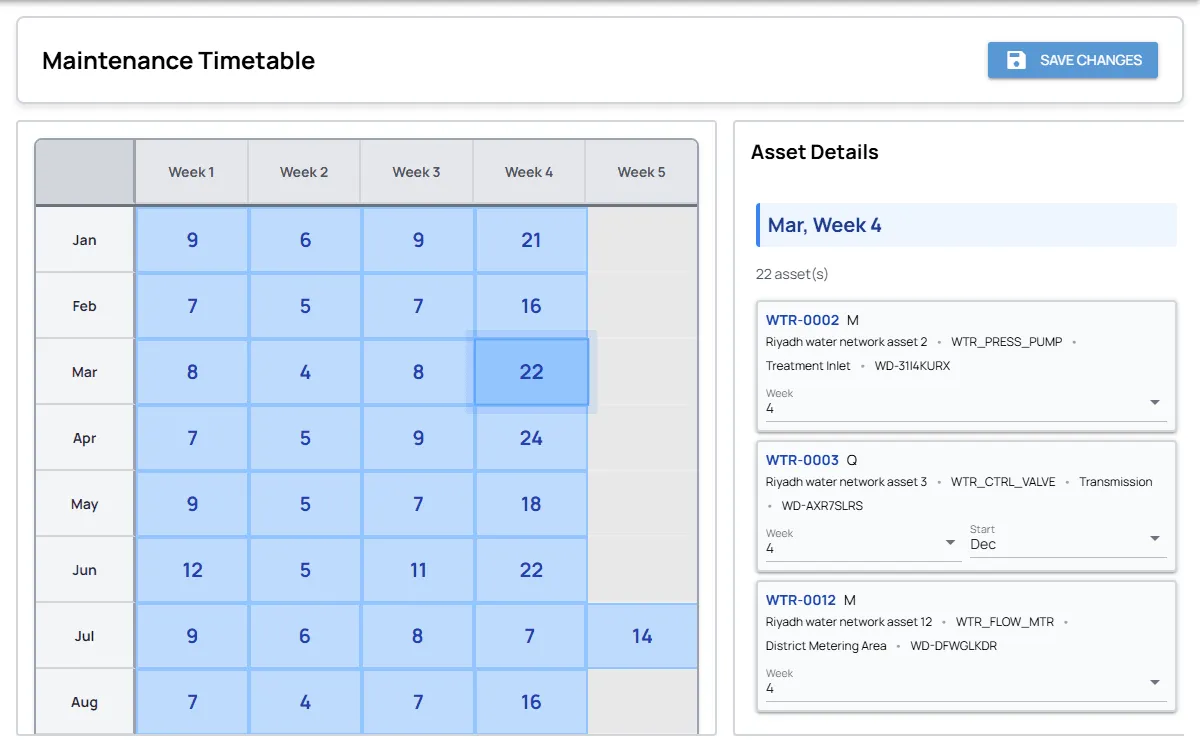
Fieldmaster.ai keeps that in one process, built around your own assets, sites and approval steps. Preventive tasks come from each asset’s service plan. The technician requests parts from the job, the storekeeper issues them, and the job shows its materials cost. Stock is received against the purchase order, so purchasing and stores stay on the same record. Field, office, clients and vendors each see their part, and the dashboards show all of it.
In practice
One Planned Service, Followed Through
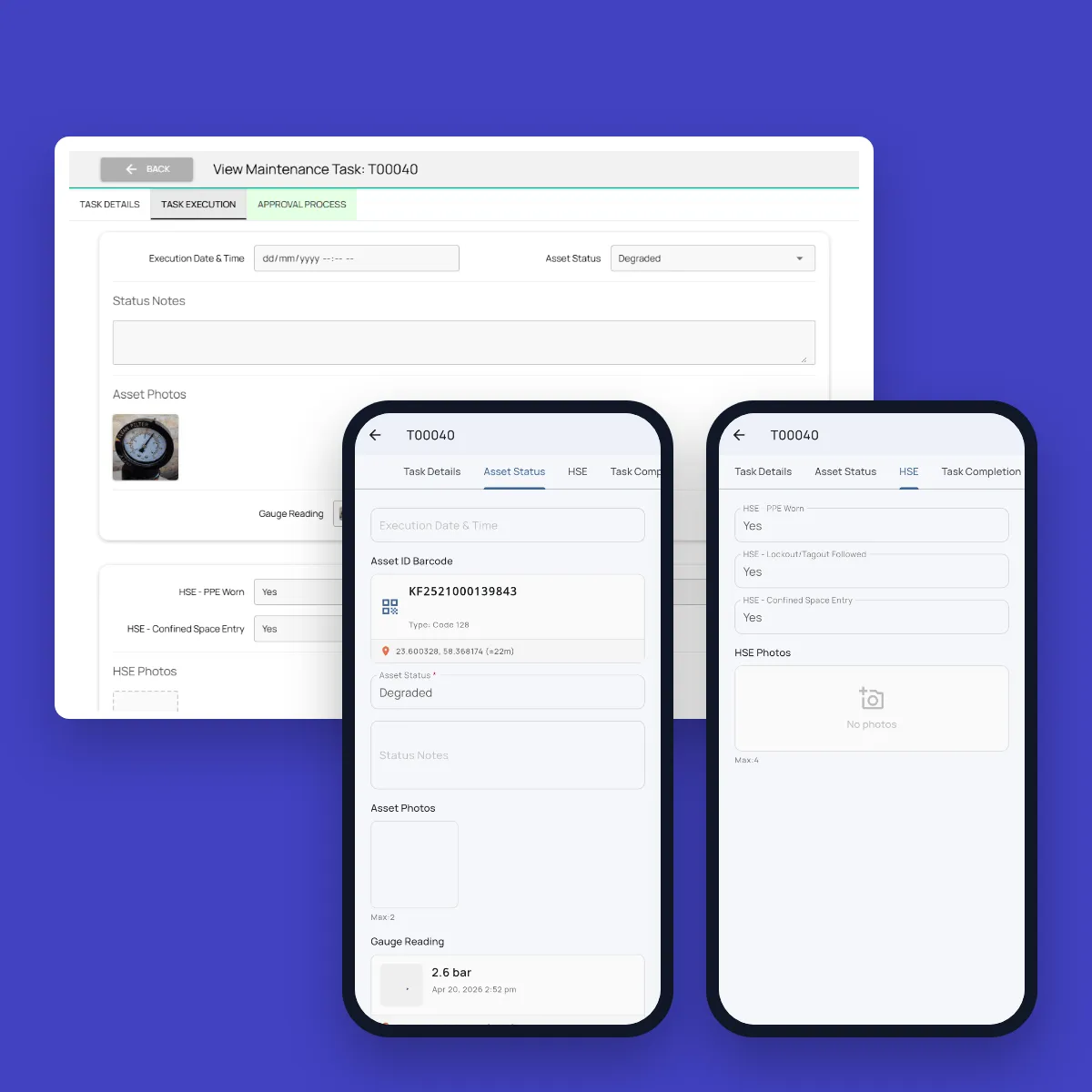
How a planned service runs in our maintenance app, for the equipment in a building or for assets spread across a field network.
Task falls due
The asset’s service plan creates the preventive task, and it goes to a technician’s phone by site and location.
Scan and record
The technician scans the asset’s barcode, records its status and photographs the gauge, and the app reads the value.
Speak the work
A voice note in the technician’s own language fills in the cause, the action taken and the materials needed.
Supervisor signs off
The supervisor accepts the job or returns it, and the dashboard shows open jobs, overdue work and jobs waiting for parts.
Delivered, not do-it-yourself
We Build It. You Run It.
With a ready-made CMMS, the product comes first and your team fits the process to it: the asset list, checklists, schedules, user access and every change after launch, with the vendor’s implementation help if you choose it. That suits a standard maintenance process well. When the process is specific to your operation, it becomes a bigger job.
With Fieldmaster.ai, we build the app around your process, train your trainers, and stay on after go-live. When the process changes, tell us, and the change usually lands in days.
What Our Clients Say
Organizations use Fieldmaster to improve coordination between field teams and office operations.
“Fieldmaster helps me manage my team, achieve peak levels of operational efficiency, and it automates all the reporting. As a result, project revenues went up considerably. The best part is they provide excellent support and tweak the system frequently to solve ongoing challenges at no additional charge. We feel like we're in 2033.”
Baha Zrieqat
Billing Operations Manager
Oman National Engineering & Investment Co. SAOG
“Using Fieldmaster in our operations greatly enhanced the performance and quality of our data collection. We saw improvements from day one. The team provides immediate support and quickly implements necessary changes with effective solutions. We're thrilled to use such powerful software, backed by an outstanding support team.”
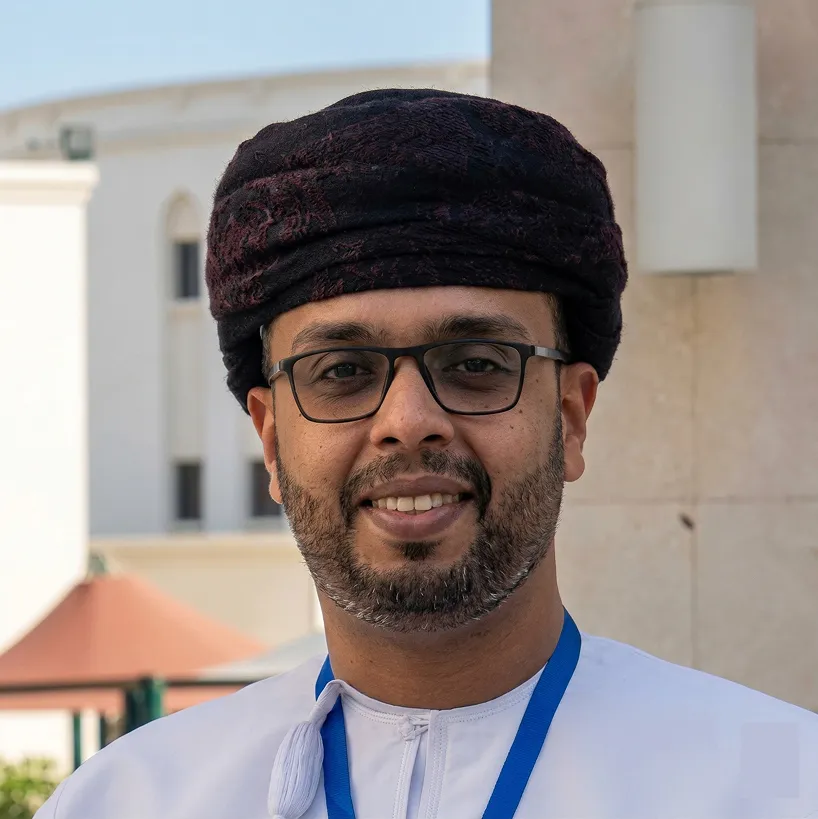
Omar Al Rawas
Data Manager
Nama Dhofar Services Co. SAOC
A fair comparison
When UpKeep Is the Right Choice
It’s a capable, ready-made CMMS, and for many maintenance teams it’s the right call. It fits well when:
You want to start right away
Start a free trial without a credit card, set it up yourselves, and pay per user, per month on the Essential and Premium plans.
You don’t need more than a standard CMMS
Work orders, preventive maintenance by date or meter reading, assets and spare parts are all you need, as the product comes. It doesn’t have to follow your own approval steps.
You have the people to set it up
Your team has the time to load the asset list, checklists and schedules itself, or you buy one of UpKeep’s implementation packages.
Keep comparing
Other Comparisons
Fieldmaster.ai vs. MaintainX
For teams comparing a ready-made maintenance app with one built around their process.
Fieldmaster.ai vs. SafetyCulture
For teams choosing between a self-serve inspection tool and the whole process, delivered.
All comparisons
Every comparison in one place, grouped by the kind of tool.
Pricing without per-user fees
How a setup fee and an activity-based subscription keep every user included.
FAQ
Questions About UpKeep and Fieldmaster.ai
Does Fieldmaster.ai do preventive maintenance and work orders too?
Yes. Each asset gets a service frequency, the yearly timetable shows what is planned, and preventive tasks are created when they fall due. Reported faults become jobs on the same system. The difference is that the app is built around your assets, sites and approval steps, and your team does not build anything.
Can Fieldmaster.ai use readings from sensors on our equipment?
Yes. We integrate with the head-end system your sensors report to, through the integration endpoints you provide. Their readings are captured in the app, and maintenance is planned from them as well as from each asset’s service frequency. Our team has worked with LoRaWAN, Sigfox and other IoT networks. We don’t supply the sensors or any hardware. Gauges without a sensor are read from a technician’s photo.
Can we keep UpKeep for our maintenance team?
Yes. If your maintenance runs well there, keep it. Fieldmaster.ai can take on other field processes around it, such as purchasing, stores, permits or inspections, and connect to other systems through APIs, webhooks and Excel import and export.
Do we pay for every technician?
No. Fieldmaster.ai is priced on the work the app handles. For maintenance, that is the number of assets you maintain. Technicians, inspectors, storekeepers, supervisors and helpdesk staff all use it without a seat fee.
How long does it take to switch?
A typical app takes 10 to 18 working days to build. Your asset register and service frequencies are imported from Excel, and you can start with one building or site and add the rest later.
Does the app work without signal?
Yes. The mobile app keeps working offline in plant rooms, basements and remote sites, and syncs when the connection returns. It works in more than 40 languages, and technicians can describe the work by voice.
Who changes the app when our process changes?
We do. Changes after go-live usually land in days, made by the people who built your app, and support comes directly from them, in Muscat, Ajman and Cochin.
Do you work with companies outside the GCC?
Yes. Most of our work so far is in the GCC, and we take on companies in other regions too. The same team builds and supports your app, from Muscat, Ajman and Cochin.