
Fieldmaster.ai vs. AppSheet
An AppSheet Alternative Where the App Is Built for You
AppSheet is Google’s no-code platform for building your own apps from the data you already have, such as a Google Sheet. Fieldmaster.ai is for when you’d rather have the field app built for you, around your process, by the people who will support it.
Side by side
Fieldmaster.ai vs. AppSheet
The same goal, a working app for your operation, reached by a very different path.
| Fieldmaster.ai | AppSheet | |
|---|---|---|
| Designed first for | Fieldmaster.ai Field crews and the office behind them | AppSheet Anyone building their own apps without code, for work from project management and operations to field work, HR and sales |
| Who builds the app | Fieldmaster.ai We do, around your process, and keep adapting it as you change | AppSheet You do, with no code, from your own data, a template or a description given to Gemini |
| Time to first live app | Fieldmaster.ai 10 to 18 working days for a typical app. It arrives finished, built around your process, and your team builds nothing. | AppSheet A first app can be created in minutes, according to Google. A finished one depends on your process and your builder’s time. |
| How far it goes | Fieldmaster.ai The whole process: approvals, stock, purchasing, invoices, client and vendor portals, dashboards. Further apps run on the same platform, with the same users. | AppSheet As far as you build it: forms and rich data capture, maps, charts and dashboards, and automations with triggers, conditions and branches |
| How customers pay | Fieldmaster.ai Every user included: crews, supervisors, clients and vendors. A setup fee, then a yearly subscription priced on the work the app handles, which also covers hosting and maintenance. | AppSheet Per user, per month, on three plans, with a licence for every user, signed-in or guest. AppSheet Core is included in most paid Google Workspace plans. Prototyping is free, with up to 10 test users. A per-app plan covers public apps with no sign-in. |
| AI for field work | Fieldmaster.ai Built in. Workers speak in Arabic, English, Hindi, Urdu and more, and AI fills the whole form. Photo AI reads meters, labels and plates. It also spots problems in photos and checks that inspections were done properly. AI usage is included in the subscription. | AppSheet Gemini builds an app from a description on paid plans. AI tasks that extract, categorize or summarize information from photos, PDFs and text need Enterprise Plus and use credits. |
| Changes after go-live | Fieldmaster.ai Usually in days, made by the people who built the app, so nobody on your team has to maintain it. Your admins manage users, roles and permissions themselves. | AppSheet Made by your own app creators |
| Support | Fieldmaster.ai Included in the subscription. You talk directly to the people who built your app, in Muscat, Ajman and Cochin. | AppSheet Community and help pages on free accounts, email support on the Core plan, priority support on Enterprise Plus. For the app itself, your own builders. |
Based on AppSheet’s public information as of October 2026. Product names, plans, features and prices change often; check with the vendor before deciding. AppSheet, Gemini and Google Workspace are trademarks of their owner; Fieldmaster.ai is not affiliated with it.
Track record
A Platform Proven in Real Field Operations
Fieldmaster.ai grew out of our own field contracting work. These are the operations behind it, and the platform every new app is built on.
15M
Service visits completed
Field operations across the GCC and other international markets.
2015
In the field since
The year we started, as field contractors running crews across multiple sites.
20+
Apps built on one platform
Safety, fleet, utilities, waste, facilities, procurement and property.
10–18
Working days to build a typical app
Changes after go-live take days, made by the people who built it.
Built for the field
Designed for the Person Holding the Phone
AppSheet can turn your data, such as a Google Sheet or an Excel file, into an app. Fieldmaster.ai starts from the job and the person doing it. Field crews have gloves on, sun on the screen, patchy signal and many languages between them.
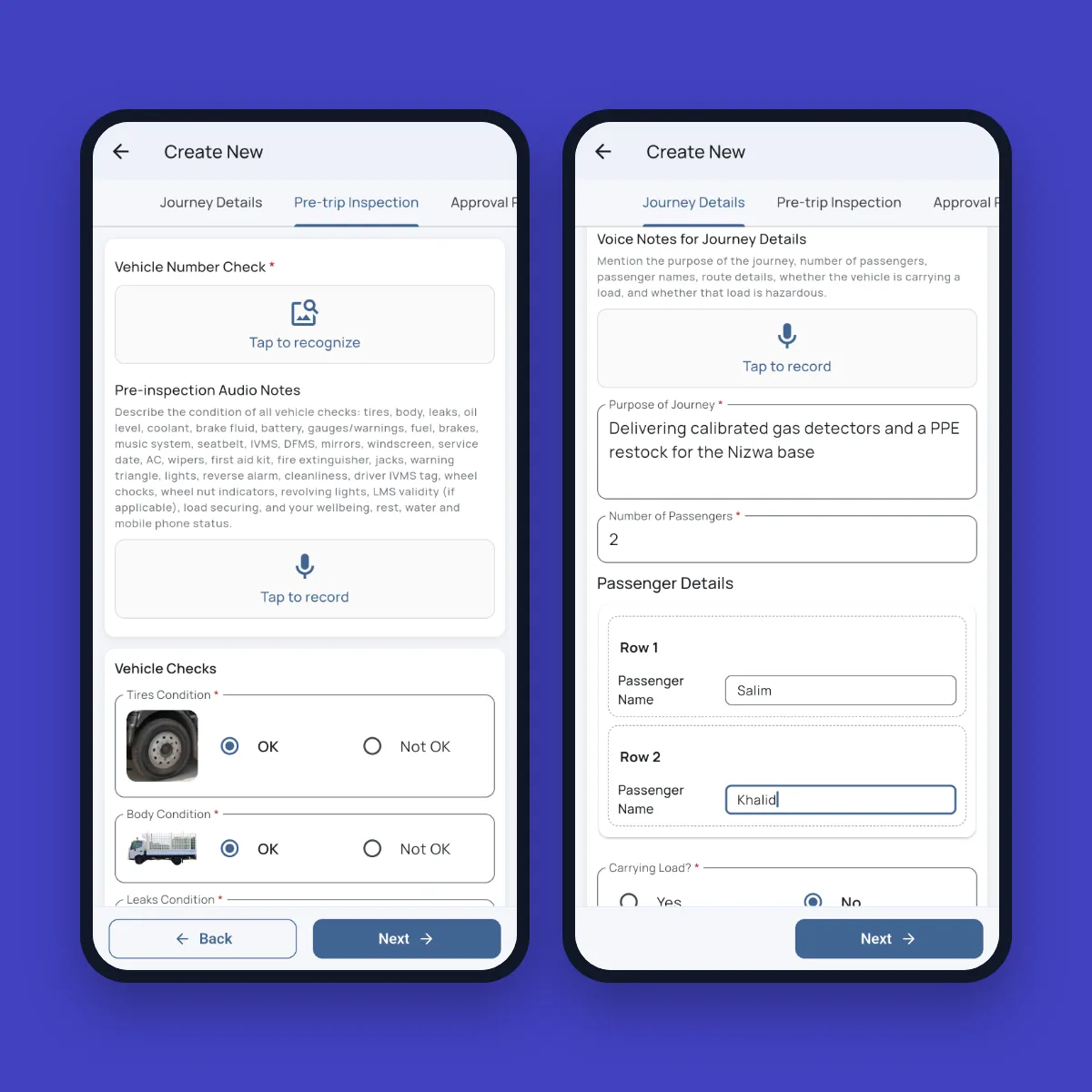
Fieldmaster Pocket is built for them. A driver describes the journey in a short voice note, in Arabic, Urdu, Hindi or English, and the form fills itself. A photo of the number plate is read and checked. Every record is stamped with GPS, time and who did it, and the app keeps working offline.
In practice
One Task List, Followed Through
The pattern from our meter replacement app, live with technicians in the field and the office staff who plan their visits.
Load the list
The office imports the replacement list from Excel, and each address is placed on the map.
Assign the visits
Supervisors assign tasks by area and workload, and technicians are notified on their phone.
Scan and photograph
The technician scans the old and new meter and takes GPS-stamped photos. The app checks the scan against the expected meter.
Office sees it
Completed and failed visits show on the dashboard, and supervisors review any flagged mismatch.
Delivered, not do-it-yourself
We Build It. You Run It.
With a no-code builder, someone on your team becomes the app builder: mapping the process, designing the phone screens, setting up approvals and roles, licensing the right users, connecting your systems, training people, and changing it all when the process changes. That suits a simple app well. As the process grows into approvals, stock and billing, it becomes a bigger job.
With Fieldmaster.ai, that work is what we deliver. More than 95% of every app is the platform itself, already proven in production, so the project is spent on your process, not on building the basics. We train your trainers and stay on after go-live. When the process changes, tell us, and the change usually lands in days.
What Our Clients Say
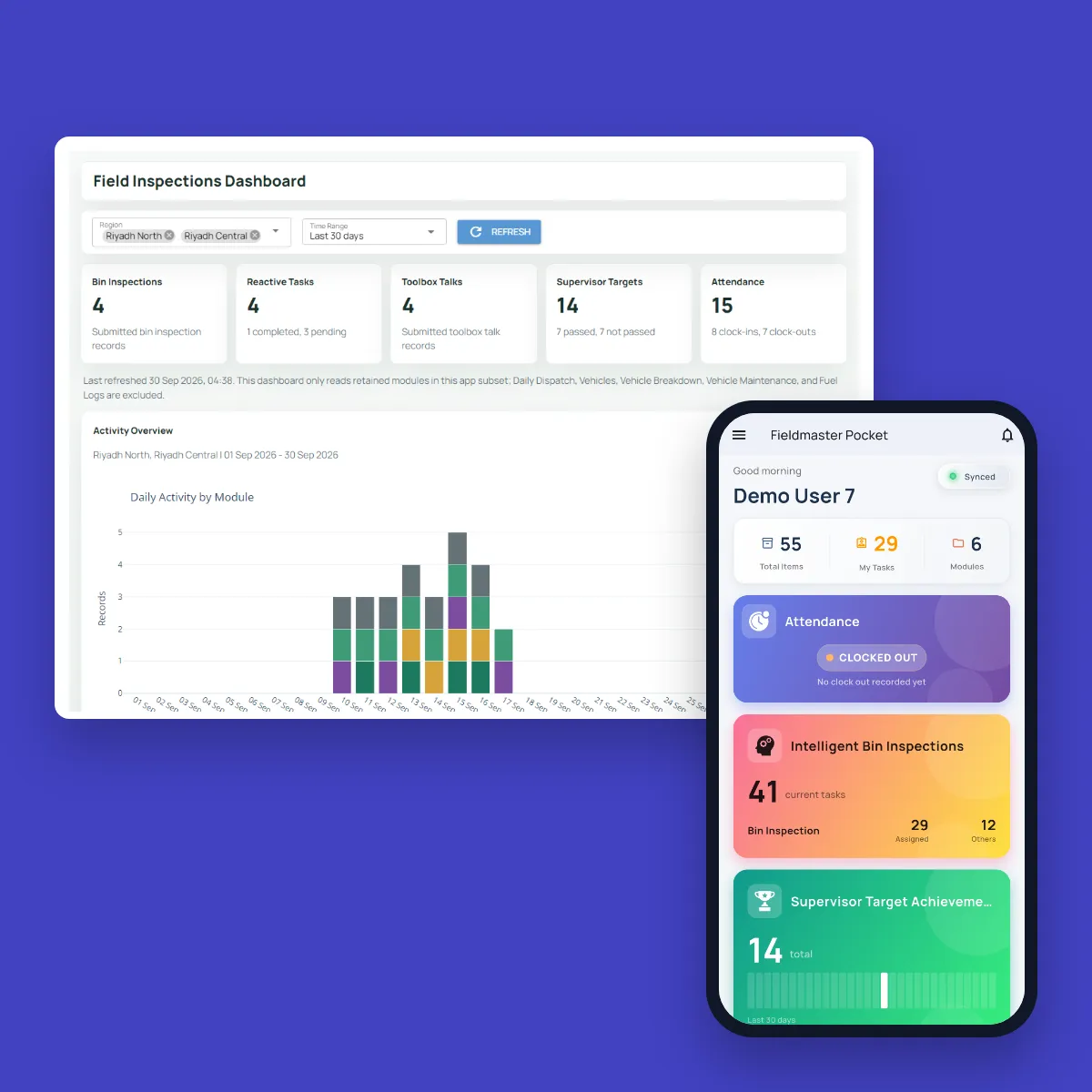
Organizations use Fieldmaster to improve coordination between field teams and office operations.
“Fieldmaster helps me manage my team, achieve peak levels of operational efficiency, and it automates all the reporting. As a result, project revenues went up considerably. The best part is they provide excellent support and tweak the system frequently to solve ongoing challenges at no additional charge. We feel like we're in 2033.”

Baha Zrieqat
Billing Operations Manager
Oman National Engineering & Investment Co. SAOG
“Using Fieldmaster in our operations greatly enhanced the performance and quality of our data collection. We saw improvements from day one. The team provides immediate support and quickly implements necessary changes with effective solutions. We're thrilled to use such powerful software, backed by an outstanding support team.”

Omar Al Rawas
Data Manager
Nama Dhofar Services Co. SAOC
A fair comparison
When AppSheet Is the Right Choice
AppSheet is a capable no-code platform, and for many apps it’s the right tool. It’s a strong fit when:
You only need an app on top of a spreadsheet
The data already sits in Google Sheets, and no approvals, stock or billing have to run behind it. AppSheet Core is included in most paid Google Workspace plans.
You have the people to build it
Someone on your team has the time to build the app without code and to keep changing it, starting from your data, a template or a description given to Gemini.
You want to test an idea first
You can build prototypes and try them with up to 10 test users at no cost, for as long as you like, before you buy licences.
Keep comparing
Other Comparisons
Fieldmaster.ai vs. Power Apps
For teams on Microsoft 365 deciding whether to build field apps themselves.
Fieldmaster.ai vs. Kissflow
For teams weighing a build-it-yourself workflow platform against an app built for them.
All comparisons
Every comparison in one place, grouped by the kind of tool.
Pricing without per-user fees
How a setup fee and an activity-based subscription keep every user included.
FAQ
Questions About AppSheet and Fieldmaster.ai
Isn’t AppSheet included with Google Workspace?
AppSheet Core is included in most paid Google Workspace plans, and anyone can build and test prototypes at no cost with up to 10 test users. Some features need a higher plan: AI tasks in automations, for example, need Enterprise Plus and use credits.
Either way, building, supporting and changing the app takes your team’s time. Check your own plan with Google or your Workspace administrator.
Can we keep AppSheet for the apps we’ve already built?
Yes. Keep the apps that work well for you, and use Fieldmaster.ai for the process your field crews run. Fieldmaster.ai connects through APIs, webhooks and Excel import and export, so field data doesn’t have to be typed twice.
Do we need our own app builders?
No. Our team does the building, so you don’t need app builders or developers of your own. Your admins manage users, roles and permissions themselves. For a new screen, step or report, you ask the people who built your app, and changes usually land in days.
Do we pay for every worker?
No. Fieldmaster.ai is priced on the work the app handles, such as items managed, journeys, purchase orders, permits or forms per month. Field crews, supervisors, clients and vendors are all included.
How long does it take to switch?
A typical app takes 10 to 18 working days to build. You can start with one process, such as the one that has outgrown its spreadsheet, and add more later on the same platform and users. Your existing lists can be imported from Excel.
Do you work with companies outside the GCC?
Yes. Most of our work so far is in the GCC, and we take on companies in other regions too. The same team builds and supports your app, from Muscat, Ajman and Cochin.
Who supports the app after go-live?
The people who built it. Support, hosting, maintenance and AI usage are included in the subscription, and changes usually land in days.