

Platform
The Features Behind Purchasing and Stock Control
Fieldmaster.ai has hundreds of features. These are the ones procurement, warehouse and workshop teams rely on every day.
Mobile
One App for the Workshop and the Loading Dock
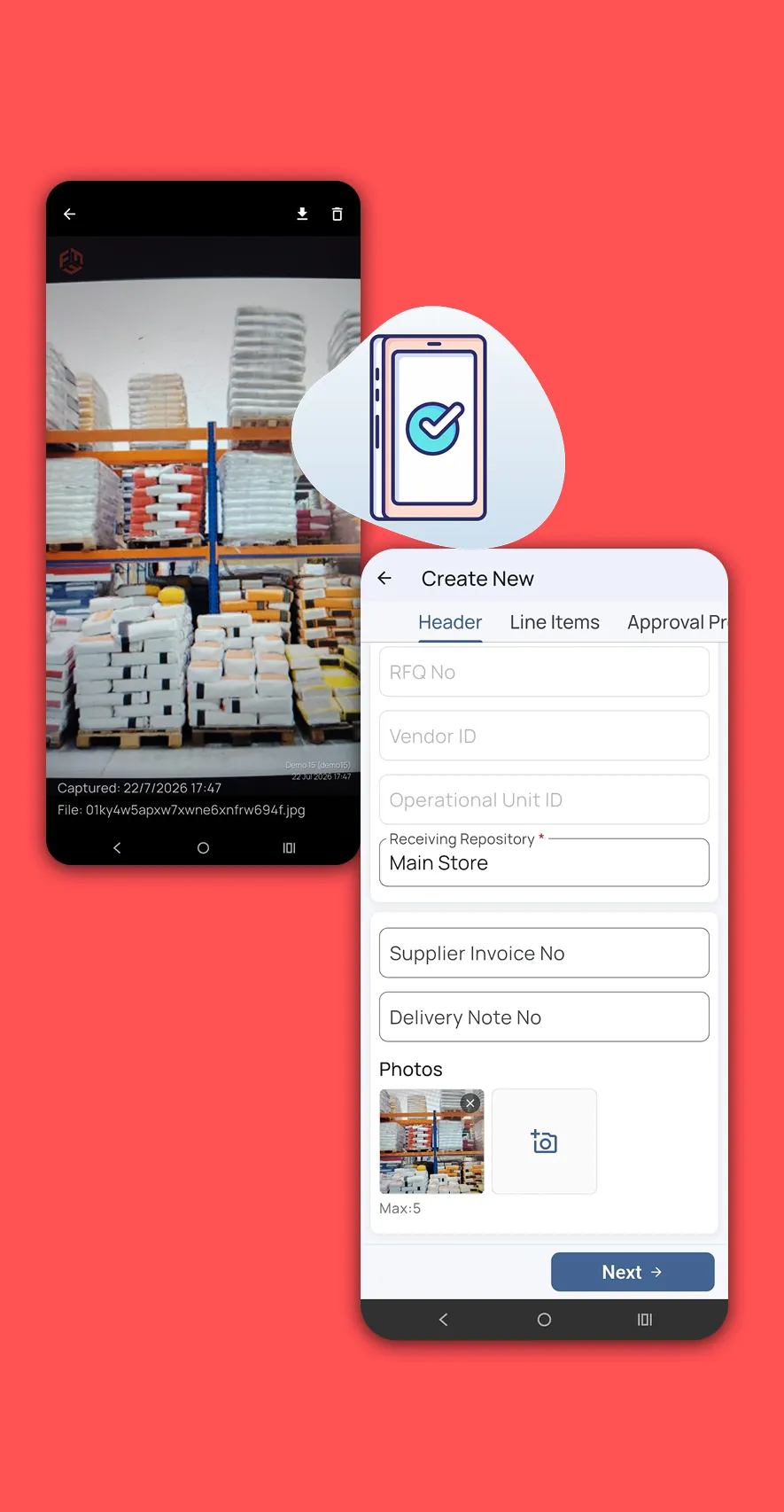
Built for staff who are rarely at a desk. Mechanics raise requests by voice or photo, and warehouse teams scan barcodes, receive deliveries and capture timestamped, geo-located photo proof. The interface can be translated in real time into languages such as Arabic.
Warehouses and garages often have dead zones, so the app keeps working offline. Records, voice notes and photos sync with their original timestamps as soon as the device reconnects.
Master data
One Source of Truth for Items, Stores and Assets
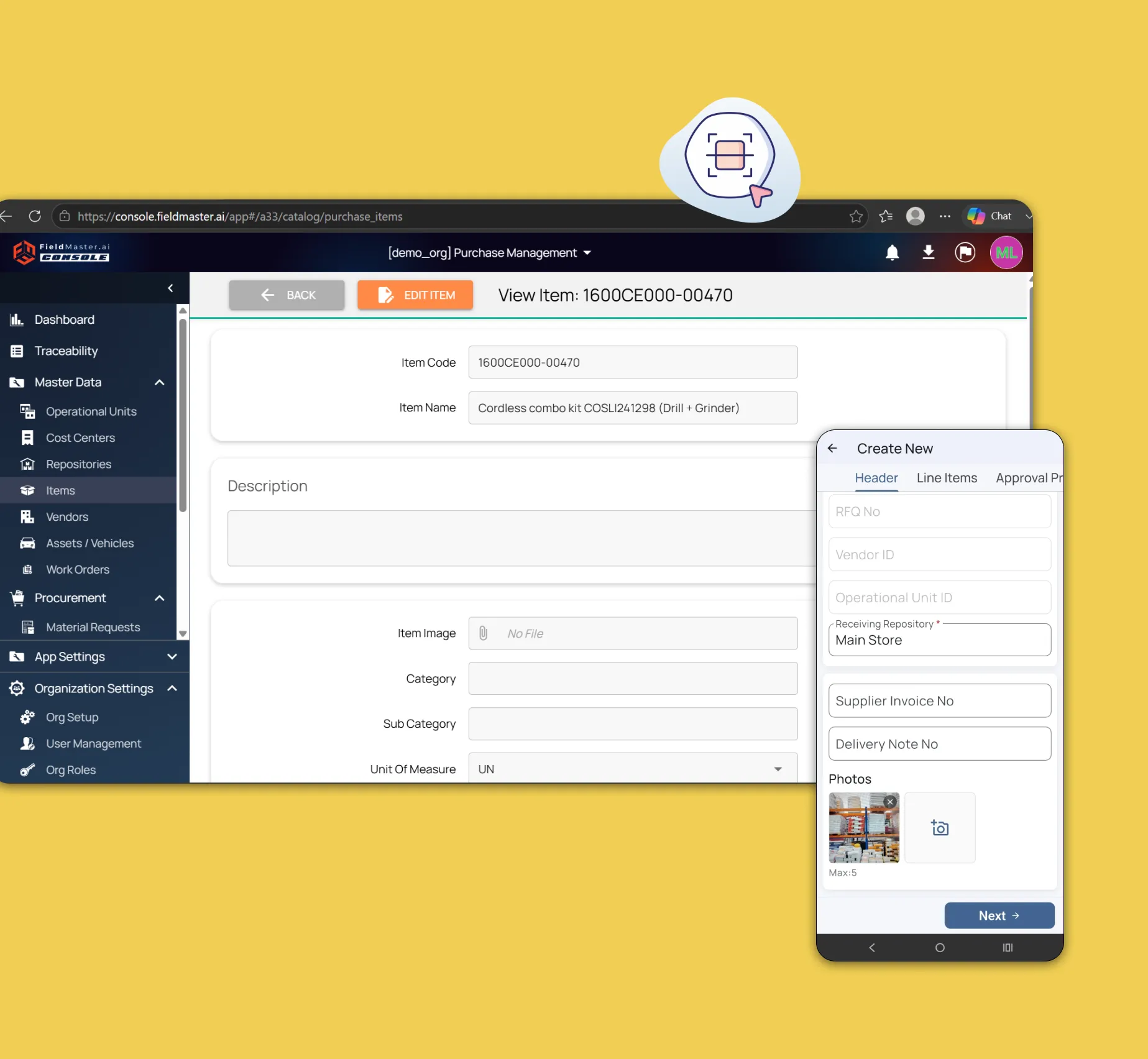
Operational units, cost centers, storage locations, items and vendors live in one master database. The asset module records vehicle chassis numbers and registration details, tracks service intervals and tire replacements, and sends email reminders when maintenance is due.
Finance
Payments Based on What Actually Arrived
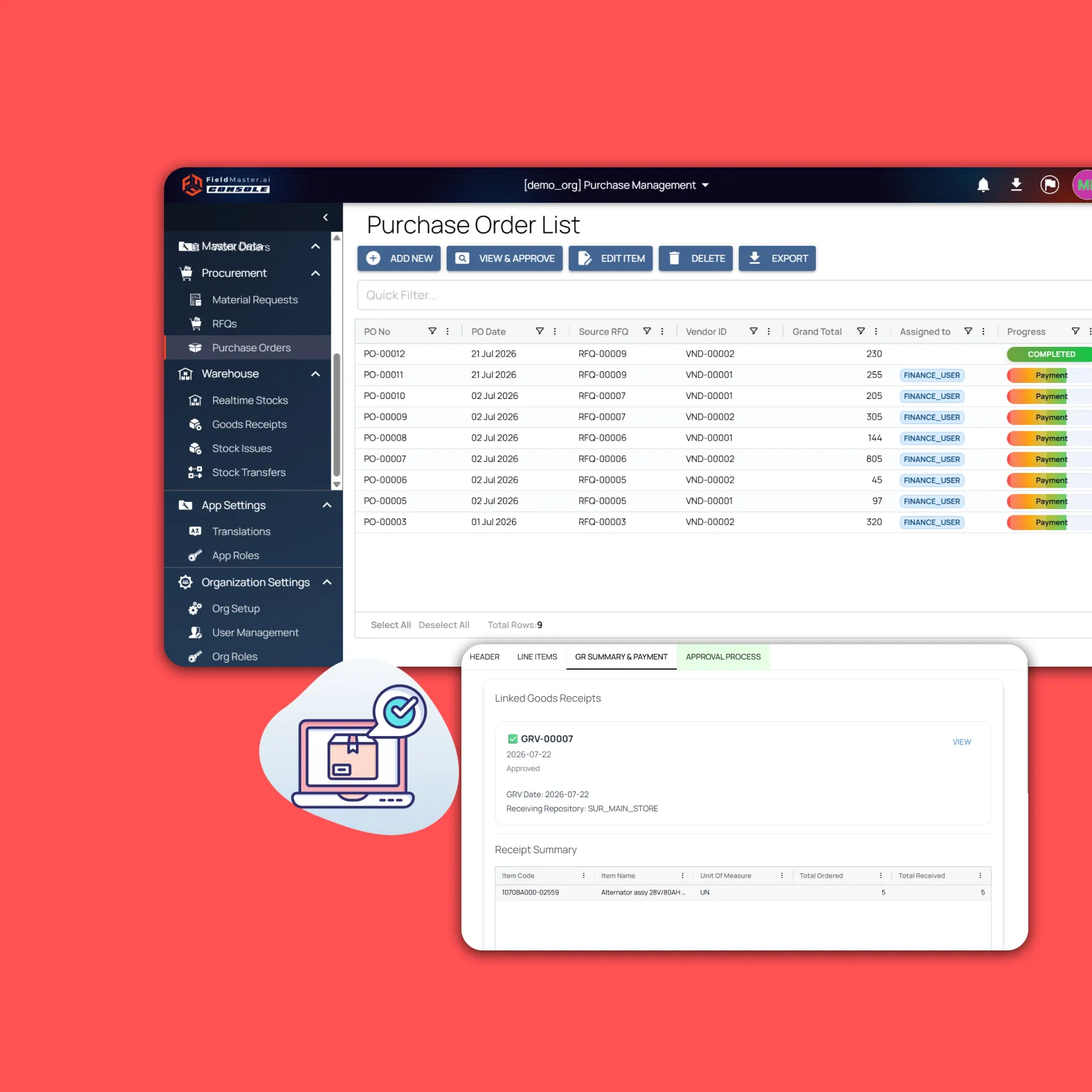
Every purchase order is linked to its goods receipts, so finance sees exactly what was received against what was ordered and issues accurate, traceable payments. Order progress shows which purchase orders are complete and which are waiting for payment.
AI
AI That Checks Every Request, Quote and Delivery
From the mechanic’s request to the vendor’s invoice, AI reads the paperwork and points out what doesn’t match. We switch on the checks that matter to your operation and tune them to your standards during the build.
Parts identified
Matches a photo or a description of a part to your catalog, so purchasing gets the right item code.
Quotes compared
AI Check reads every quote and attachment, flags missing information and recommends a supplier for each line. For tenders, it writes the summary, award recommendation and key risks, and flags suppliers whose lead times miss your date.
Deliveries matched
The delivery note is read at goods receipt and matched line by line to the purchase order, so short or wrong deliveries stand out.
Damage at receipt
Flags damaged packaging or goods in the receiving photos before the delivery is accepted.
Invoices checked
Vendor invoices are read and checked against the order and what was received before payment.
Unusual prices and quantities
Flags a price well above the item’s history, or a request for more than the vehicle or job usually needs.
Features
More Features Procurement Teams Use
Vendor bidding without accounts
Suppliers submit prices, delivery terms and attachments through a secure link.
Quote comparison
All quotes side by side, lowest prices highlighted, with orders split by line.
Approval rules and digital signatures
Value-based approval paths, with PDF purchase orders generated automatically.
Barcode scanning
The phone camera scans parts to fill in receipts and stock issues.
Scoped access
Staff see their own region or workshop, while management sees everything.
Stage tracking
Heatmaps and timers show how long documents wait at each approval stage.
Security and your data
Built for Operations Where Accountability Matters
How your data is protected, where it’s hosted, and how you take it with you.
Encrypted in transit and at rest
Field records, photos and documents are encrypted on their way from the device and while stored on our servers.
Choice of hosting location
Hosted in the US or the EU by default, on enterprise-grade servers. Other locations, for local data rules, are available at extra cost.
Automated backups
Backups run automatically across the whole system, so your data can be fully recovered after an emergency or a system failure.
Your data, yours to export
Your organization owns its data. Every module has an export to Excel, and photos and recordings are provided as download links on request.
Access managed by your admins
Your administrators add and remove people and decide what each role can see and do, down to a single site or unit, without a support ticket.
Complete audit trail
Every submission, edit and approval is time-stamped and attributed, with GPS-tagged photos, ready for audits and disputes.
FAQ
Questions About the Platform
Does the mobile app work offline?
Yes. Field teams can clock in, complete tasks, record inspections and capture photos with no connection. Everything is stored on the device and syncs to the dashboard as soon as it reconnects, so no work is lost.
Which languages does the app support?
The app supports more than 40 languages, including Arabic, Urdu, Hindi, Bengali, Malayalam, Tamil and Tagalog. It follows the language set on each worker’s device, so crews see instructions, checklists and tasks in the language they are most comfortable with. Voice notes can be recorded in any language, even mixing languages in one note. The words appear as the worker speaks, and they can read the English translation before submitting.
Can we build our own workflows?
Yes. Fieldmaster.ai is a low-code platform, and our team configures the forms, approval rules and task sequences to match your business rules. New workflows and changes are delivered in days, without a development project on your side.
Does it connect to our existing systems?
Yes. Fieldmaster.ai connects through open APIs, webhooks and Excel import and export, and can feed your reporting database. Our team builds the link to your ERP, billing or customer systems, so field data flows into the tools your office already uses.
What support do you provide?
Support comes straight from the people who built your app, in Muscat, Ajman and Cochin. During rollout we train your key users, who then train everyone else, and we stay close in the weeks after go-live.
After that, support is available by phone, email and chat, every request is tracked from report to verified fix, and changes to your app take days, not quarters.