.png)
.png)
Journey Execution Through a Defined and Controlled Process
Each journey follows a structured flow from request and validation to inspection, approval, execution, and closure with system checks applied at every stage.
User Roles, Resources, and Permissions Are Defined Before Operations
Before any journey begins, the system is built with the operational rules your team already knows. Driver profiles, vehicle records, locations, and approval logic are set up once and then enforced automatically on every single trip.
.png)
Set the Rules Once. Let the System Enforce Them Every Time.
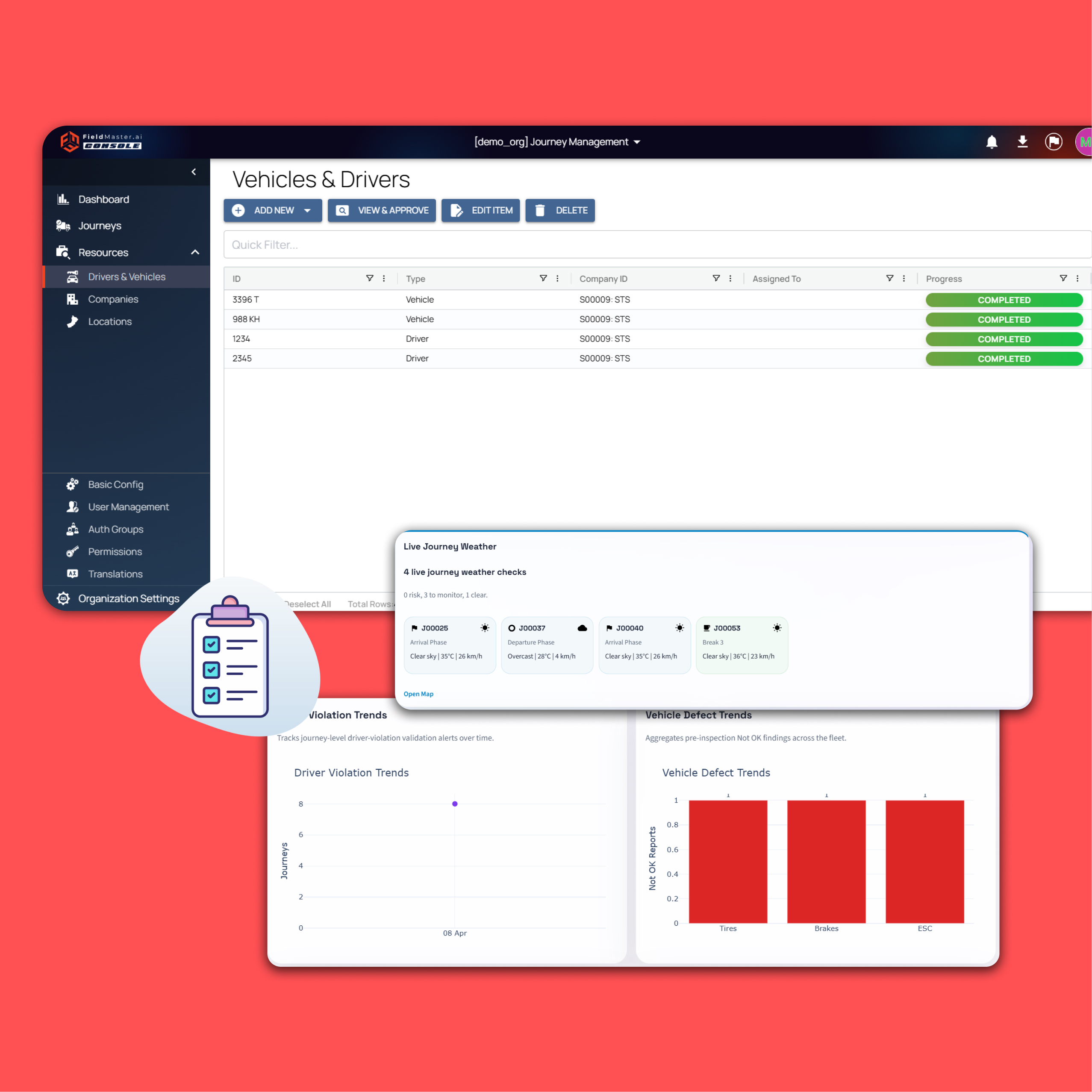
Each driver's qualifications and certifications are recorded once. The system knows who can drive what and when their credentials expire. Before any journey is created, the system is configured with the operational structure your team already follows, just without the gaps. Driver Profiles store licenses, permits, and approval status .Vehicle Records track registration, compliance validity, and assignment. Location Library defines origin points, destinations, and frequently used routes
.png)
Track registration and compliance validity
Vehicle maintenance schedules, insurance validity, and registration status are tracked automatically. No expired documents slip through.
.png)
Define origins, destinations, and routes
Common pickup points, delivery locations, and frequently traveled routes are stored in a central library. Consistency across all journeys follows naturally.
.png)
Control who does what in the system
Supervisors request journeys, inspectors verify vehicles, managers approve trips. Each role has clear boundaries and responsibilities built into the workflow.
.png)
Determine when oversight is required
Long distances, high-risk cargo, or new drivers trigger additional review steps. The system knows which journeys need extra eyes before they start.
Enforce standards across every journey
Speed limits for certain routes, geofencing around restricted areas, and mandatory rest periods are all configured upfront. The system enforces them without exception.
Journey Request Is Created with Required Details
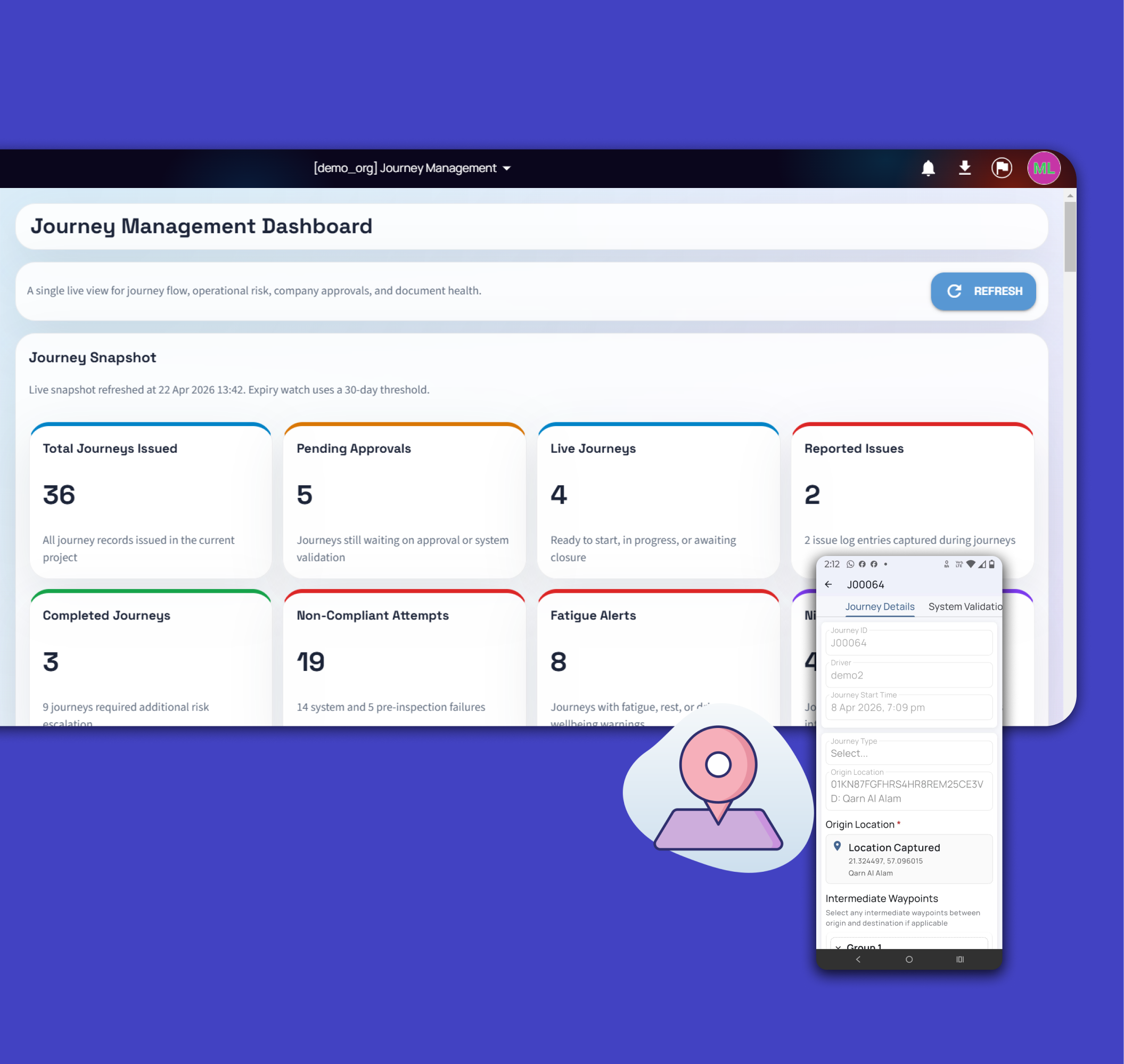
A journey is initiated through the mobile application or web interface. The user enters journey date, time, type, origin, destination, and waypoints
Passenger and purpose details can be captured and recorded. The system supports audio input with transcription for data entry. The request is submitted into the system for validation .System Behavior the request is not processed further until validation checks are completed.
Structured input replaces informal communication
Voice input is converted to structured data automatically. Multiple languages ensure every team member can submit requests in their preferred tongue.
.png)
Journey Requests Captured with Complete and Structured Details
A journey is created through the system by entering key details such as date, time, origin, destination, and intermediate waypoints. Users can also record journey purpose and passenger details using audio input, which is automatically transcribed into structured fields. The system supports multiple languages to ensure accurate data entry across different users. Once submitted, the journey is registered in the system and moves to validation.
.png)
Automated checks happen before anything else
Driver and Vehicle Compliance Is Verified by the System. Upon submission, the system performs automatic validation checks, Driver license validity, Permit status ,Vehicle registration and approval status
If any requirement is not met: The request is rejected automatically. The system provides a specific reason for rejection
Example: Vehicle registration expired" or "Driver permit not valid .Outcome Only compliant journeys proceed to the next stage.
Vehicle Pre-Inspection Is Mandatory and Recorded
Once validation is completed, a vehicle inspection is required before approval.
The vehicle inspector scans the number plate to confirm the correct vehicle
The system blocks inspection if the vehicle does not match the journey request
.png)
AI recognition confirms vehicle identity
Voice notes are transcribed automatically. Photos and digital signatures create an unbreakable audit trail. Inspection includes,
Safety checklist (tires, brakes, equipment, etc.),Voice or manual input for checklist completion, Photo capture from multiple angles, Inspector digital signature, System Recording Inspection data is stored with timestamps, GPS location, vehicle details, and journey reference.
Journey Is Reviewed for Route Compliance and Risk Conditions
Journeys are reviewed based on predefined conditions. For higher-risk journeys — such as long-distance travel or specific operational scenarios — additional roles like Journey Manager and Journey Approver are involved. Approvers review journey details, including route, vehicle, and compliance status, before granting approval. For certain cases, additional documentation may be required before final approval is completed.
Weather Conditions Are Evaluated During Journey Planning
The platform can incorporate weather-related risk information during journey planning and approval. When predefined weather conditions are detected, additional risk assessments, approvals, or journey modifications can be triggered to support safer travel decisions.
.png)
Risk rules determine who approves what
Night driving and border crossings trigger extra oversight. All decisions are recorded instantly without delays. Risk assessment includes:
Identification of long-distance journeys , monitoring of time-based risks (e.g., extended travel duration).Review of environmental conditions using available data inputs. System Behavior non-compliant routes are flagged and require correction before approval.
.png)
Route Changes Are Validated Against Compliance Rules
Journey Managers can modify routes while the system continuously evaluates compliance requirements. Mandatory rest breaks, driving duration limits, and route-specific restrictions are automatically validated, helping prevent journeys from proceeding with non-compliant plans.
.jpg)
Journeys Are Approved Based on Defined Conditions
Journeys are route through an approval process based on predefined conditions.
Standard journeys may require single-level approval . Higher-risk journeys are escalated to additional approvers
Safety limits are enforced before departure
Excessive driving stretches are flagged automatically. Weather and cross-border conditions trigger additional safeguards. Approvers review:
Journey details, Driver and vehicle validation status, Inspection records
Route and risk factors. System Output is a journey plan document is generated and remains in draft status until final approval.
Journey Execution with Checkpoint Logging and Monitoring
Once approved, the driver accesses the journey through the mobile application.
Before starting, identity and starting location are captured. During the journey Checkpoints and stops are logged, Actual timings are recorded, Deviations from planned schedule are visible, Drivers can also capture photos or record updates during the trip.The application supports offline usage, and all data syncs automatically once connectivity is restored.
Real-time tracking works offline too
Checkpoints are logged automatically as the journey unfolds. The app syncs data when connectivity returns.
.jpg)
Every journey ends with a verified record
Once the destination is reached, the journey is completed within the system. Managers review the full journey trail—planned vs actual timings, checkpoint logs, inspection and approval records, and any reported incidents or deviations. Only after verification is the journey officially closed. All data is stored as a complete, time-stamped record ready for audits, reporting, or future analysis.
.jpg)
From setup to first journey in under two weeks
No long deployments. No heavy IT involvement. Just structured rollout and immediate impact.

Days 1–2
Configure drivers, vehicles, and locations in the system.

Days 3–4
Set up roles, permissions, and approval logic for your teams.
.png)
Days 5–6
Train teams on request, inspection, and approval flows.
.png)
Days 7–10
Run pilot journeys and validate workflows with real scenarios.

Go live
All journeys move through the system with full control and oversight.
Review the Workflow with
Your Operational Requirement
Understand how the system applies validation, inspection, approval, and tracking within your journey management process.