.png)
.png)
The 6-step waste management workflow
A step-by-step system that connects planning, field activity, and SLA tracking—without gaps. From defining KPIs to completing field tasks, every step is structured, tracked, and visible in real time.
A workflow built for real-world operations
Waste management isn’t a single process it’s a chain of dependent actions. If one step breaks, everything downstream is affected. This workflow ensures each stage feeds into the next, so execution stays aligned with targets.
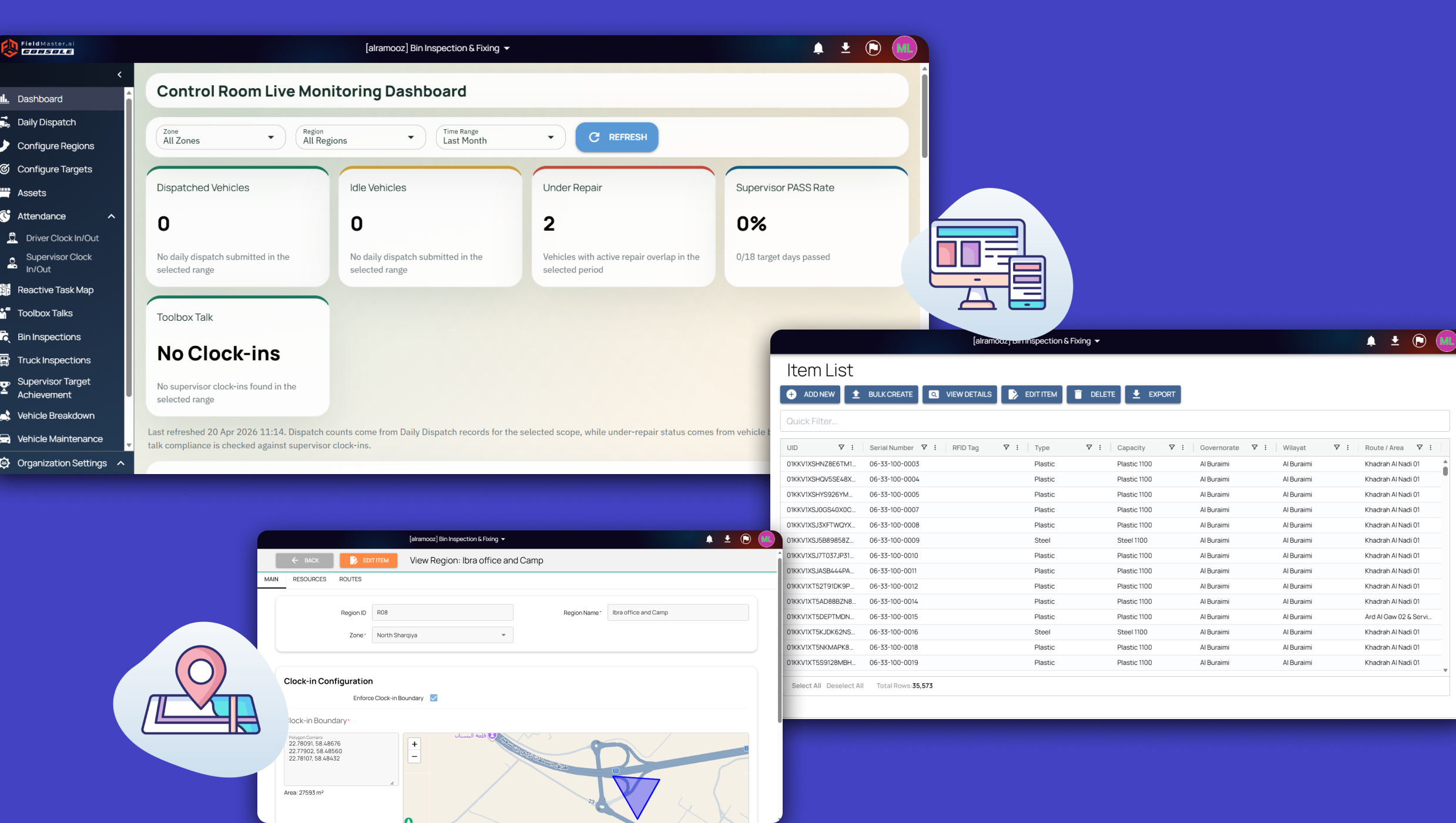
Admins define multi-region KPIs Define operational structure and targets
Admins set up regions, zones, routes, and teams. KPIs, inspection cycles, and SLA benchmarks are defined at each level. This becomes the foundation for all field activity.
Asset repository gets loaded
Bins, locations, and collection points are added with full details. Each asset carries service history, inspection records, and issue logs.
Nothing in the field operates without being tracked.
Field teams clock in daily
Routes are distributed based on location, workload, and schedules.
Tasks are assigned with clear instructions and expected timelines.
Work is structured before teams move to the field.
How the six-step workflow operates
Each step builds on the last. Admins set the rules, assets get tracked, field teams execute, and the system keeps everything aligned to your KPIs.
Admins define multi-region KPIs
Set hierarchies and targets across all regions
Asset repository gets loaded
Every bin mapped with full history
Field teams clock in daily
Drivers and supervisors start their shift
Driver and supervisor app
Built for field teams, not office assumptions. The mobile app is designed for quick, structured updates during active work.
Clock in and start assigned routes
Follow daily schedules without confusion
Record inspection results instantly and
Capture proof of work where required
.png)
.png)
A single place to monitor everything
See everything at once. Live maps show where your teams are. SLA alerts tell you what matters. KPI dashboards prove you're hitting targets. The office view brings together all field activity into one system. Live route tracking across all teams. SLA status visible at every stage. Task completion and delays clearly marked. Immediate visibility into problem areas
Got Questions ? We've Covered Them
Get answers about how Fieldmaster.ai handles waste management at scale
Standard office software fails because it treats waste management like static data in a spreadsheet. Multi-region bin tracking involves moving physical assets, unexpected route changes, and frequent physical inspection failures. Fieldmaster.ai is built specifically as an operation management platform to handle these realities. When a bin is moved or a collection truck breaks down, the system adapts in real time. Standard software requires manual data entry that is already outdated by the time a manager hits save.
The exact moment a worker logs a failed bin inspection on their mobile device, the system automatically generates a repair ticket. It then reads the location data and routes that ticket directly to the nearest, qualified maintenance team. You do not have to wait for end-of-day reports or manually call teams to assign tasks. The local maintenance crew receives the alert instantly with exact GPS coordinates and the specific reason for the failure, allowing them to fix or replace the bin before the next scheduled collection.
Yes. Fieldmaster.ai allows you to build a complete multi-region hierarchy within your account. You can assign entirely different targets, operational rules, and dedicated teams to specific geographical areas. For example, if one municipality contract dictates a two-hour SLA for bin overflow complaints, and another allows 24 hours, you configure those rules separately. The platform tracks these distinct metrics and enforces them automatically without requiring separate accounts or workarounds.
Yes. Crews can use the mobile app entirely offline. Workers can clock in, complete their daily route checklists, record failed inspections, and capture photos even when they have zero cellular reception. The app stores all this operational data locally on their phone or tablet. The second the device reconnects to a network, all records sync immediately to the main dashboard. This guarantees you never lose work data, and drivers cannot use bad cell service as an excuse for skipping a stop.
The dashboard tracks your operations in real time to show you SLA violations before they actually happen. It visually highlights which specific bins are overdue for collection, which trucks are running behind their scheduled routes, and which sectors need immediate backup. By seeing exactly where the delays are happening right now, your dispatchers can reroute available trucks to handle the overflow. You fix the missed pickup on the ground before a resident ever notices and calls the city to complain.
Need more clarity?
Get a walkthrough of how the workflow fits your operations and where it removes gaps in your current process.
See how the workflow runs
in real conditions
Walk through the full process from setup to execution and understand how each step connects.