
.png)
Why Email is a Broken Solution for File Sharing in Operations Management
.jpg)
Email is a commonly used tool for sharing files, but it wasn’t built to handle the demands of modern operations management. Many businesses still rely on email to exchange documents and media, but this approach leads to more problems than it solves. Here's why using email for file sharing is inefficient and why a centralized file management is essential for today's operations.
1. Inefficiency in File Sharing
Email wasn’t designed to manage the exchange of large files or multiple media types that are often required for operational tasks. Whether it’s images of inspections, documents for approvals, or photos of completed work, relying on email creates unnecessary delays.
For example, in industries like construction, logistics, or field service, a project manager may receive multiple email threads containing images or reports, but they may have trouble finding the right document or version when they need it, causing delays.
Example: A construction manager might receive several emails with photos of a site inspection, but the images are not tagged or linked to specific tasks. This disorganization wastes time searching through various email threads and increases the likelihood of errors.
2. Poor File Organization and Retrieval
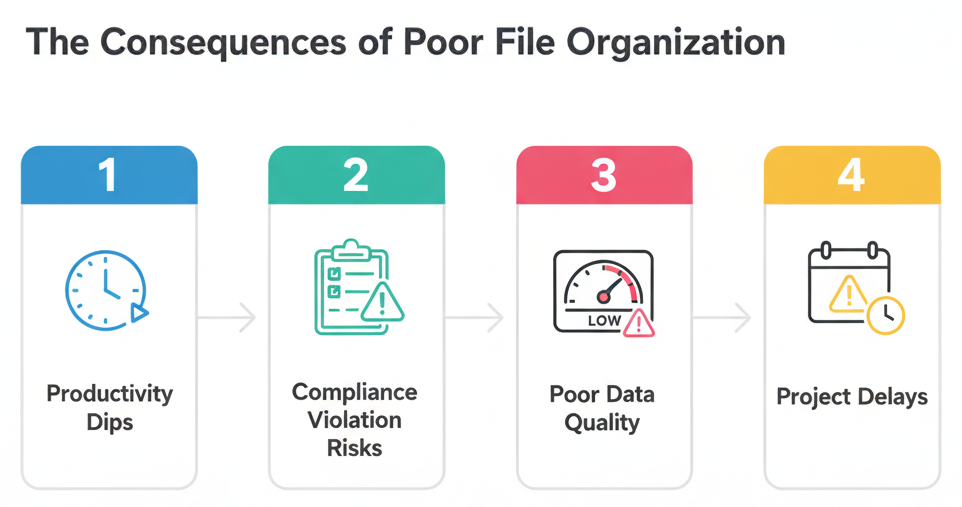
With email-based file sharing, files are scattered across inboxes and folders, leading to a lack of structure. It’s difficult for teams to find the right file when they need it. In fast-paced operations, this inefficiency leads to time wasted on searching for files and confusion about the latest document version.
For example, in a logistics operation, delivery photos or signed documents might be sent via email but are not properly tagged or categorized. Finding the correct file for an audit or review becomes a hassle and often results in misfiled or lost documents.
3. Security Risks in Email File Sharing
Email is not a secure method for sharing sensitive business files. Whether it’s client data, contractual documents, or financial information, emails can be easily intercepted or forwarded to unauthorized individuals, exposing the company to security vulnerabilities.
For example, a construction company might send project blueprints or contracts via email. Without proper security measures, the documents are at risk of being misused or exposed, which could lead to legal or compliance issues.
4. Lack of Real-Time Access
Email doesn’t offer real-time access to files. Once a file is sent, recipients need to manually check their inboxes for the latest version, which delays decision-making. Operations require quick responses, and email doesn’t provide the immediate visibility needed for rapid decision-making.
For example, a field technician might be sent inspection photos via email, but by the time they open the email and view the file, the situation may have already changed. With FieldMaster.ai, teams can access the latest files instantly, ensuring better decision-making and faster responses.
Improving File Sharing in Operations
Instead of relying on email, a centralized file management system provides a more effective solution for operations management. FieldMaster.ai allows businesses to organize, store, and access files in real-time, improving collaboration and streamlining workflows.
With FieldMaster.ai, files are automatically categorized and linked to specific tasks, projects, or operations. This ensures that all stakeholders have access to the latest version of the file, improving communication and efficiency across teams.
How We Solve the Problem
- Centralized Storage: Files, images, and documents are stored in one secure, organized location. Access them quickly without sifting through endless email threads.
- Real-Time Collaboration: Teams can view, update, and share files in real time, ensuring everyone is on the same page.
- Security: With FieldMaster.ai, access control and compliance features ensure that sensitive files are protected and only accessible to authorized personnel.
- No File Size Limitations: Unlike email, FieldMaster.ai allows you to upload, store, and share large documents and media files without technical issues or delays.
Conclusion
Relying on email for file sharing is inefficient and outdated. It leads to disorganization, delays, security risks, and slow decision-making. Moving to a centralized file management system like FieldMaster.ai ensures that files are organized, easily accessible, and secure, improving overall operational efficiency.
By eliminating the use of email for critical file sharing, companies can ensure smoother, faster operations with reduced risks and improved collaboration across teams.
.png)

"Fieldmaster.ai transformed how we manage our operations across multiple sites. The accuracy we gained from field-first data collection eliminated costly mistakes and saved us months of reconciliation work."
Ready to transform operations
Discover how Fieldmaster helps companies like yours achieve field KPIs with precision and speed.

Stay ahead in the field
Get insights and strategies delivered to your inbox every week from Fieldmaster .
FAQs
Questions about field-first data and how Fieldmaster works
Field-first data is information captured at the source, where work actually happens. Instead of relying on reports compiled hours or days later, it's collected in real-time by workers on the ground. This approach eliminates the gaps and inaccuracies that come from office-based data collection.
FieldMaster AI's mobile app functions completely offline. Workers collect data without internet connectivity, and when the connection returns, all information syncs automatically. Nothing is lost, and operations continue uninterrupted regardless of network conditions.
Yes. Our native mobile app is built with zero-effort multilingual support. Workers of any ethnicity or language background become instantly familiar with the interface. There's no language barrier to adoption or understanding.
It means each user sees only the information relevant to their role. A supervisor has different access than a manager, who has different access than a field worker. This keeps operations organized and ensures people focus on what matters to them.
We've been in business since 2015, starting as field contractors ourselves. That experience shaped everything we built. We've added over $200 million in value to projects across the GCC by focusing on what actually works in the field.